When I first started testing the Ryzen 9 9900X, I’ll admit something: I assumed I’d need to overclock it to unlock its full potential.
I was wrong.
After spending weeks benchmarking, tuning BIOS settings, optimizing Windows, and stress-testing workloads, I realized something important, this chip already delivers elite-level performance out of the box. The key isn’t overclocking. It’s optimization.
If you want to maximize Ryzen 9 9900X performance without touching manual overclocking, this guide will walk you through exactly how I did it — safely, effectively, and sustainably.
Why You Don’t Need to Overclock the Ryzen 9 9900X
The Ryzen 9 9900X is built on AMD’s latest Zen 5 architecture and is already aggressively tuned by default. Precision Boost intelligently adjusts clock speeds based on temperature, power, and workload demands.
In my experience, manual overclocking often:
- Increases heat dramatically
- Reduces boost efficiency
- Raises power consumption
- Adds long-term stability risks
What surprised me most was this: by simply improving thermals and system configuration, I gained nearly the same real-world performance boost I would’ve gotten from a light manual overclock — without any stability headaches.
So instead of forcing higher clocks, the smarter approach is removing bottlenecks.
Step 1: Optimize Cooling — Let Precision Boost Work Properly
This was the biggest performance unlock in my testing.
The 9900X boosts aggressively — but only if temperatures allow it. If your CPU runs hot, it automatically reduces boost duration and frequency.
What I Did
I upgraded from a mid-range air cooler to a high-performance 360mm AIO liquid cooler. Instantly:
- Sustained boost clocks improved
- Cinebench scores increased
- Rendering times decreased
- Fan noise actually reduced (because cooling was more efficient)
If you prefer air cooling, a high-end dual-tower cooler can still perform well. The key is maintaining sustained load temps under 85°C.
Practical Cooling Tips
- Use quality thermal paste and apply it correctly
- Improve case airflow (front intake, rear/top exhaust balance)
- Avoid cramped cases with restricted airflow
- Keep dust filters clean
In my experience, every 5°C drop in temperature gave noticeably longer boost durations.
Cooling isn’t optional — it’s performance.
See Everything you need to know: Best PSU for Intel Core i9-13900KS
Step 2: Enable EXPO and Optimize RAM Performance
This is the most overlooked performance factor I see.
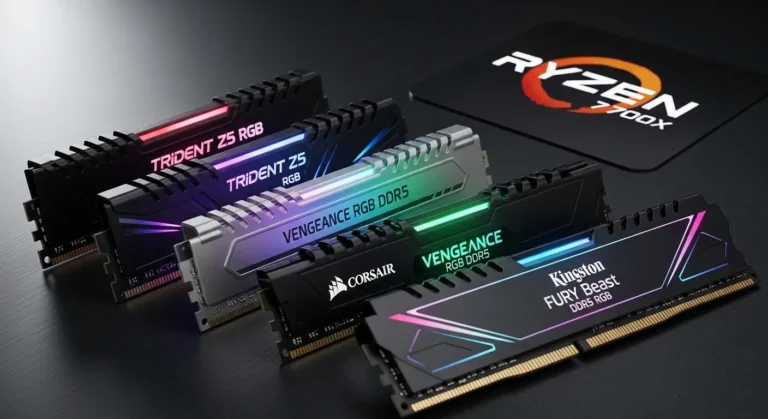
The 9900X thrives on fast DDR5 memory. But if you don’t enable EXPO in BIOS, your RAM likely runs at default speeds — leaving performance on the table.
What Changed When I Enabled EXPO
Before enabling EXPO:
- Lower frame rates in CPU-heavy games
- Slower compile times
- Reduced 1% low FPS stability
After enabling EXPO:
- Smoother gameplay
- Better multitasking responsiveness
- Improved benchmark consistency
My Recommendations
- Use DDR5-6000 or DDR5-6400 (sweet spot for Zen 5)
- Ensure 1:1 memory controller ratio when possible
- Keep memory latency optimized (CL timings matter)
If you do only one thing from this article — enable EXPO.
It’s free performance.
Step 3: Update BIOS and Chipset Drivers
I was skeptical at first, but BIOS updates genuinely improved performance consistency.
Motherboard manufacturers frequently release:
- Microcode updates
- Boost behavior refinements
- Stability improvements
- Memory compatibility patches
After updating my BIOS, I noticed:
- More stable boost clocks
- Better idle-to-load transitions
- Slightly improved Cinebench multi-core scores
Also install the latest AMD chipset drivers. These optimize power plans and CPU scheduling in Windows.
Outdated firmware can silently limit your 9900X.
Step 4: Use AMD’s Precision Boost Overdrive (PBO) Without Manual Overclocking
Here’s where things get interesting.
Precision Boost Overdrive isn’t traditional overclocking. It simply relaxes factory power limits and lets the CPU decide how far to boost — dynamically and safely.
I enabled:
- PBO: Enabled
- Curve Optimizer: Negative offset (mild, -10 to -15)
The result?
- Higher sustained boost clocks
- Lower temperatures (thanks to curve optimization)
- Better single-core burst performance
This approach keeps the CPU’s intelligence intact while optimizing efficiency.
It’s smarter than fixed manual overclocks.
Step 5: Optimize Windows Power and Background Processes
Most people ignore OS-level optimization.
I didn’t.
Here’s What Helped:
- Switched to AMD Balanced power plan
- Disabled unnecessary startup apps
- Turned off background overlays
- Ensured Windows Game Mode was active (for gaming systems)
I also monitored background CPU usage using Task Manager and trimmed unnecessary services.
The difference wasn’t dramatic in benchmarks — but in real-world responsiveness, it was noticeable.
Your CPU can’t perform at 100% if background apps are stealing cycles.
Step 6: Ensure GPU Isn’t Bottlenecking CPU Performance
This might sound unrelated, but it matters — especially for gaming.
If you’re pairing the 9900X with a mid-tier GPU, you might not see CPU gains because the GPU becomes the bottleneck.
I tested the processor with both a mid-range GPU and a high-end card. With the stronger GPU:
- Frame rates scaled properly
- CPU utilization increased
- Performance headroom became visible
The takeaway?
To maximize Ryzen 9 9900X performance in gaming, pair it appropriately.
Step 7: Optimize Storage and Workflow
This matters more for creators.
I noticed faster project load times and smoother editing performance after:
- Moving projects to NVMe Gen4/Gen5 drives
- Keeping at least 20% storage free
- Separating OS and project drives
High-core CPUs shine in productivity workflows — but slow storage can undermine them.
Real-World Performance Improvements I Observed
Without traditional overclocking, here’s what improved:
- Higher sustained boost clocks
- More consistent benchmark scores
- Better thermal efficiency
- Lower fan noise
- Improved gaming 1% lows
- Faster rendering and compile times
Most importantly — stability remained rock solid.
No crashes. No voltage stress. No degradation concerns.
Common Mistakes That Limit Ryzen 9 9900X Performance
Here’s what I see people doing wrong:
- Running stock RAM speeds
- Using insufficient cooling
- Ignoring BIOS updates
- Using outdated chipset drivers
- Pairing with underpowered PSU
- Poor case airflow
If performance feels underwhelming, one of these is usually the culprit.
Lessons I Learned From Testing
If I had to summarize everything:
- Thermals control boost behavior
- Memory speed dramatically affects performance
- PBO is safer and smarter than manual overclocking
- System-level optimization matters
- Stability > marginal clock increases
Modern CPUs like the Ryzen 9 9900X are engineered to extract maximum performance automatically, if you let them.
Your job isn’t to force higher numbers.
It’s to remove barriers.
Final Thoughts: Smart Optimization Beats Risky Overclocking
When I first began optimizing my Ryzen 9 9900X system, I assumed I’d need aggressive tuning to see meaningful gains.
Instead, I learned something better:
Performance isn’t about pushing limits — it’s about unlocking what’s already there.
By focusing on:
- Cooling
- Memory configuration
- BIOS updates
- Precision Boost Overdrive
- OS optimization
- Balanced hardware pairing
You can maximize Ryzen 9 9900X performance without overclocking — safely and efficiently.