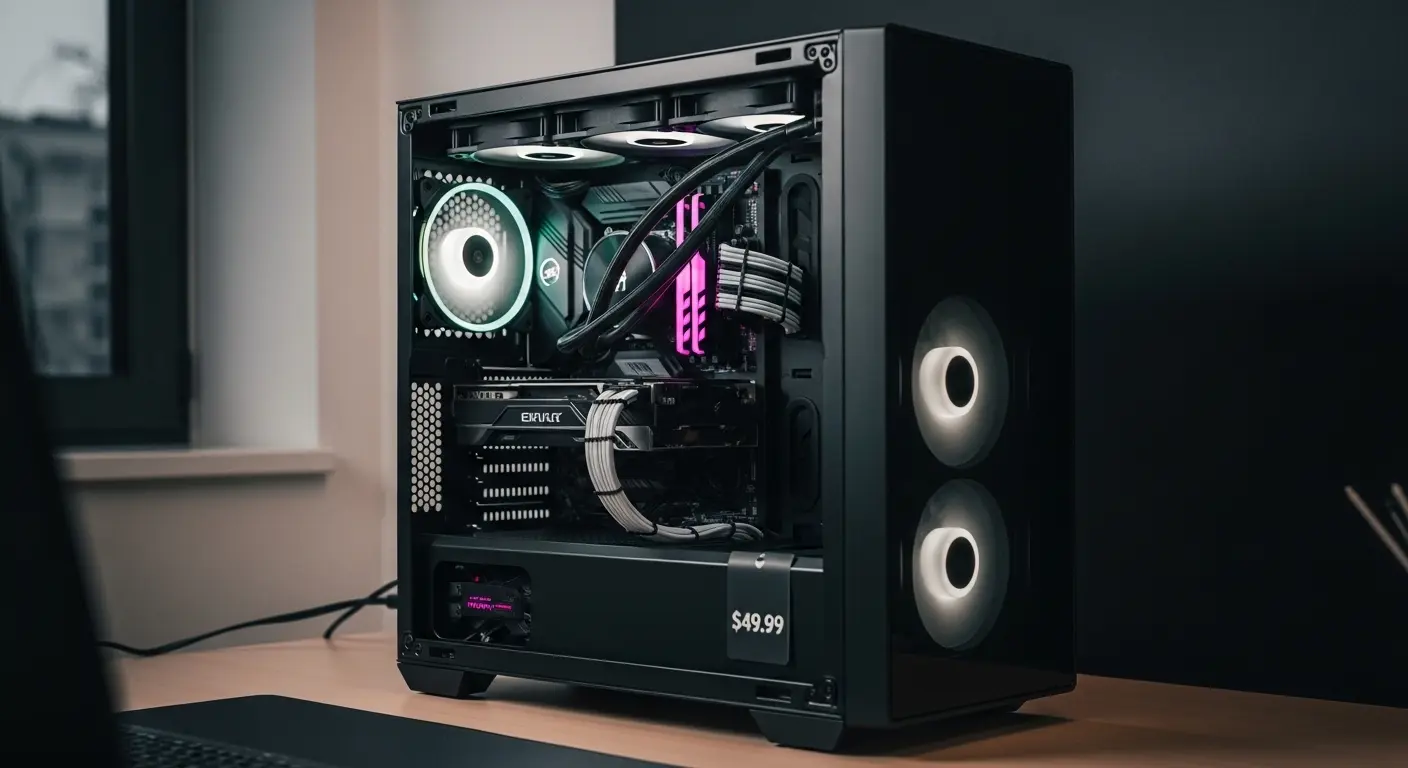
Three months ago, I was staring at a pile of PC parts on my desk… CPU, motherboard, RAM, even a decent GPU I grabbed on discount. Everything was ready, except the case. And here’s the thing: I didn’t want to spend $100+ on a box. It’s just a case, right?
But after building PCs for years, I know that a bad case can ruin airflow, cable management, noise levels, basically the entire experience. So my mission was simple: find the best PC cases under $50 that don’t feel cheap or compromise performance. This is the story of what I tested, what surprised me, and which one I ended up keeping.
The Problem: Cheap Cases Usually Feel… Cheap
I’ve used budget cases before. Sharp edges. Weak metal panels. Horrible airflow. Fans that sound like a small jet engine.
And honestly? I didn’t want that again.
My build was mid-range, Ryzen 5, RTX 3060, and I needed:
- Good airflow
- Decent cable management
- At least 2 included fans
- Support for a full-size GPU
- Clean design (no 2008 gamer vibes)
The challenge? Staying under $50 on Amazon while avoiding sketchy no-name brands.
So I narrowed it down to three popular options.
1. Cooler Master MasterBox Q300L
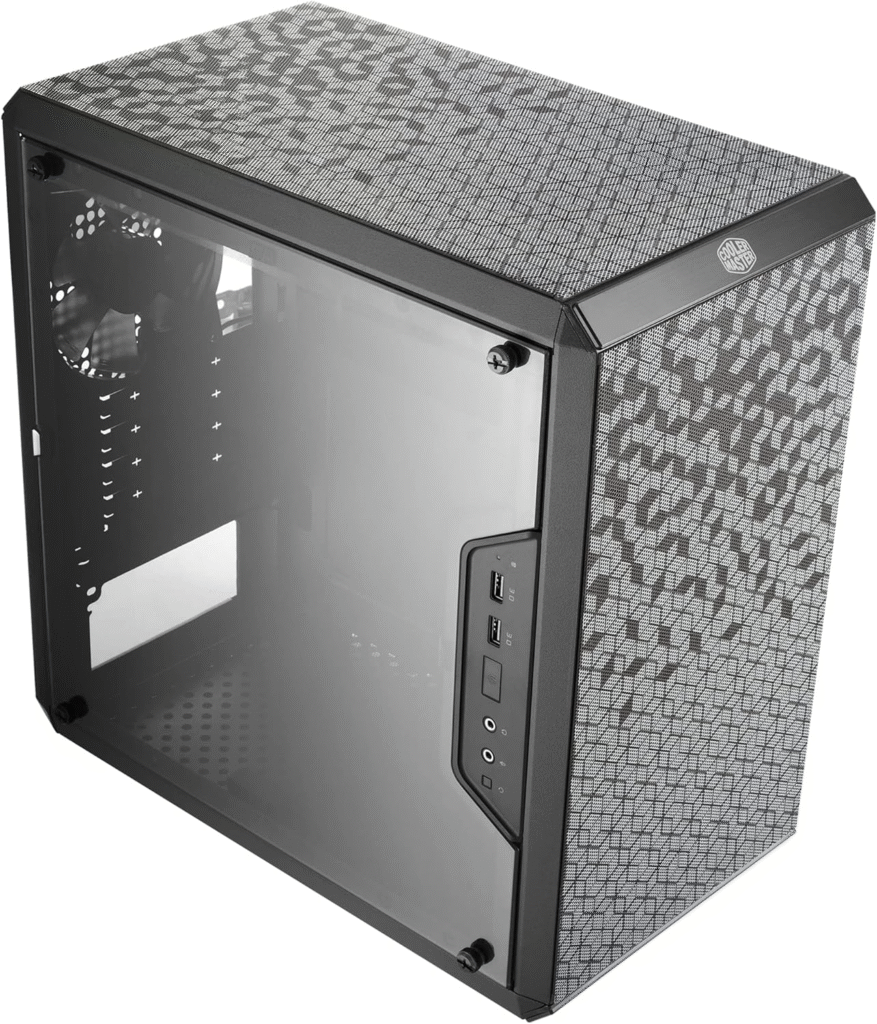
This one kept popping up everywhere. Reddit threads. YouTube builds. Budget lists. And yes, it was frequently on sale for under $50.
First Impressions
When it arrived (2-day Prime shipping… love that), I was actually impressed. It didn’t feel flimsy. The steel frame was sturdy enough, and the magnetic dust filters were surprisingly premium for this price.
Specs Snapshot
- Micro-ATX support
- GPU clearance: ~360mm
- Tempered acrylic side panel
- 1x 120mm fan included
- Fully perforated front panel
- Modular I/O panel
Real-World Testing
After 3 weeks of use, here’s what I noticed:
Airflow: Surprisingly solid. The perforated design really helps. I added two extra 120mm fans, and my GPU temps dropped about 4–5°C compared to my older case.
Cable Management: This is where it’s… meh. There’s space behind the motherboard tray, but not a ton. If your PSU cables aren’t modular, it gets tight.
Build Quality: Not bad at all. Slight flex in the side panel, but nothing alarming.
Downsides
The acrylic panel scratches easily. And because it’s micro-ATX, you’re limited on motherboard upgrades later. That bothered me a little.
Still, for under $50? It’s definately one of the strongest contenders.
2. Thermaltake Versa H18
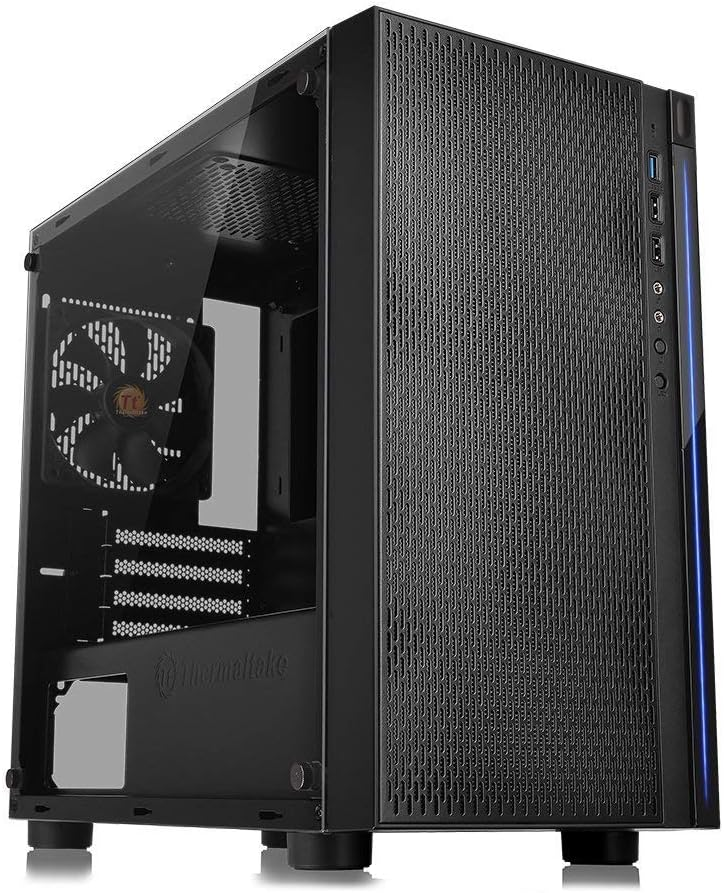
This one felt like the quiet competitor. Not flashy. Not hyped. Just… dependable.
Why I Tried It
It was slightly cheaper during a weekend sale on Amazon, and I liked the minimalist mesh front. It reminded me of higher-end airflow cases.
Specs Snapshot
- Micro-ATX support
- Tempered glass side panel (real glass!)
- 1x 120mm rear fan included
- Mesh front panel
- PSU shroud
Real-World Testing
After building inside it, I immediately noticed something:
Cable management was easier than the Q300L.
The PSU shroud hides mess. That alone makes it look cleaner. Honestly, I wish every budget case had that.
Airflow: With just the stock fan, temps were okay. But once I added two front intake fans, performance improved a lot. My CPU stayed consistently 3–4°C cooler during gaming sessions.
Build Feel: More solid than I expected. The tempered glass panel makes it feel more premium.
Downsides
Only one included fan. That’s kind of annoying. Budget buyers shouldn’t have to immediately buy extra cooling.
Also, it’s compact. Large GPUs fit, but cable routing gets tight.
Still… this one started becoming my favorite.
About More: Best CPU for Gaming (Buyer’s Guide)
3. DeepCool Matrexx 30
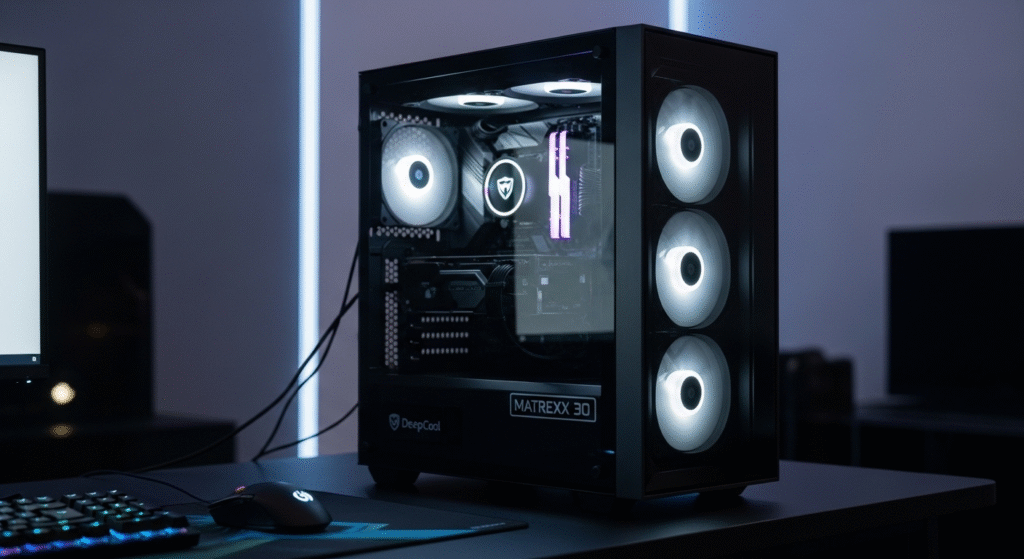
I almost didn’t try this one. I wasn’t familiar with the brand at first (yes, I had seen Deepcool coolers, but not their cases).
But curiosity won.
Specs Snapshot
- Micro-ATX support
- Tempered glass side panel
- 1x 120mm rear fan
- Minimal front panel (not full mesh)
Real-World Experience
Here’s where things got interesting.
Build Quality: Solid. Clean lines. It looks more expensive than it is.
Airflow: This is where it falls slightly behind. The front panel is more closed-off compared to the mesh designs of the other two. My GPU temps were about 5–6°C warmer under load.
Not terrible… but noticeable.
Noise Levels: Surprisingly quiet. Maybe because airflow is slightly restricted, fans don’t ramp as aggressively.
Downsides
Limited front intake options. Not ideal for hotter GPUs.
For a low-power build? Totally fine. For gaming with a dedicated GPU? I’d lean toward mesh-front cases instead.
The Comparison – Which One Actually Wins?
After testing all three over about a month (yes, my desk was chaos), here’s how I’d rank them:
Best Overall: Thermaltake Versa H18
Balanced airflow, tempered glass, PSU shroud. Feels premium for under $50.
Best for Airflow Mods: Cooler Master Q300L
Great ventilation, but cable management needs patience.
Best for Clean Looks: DeepCool Matrexx 30
Stylish and simple, but airflow slightly weaker.
What About Competitors?
You might also see cases from brands like NZXT or Corsair in recommendations.
But here’s the reality: most of their solid options start above $70–$80. Under $50, these three brands dominate.
Unless you’re comfortable gambling on unknown brands… which I personally avoid.
My Final Choice
After going back and forth (and yes, returning one unit through Amazon, thank you free returns), I kept the Thermaltake Versa H18.
Why?
Because it gave me:
- Clean aesthetics
- Better cable management
- Solid airflow after adding fans
- Tempered glass
- Upgrade flexibility
It just felt right for my setup.
6-Week Update
After 6 weeks of daily gaming and work:
- No rattling panels
- No unexpected temp spikes
- Dust filters working well
- Still looks clean
Honestly, I stopped thinking about it, which is the best compliment you can give a PC case.
Should You Buy a PC Case Under $50?
Here’s my honest take:
If you’re building a budget PC or secondary system, absolutely yes. Modern budget cases have improved a lot.
But manage expectations:
- You’ll probably need extra fans.
- Steel may be thinner.
- Cable routing requires patience.
Still… you don’t need to overspend.
Quick Buying Tips (From My Mistakes)
- Check GPU length clearance.
- Confirm motherboard size (ATX won’t fit in these).
- Budget $15–$25 for extra fans.
- Watch for lightning deals or coupons on Amazon.
Timing matters, I saved about $8 just by waiting 4 days.
Final Thoughts
Finding the best PC case under $50 isn’t impossible anymore. Brands like Cooler Master, Thermaltake, and DeepCool have seriously stepped up their game.
Are they perfect? No.
But after testing them side by side, I can confidently say you can build a clean, cool-running, and good-looking PC without blowing your budget.
If I had to do it again tomorrow?
I’d still pick the Thermaltake Versa H18… though the Q300L comes very close.
And honestly? For under $50… that’s kind of amazing.
Amazon Affiliate Disclaimer
As an Amazon Associate, I earn from qualifying purchases. This means that if you click on certain links on this website and make a purchase through Amazon, I may receive a small commission at no extra cost to you.