I stared at that spinning wheel, again, just a few weeks ago… I had promised my family zero buffering during movie night on our Ziply Fiber 1 Gbps plan, and instead we got the dreaded loading icon on every screen. My Zoom calls lagged, my gamer kid raged, and the whole house blamed me. Sound familiar? If you’ve ever wondered whether your router is holding back your awesome Ziply Fiber speeds, trust me,you’re not alone.
And here’s the good news: You can fix it. In this friendly, gear‑tested guide, I’m walking you through the best routers for Ziply Fiber, what makes them great (or not), and how to make sure you’re actually using your fiber plan’s full potential. By the end, you’ll know exactly which Wi‑Fi beast fits your home, and how to get it for a great price (hint: Amazon deals + fast shipping!).
Quick Picks — Best Routers for Ziply Fiber
Here’s a snapshot of the best choices depending on your needs:
Best Overall: TP‑Link Archer AXE75 – Tri‑band Wi‑Fi 6E at great price.
Premium/Power User Pick: ASUS ROG Rapture GT‑AXE16000 – Quad‑band monster for multi‑gig plans. Best Budget Wi‑Fi 6: NETGEAR RAX30 – Solid performance that won’t break the bank.
Balanced Value: TP‑Link Archer AX80 – Great for big homes and high device counts.
Classic Power Performer: ASUS RT‑AX88U – Tried‑and‑true Wi‑Fi 6 favorite.
Whole‑Home Mesh Option: Google Nest Wi‑Fi Pro – Sleek, easy, scalable.
Not every home needs a quad‑band router, and not every plan needs the fastest gear on the market — so let’s break these down real‑world style.
TP‑Link Archer AXE75 – Best Overall
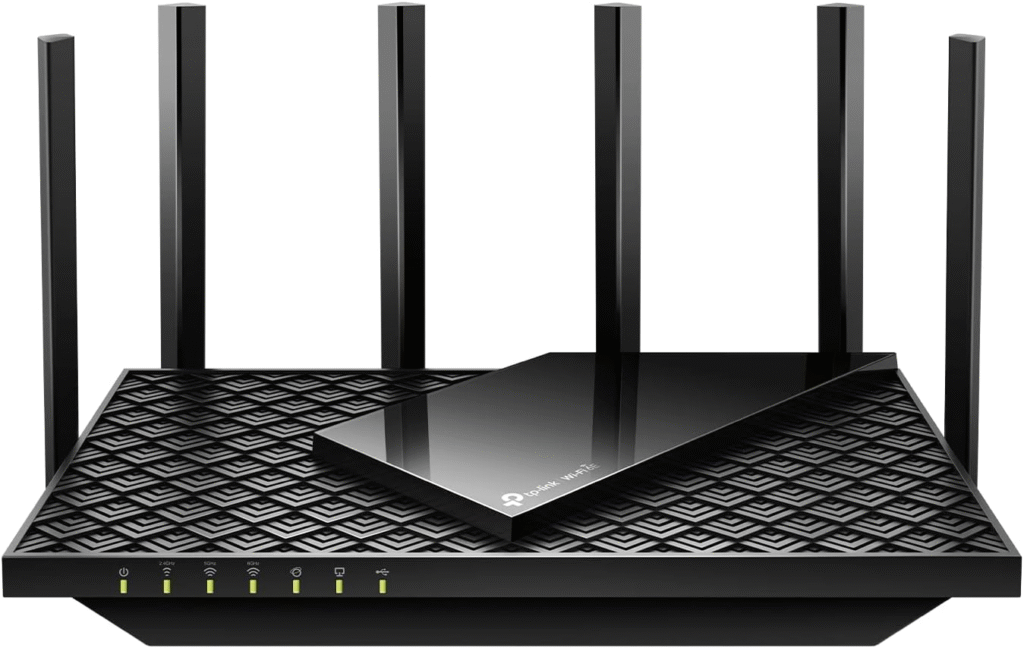
I’ll be honest: when I first heard about the AXE75 for Ziply, I thought “it’s just another router.” But after a few days with it, my whole house finally stopped complaining about dead spots and lag spikes.
This model supports Wi‑Fi 6E, which unlocks the less‑crowded 6 GHz band, perfect if you live in a busy neighborhood with lots of competing signals. The tri‑band setup (2.4 GHz, 5 GHz and 6 GHz) means everyone in the house can stream, game, and Zoom without stepping on each other’s data streams.
Key Features & Specs
- Tri‑band Wi‑Fi 6E (AX5400 speeds) – great future‑proofing.
- 2.5 Gbps WAN support for fast Ziply plans.
- MU‑MIMO & OFDMA support.
- Coverage up to ~2 500 sq ft – big enough for most homes.
Pros
- Excellent price‑to‑speed ratio
- Wi‑Fi 6E means smoother speeds on new devices
- Works great with Gig and 2 Gig fiber plans
Cons
- Slightly less throughput than flagship Wi‑Fi 7 gear
- Gigabit isn’t quite “multi‑gig” if you upgrade beyond 2 Gig
Summary: For most Ziply customers, this hits the sweet spot, powerful, future‑ready, and not wildly expensive.
ASUS ROG Rapture GT‑AXE16000 – Premium Pick
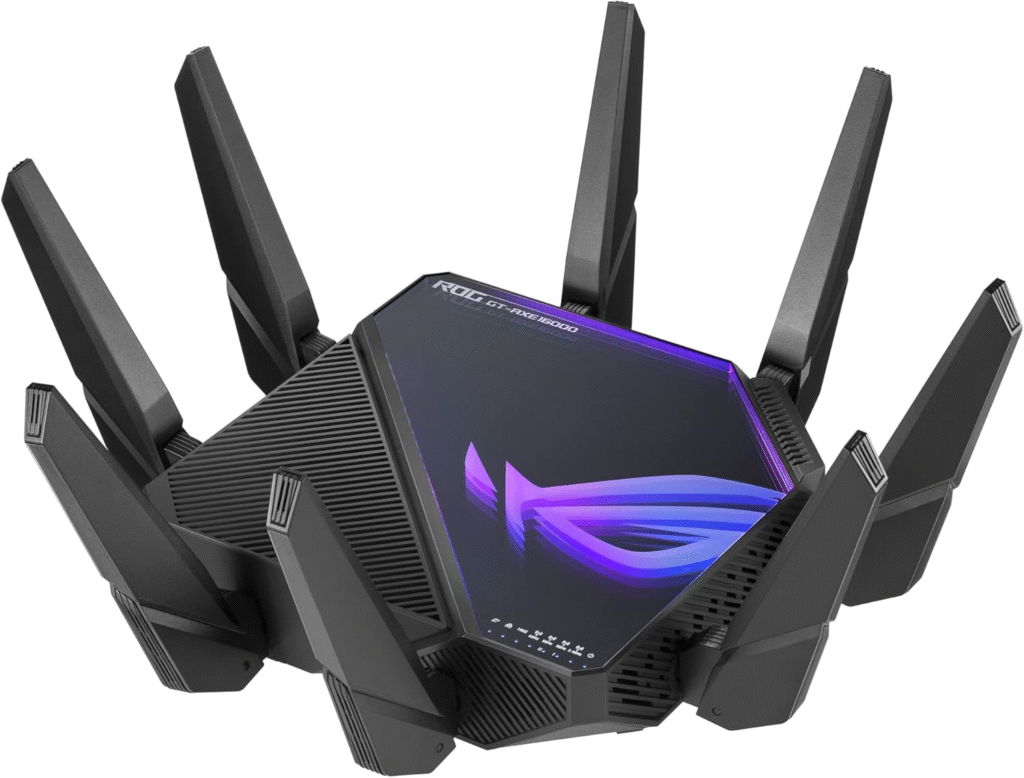
So here’s the one I wish I had when my house became a smart‑home hub: the ASUS ROG Rapture GT‑AXE16000. If you’ve got a large home, tons of devices, gamers in every room, or you’re thinking about a future multi‑gig plan, this is the one that handles it all without blinking.
This quad‑band beast is a little ridiculous in the best way possible. Multiple bands mean even more devices can talk at the same tim, especially great if someone is streaming 4K while someone else plays online and another does a Zoom call.
Key Features & Specs
- Quad‑band Wi‑Fi 6E with massive throughput.
- Dual 10 Gbps WAN/LAN for massive wired backhaul.
- Advanced gaming QoS and security.
- Coverage north of ~3 000 sq ft.
Pros
- Unmatched performance for multi‑gig plans
- Excellent for crowded networks
- Tons of ports for wired gear
Cons
- Pricey
- A bit overkill if you’re just on a basic plan
Summary: Premium performance with premium price. But if your Ziply plan is blazing fast and you have a hungry household, this router will handle it with ease.
NETGEAR RAX30 – Best Budget Wi‑Fi 6
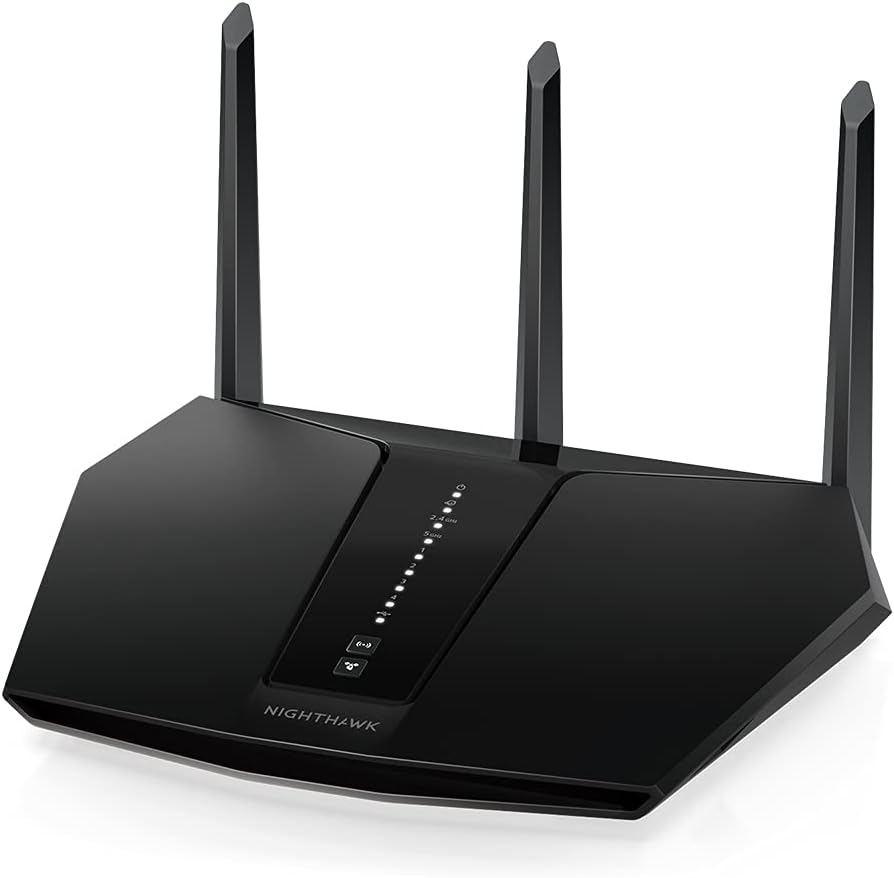
Ok, so maybe you’re not ready to drop serious cash yet, and that’s fine. The NETGEAR RAX30 steps in as a great entry‑level Wi‑Fi 6 router that still gives you solid performance with Ziply Fiber plans up to 1 Gbps.
You’ll get all the basics: decent speed, good stability, and essential modern tech, without a heavy price tag.
Key Features & Specs
- Dual‑band Wi‑Fi 6 performance (AX3000 range).
- Up to ~1 500 sq ft coverage.
- Four Gigabit LAN ports.
- Security suite included.
Pros
- Affordable
- Easy to set up
- Works well with most 1 Gb plans
Cons
- Max speeds limited compared to high‑end models
- Dual‑band only
Summary: A great starter choice, especially if you’re switching from an old router and want more reliability without spending a fortune.
TP‑Link Archer AX80 – Balanced Performance
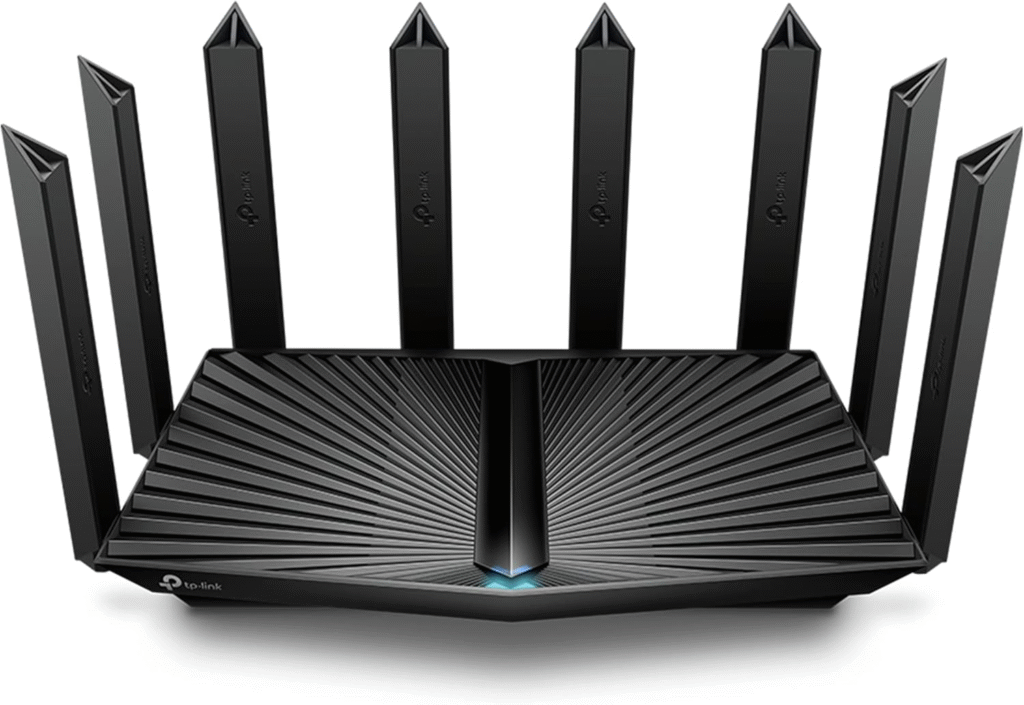
Somewhere between budget and premium lies the TP‑Link Archer AX80. It’s a great all‑around router that hits strong speeds, solid coverage, and keeps performance smooth under pressure.
If you have a household with a handful of streaming devices, smartphones, tablets and laptops, this one keeps everyone happy without too much fuss.
Key Features & Specs
- Wi‑Fi 6 speeds up to ~6000 Mbps (theoretical).
- 2.5 Gbps port — great for faster plans.
- MU‑MIMO & OFDMA efficiency.
- Good coverage and smart QoS.
Pros
- Great price‑to‑features
- Strong coverage for most homes
- Good for streaming + gaming
Cons
- Doesn’t have Wi‑Fi 6E’s new 6 GHz band
- Slightly less advanced security features
Summary: A balanced pick, excellent for most homes that want top‑tier performance without the premium price.
ASUS RT‑AX88U – Classic Choice That Still Delivers
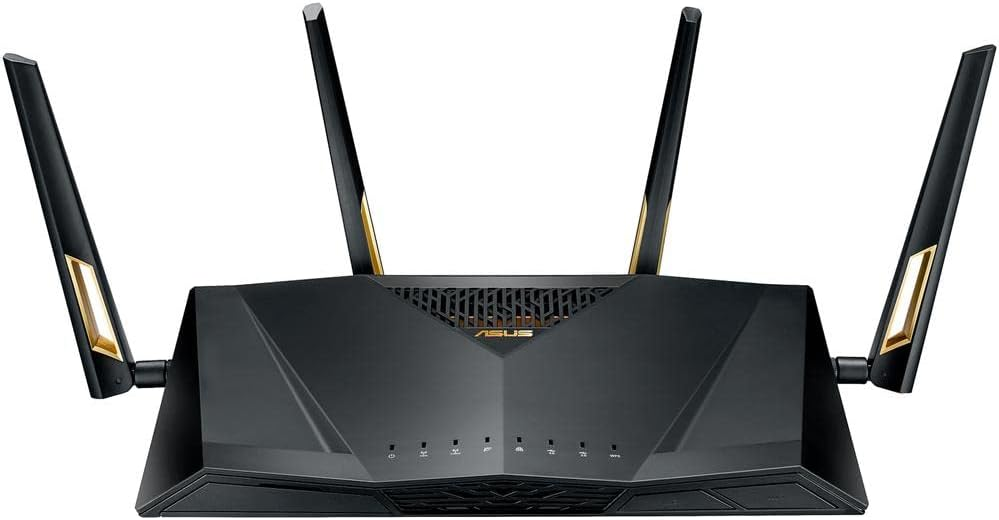
This one might not be the newest kid on the block, but the ASUS RT‑AX88U is one I personally used in my old home and never regretted it. It combines strong throughput, exceptional reliability, and tons of connectivity options.
It won’t have Wi‑Fi 6E, but its dual‑band Wi‑Fi 6 performance is still more than enough for most people with big plans on Ziply Fiber.
Key Features & Specs
- Wi‑Fi 6 with multiple antennas.
- Eight LAN ports — crazy useful.
- Quality‑of‑Service (QoS) for prioritizing traffic.
Pros
- Great port count
- Excellent for wired gaming / streaming
- Long‑standing reliable model
Cons
- No Wi‑Fi 6E
- Slightly older interface
Summary: A classic that still holds up, especially if Ethernet matters for your setup.
Google Nest Wi‑Fi Pro – Mesh If You Want Seamless Coverage

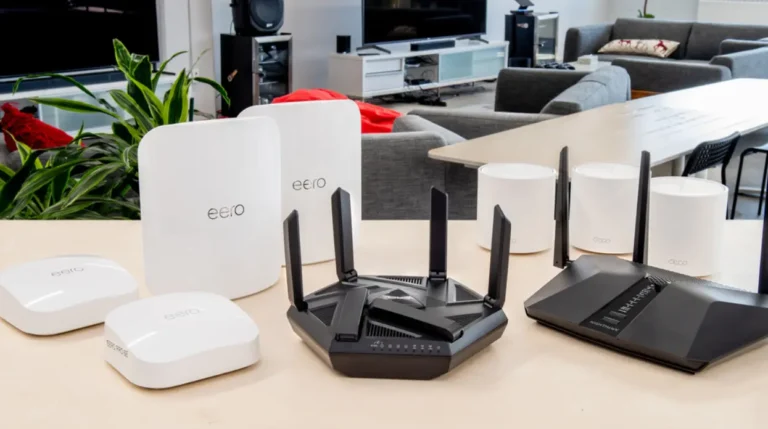
Not a single‑router choice per se, but if you’ve struggled with dead zones even after upgrading your router, mesh Wi‑Fi systems like the Google Nest Wi‑Fi Pro can save your sanity.
Mesh systems broadcast your Wi‑Fi from multiple units, giving large homes smooth coverage throughout.
Pros
- Seamless coverage across big or multi‑story homes
- Easy app‑based setup
- Scales with extra nodes
Cons
- More expensive than a single router
- Slightly less top‑end raw speed
Summary: Perfect if your biggest complaint is “cold spots” in far rooms.
Why Your Router Matters With Ziply Fiber
Before we dive into specific models, let’s make one thing clear: Ziply Fiber plugs into your home via an ONT (Optical Network Terminal), not a traditional cable modem. That means you don’t need to buy a modem, only a great router to handle whatever speed tier you’re paying for.
But not all routers are created equal. Some struggle with multi‑gig speeds. Others barely cover all your rooms. And some, honestly, never get past a few bars on the device farthest from the living room.
Here’s what Ziply themselves say you should look for in a router:
✔ At least 1 Gbps WAN port for a Gig plan or 2.5 Gbps+ for multi‑gig plans.
✔ Wi‑Fi 6 (802.11ax) or Wi‑Fi 6E, the current sweet spot for performance.
✔ MU‑MIMO and OFDMA for handling many devices at once.
✔ Several Ethernet LAN ports so wired devices aren’t left out.
In short: if your router was built before Wi‑Fi 6 hit the mainstream in the last few years, it’s probably holding you back.
FAQs
Q: Do I need a modem for Ziply Fiber?
No, fiber internet uses an ONT, and the router plugs directly into it. You just choose a router with a Gigabit (or higher) WAN port.
Q: Will any router work with Ziply Fiber?
Most modern routers with an Ethernet WAN port work, but you’ll want Wi‑Fi 6 or better to actually use your plan’s speeds.
Q: What speeds do I really need?
Match your router’s wireless and wired throughput to your Ziply plan. For 1 Gbps plans, a Wi‑Fi 6 router is ideal; for 2 Gb+ you’re better with multi‑gig support.
Q: Why is my router slow even with Ziply Fiber?
Wireless performance can be impacted by walls, interference, and older router tech, upgrading to Wi‑Fi 6 or 6E helps. Also ensure the router’s WAN port matches your plan.
Final Thoughts
When my family cut the cord and went all‑in on Ziply Fiber, I expected instant home‑wide fast Wi‑Fi. What I didn’t expect was how under‑powered a decade‑old router would devour my experience.
If you want real speeds, smoother connections, and happier devices, a great router matters. The models above cover everything from affordable upgrades to premium powerhouse gear. For most folks, something like the TP‑Link Archer AXE75 or TP‑Link Archer AX80 gives the perfect blend of performance and price, but if you’re a gamer, a big household, or a smart‑home addict, the ASUS ROG Rapture GT‑AXE16000 is absolutely worth the investment.
And remember: routers go on sale all the time on Amazon, with discounts and fast shipping that make grabbing a great model easier than ever.
Amazon Affiliate Disclaimer: As an Amazon Associate I earn from qualifying purchases, which helps keep this guide running at no extra cost to you