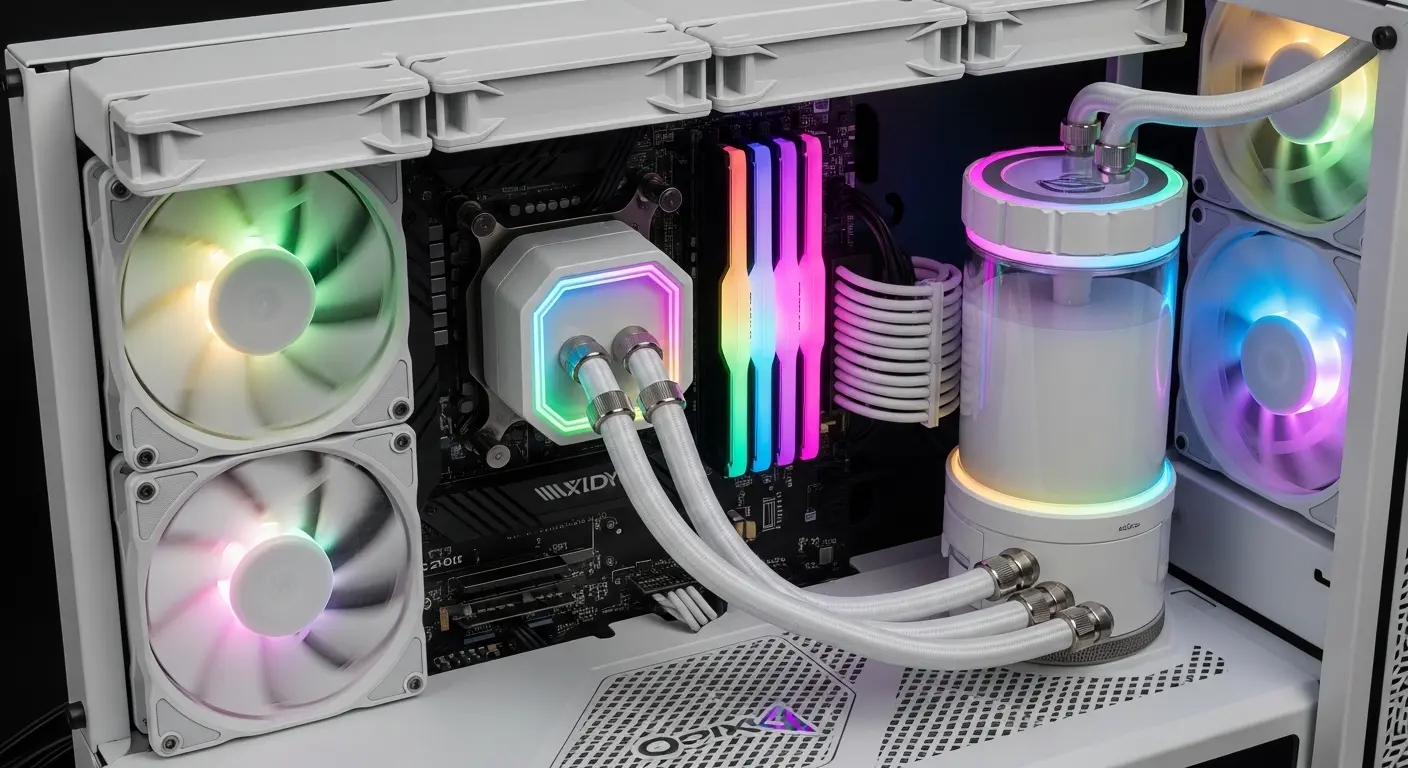
Building a clean white PC setup sounded simple at first… until I actually started doing it. A few months ago I decided to upgrade my gaming and work PC. I wanted a minimal white-themed build, white case, white RAM, white GPU accents… the whole aesthetic. But then I noticed something annoying: most CPU coolers were black.
Sure, performance matters more than looks. But if you’re spending hours designing a white build, a big black cooler sitting in the middle kinda ruins the vibe. So I went down the rabbit hole.
I searched forums, Reddit threads, and Amazon reviews trying to find CPU coolers that were both powerful and actually white. Not “off-white,” not “silver-ish,” but proper clean white. After testing a few options over several weeks, three coolers stood out the most.
These are the ones I actually used and compared.
My Search for the Perfect White CPU Cooler
At first, I thought choosing a cooler would be easy. Just pick the one with the best reviews, right?
Not really.
Some white coolers look amazing but perform poorly. Others cool great but have loud fans or weird mounting systems.
My checklist became pretty simple:
- Excellent cooling performance
- Clean white design
- Quiet fan noise
- Easy installation
- Good price (Amazon deals helped a lot)
After a lot of comparisons, I narrowed it down to three coolers that kept showing up in PC builder discussions.
And honestly… each one impressed me for different reasons.
1. DeepCool AK620 WH – The CPU Best Overall White Air Cooler
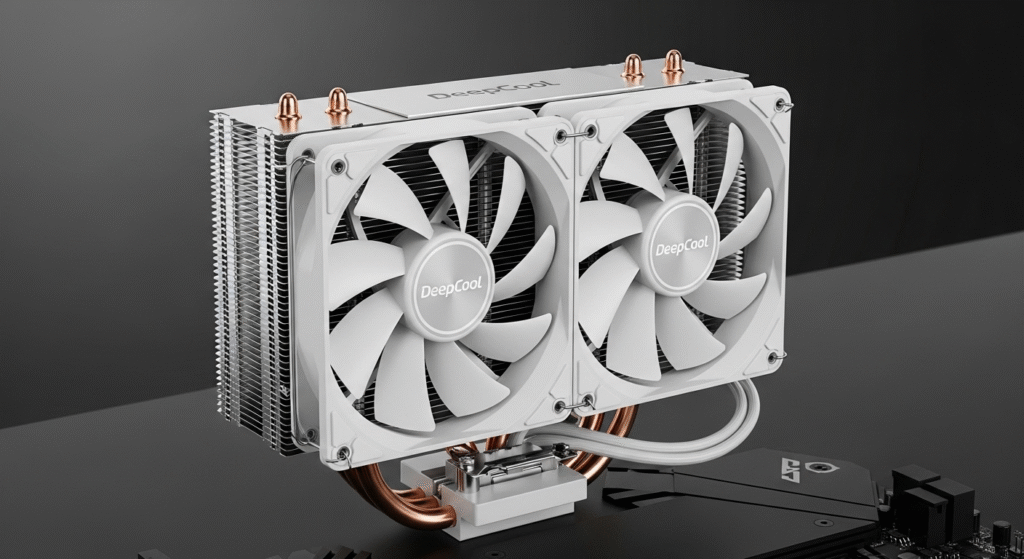
The DeepCool AK620 WH was the first cooler I tried, and surprisingly it set the bar really high. At first glance, this cooler just looks premium. The entire heatsink is coated in a smooth white finish, and the dual-tower design makes it look powerful without being flashy.
Key Specs
- Dual tower air cooler
- 2 × 120mm white fans
- Max fan speed: 1850 RPM
- Noise level: ~28 dB
- TDP support: around 260W
- Compatible with Intel & AMD sockets
My Experience
Installing the cooler was easier than expected. DeepCool includes a solid mounting kit, and the instructions were clear, which is rare for PC components.
After installing it on my Ryzen 7 system, I ran a few stress tests.
Idle temps were around 34°C, and under heavy gaming loads it stayed around 67–70°C. That’s seriously impressive for an air cooler.
Fan noise? Honestly… almost silent.
Even during long gaming sessions I barely noticed it.
Real-World Use
After three weeks of daily use, I was pretty convinced this cooler is one of the best air coolers available — not just among white ones.
It handled:
- Gaming sessions (Warzone, Apex)
- Video rendering
- Long office work sessions
without breaking a sweat.
Small Downsides
Nothing is perfect.
- It’s big, so small cases might struggle
- RAM clearance can be tight with tall RGB RAM
Still… performance wise, it’s definately one of the best choices.
2. NZXT T120 RGB White – Best CPU for Clean Aesthetic Builds
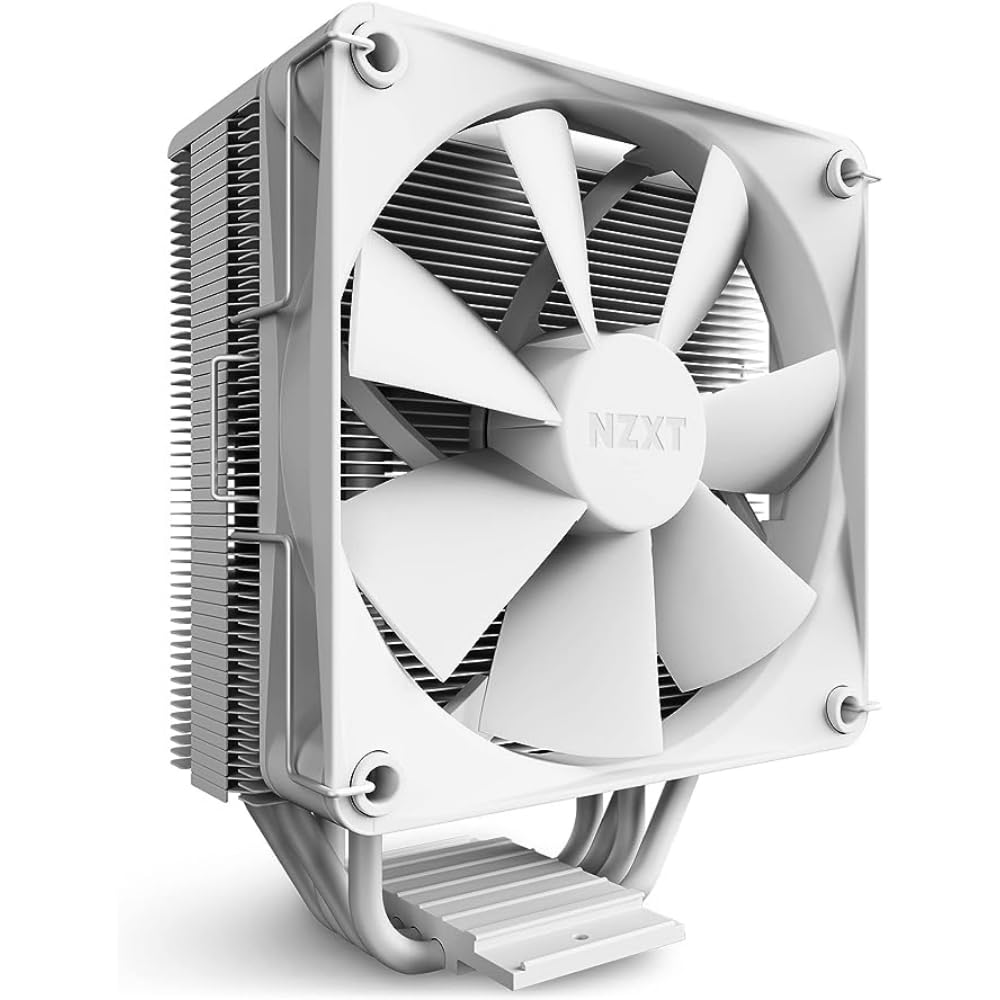
If aesthetics matter a lot in your build, the NZXT T120 RGB White is seriously tempting.
This cooler feels like it was designed specifically for minimal white builds.
It’s smaller than the AK620, but the design looks incredibly clean, smooth white heatsink with a subtle RGB fan.
Key Specs
- Single tower cooler
- 120mm RGB fan
- Fan speed up to 1800 RPM
- Noise level around 27 dB
- Supports Intel and AMD platforms
My Experience
I tested this cooler in my secondary editing PC.
Installation was quick, maybe 10 minutes total.
Cooling performance was good for mid-range CPUs.
Idle temps hovered around 35°C, and during heavy workloads they stayed around 75°C.
Not record-breaking… but perfectly fine.
Where It Really Shines
The aesthetics.
If your build is:
- White case
- White motherboard
- RGB RAM
this cooler blends in beautifully.
Honestly, it almost looks like part of the motherboard design.
Real Usage
During daily tasks like:
- Zoom meetings
- Photoshop work
- YouTube editing
the cooler stayed quiet and stable.
I even forgot it was there most of the time.
Downsides
Compared to the AK620:
- Cooling power is slightly lower
- Not ideal for high-end CPUs like i9 or Ryzen 9
But for mid-range builds, it works great.
3. Lian Li Galahad II Trinity White – Best CPU White Liquid Cooler
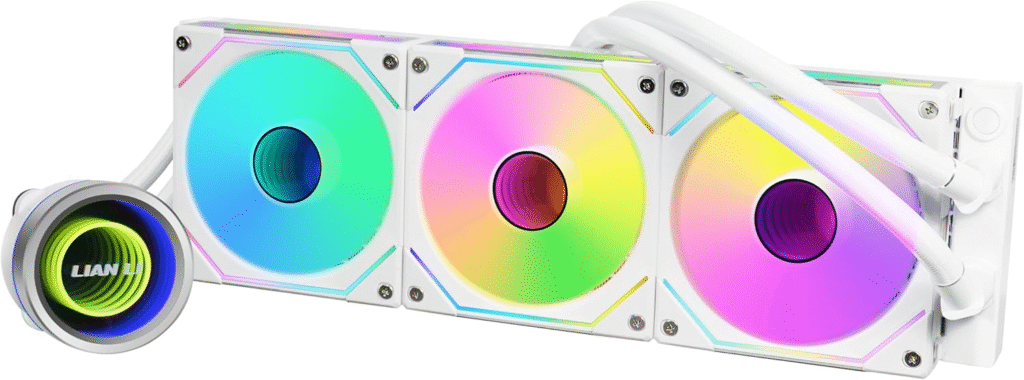
Air coolers are great… but if you want the ultimate clean look, liquid cooling wins.
That’s why I also tested the Lian Li Galahad II Trinity White.
This AIO cooler is stunning.
Everything is white, radiator, tubing, pump block, and fans.
Key Specs
- 240mm / 360mm radiator options
- High-performance pump
- ARGB lighting
- PWM fans up to 2000 RPM
- Excellent Intel & AMD compatibility
First Impression
When I opened the box, I actually paused for a moment.
The build quality looked premium, thick tubing, solid radiator, and the pump block design looked futuristic.
Installation
AIO coolers always take longer to install, but this one was pretty straightforward.
Total time: about 25 minutes.
Cable management took the longest.
Cooling Performance
Here’s where liquid cooling shines.
With my Ryzen 7 system:
- Idle temps: 30–32°C
- Heavy load: 60–64°C
That’s better than most air coolers.
Real-World Usage
During long gaming sessions or heavy rendering tasks, temps stayed stable.
Fans did ramp up occasionally… but nothing crazy.
Honestly, the system felt super smooth and cool.
Downsides
Of course, AIO coolers aren’t perfect.
- More expensive
- Installation takes longer
- Pump noise (very faint, but still there)
Still… the visual impact alone is incredible.
About More: Best PC Cases for Water Cooling
Air Cooling vs Liquid Cooling (My Honest CPU Thoughts)
After using both types, here’s my honest opinion.
If you want:
Maximum reliability → Air cooler
Air coolers like the AK620 are simple and durable.
No pump, no liquid… fewer things that can fail.
If you want:
Ultimate aesthetics + cooling → AIO cooler
Liquid coolers like the Galahad look amazing in modern builds.
They also keep temperatures slightly lower.
But they cost more.
About More: Best PC Cases Under $50 – My Honest Budget Build Experience
What I Learned CPU After Testing These Coolers
Before this build, I thought CPU coolers were boring.
Now… I realize they actually define the whole look of a PC.
Here are a few lessons I learned:
1. White coatings matter
Some coolers claim to be white but look grey in person.
The models above actually match white cases properly.
2. Size matters
Dual-tower coolers can block RAM slots or touch side panels.
Always check clearance.
3. Don’t chase RGB alone
Cooling performance is still the most important factor.
A beautiful cooler that overheats your CPU isn’t worth it.
Quick Comparison CPU
| Cooler | Type | Best For |
|---|---|---|
| DeepCool AK620 WH | Air Cooler | Best overall performance |
| NZXT T120 RGB White | Air Cooler | Clean aesthetic builds |
| Lian Li Galahad II Trinity White | Liquid Cooler | High-end builds & RGB setups |
My Final Choice (After All the Testing)
After trying all three… I ended up keeping the DeepCool AK620 WH in my main PC.
Why?
Because it balances everything:
- Excellent cooling
- Quiet fans
- Beautiful white design
- No pump worries
And honestly… it performs close to some liquid coolers while being much simpler.
But if I was building a showcase PC with glass panels and lots of RGB, I’d probably choose the Lian Li Galahad II Trinity.
Final Thoughts
Finding the best white CPU cooler is harder than it sounds. Many look great but don’t perform well.
After weeks of testing, these three coolers stood out for different reasons.
- DeepCool AK620 WH – Best overall balance of performance and aesthetics
- NZXT T120 RGB White – Perfect for clean minimal builds
- Lian Li Galahad II Trinity White – Stunning liquid cooling solution
Each one has small drawbacks… but all three deliver solid cooling and match a white-themed PC beautifully.
And honestly, after finishing my build and turning the system on for the first time… seeing everything glow in clean white?
Totally worth the effort.
Amazon Affiliate Disclaimer
As an Amazon Associate, I earn from qualifying purchases. This means that if you click on certain links in this article and make a purchase, I may earn a small commission at no extra cost to you. These commissions help support the time and effort spent researching, testing, and creating helpful content. I only recommend products that I genuinely believe offer value and performance based on my experience and research.