

I’ll admit it, I used to think buying a cheap laptop meant accepting slow performance, poor battery life, and a display that looked washed out the moment sunlight hit it.
But after spending years researching and comparing budget laptops, I’ve realized that’s no longer true.
Today’s affordable laptops are surprisingly capable. Whether you’re a student attending online classes, someone working from home, or simply looking for a reliable machine for web browsing, Microsoft Office, streaming Netflix, or managing everyday tasks, there are plenty of excellent options that won’t empty your wallet.
The challenge isn’t finding a cheap laptop anymore; it’s choosing the right one.
Some models focus on battery life, others prioritize portability, while a few offer impressive multitasking performance thanks to modern Intel Core i3, AMD Ryzen processors, fast SSD storage, and Full HD IPS displays.
In this guide, I’ve rounded up the best cheap laptops we’ve tested for 2026. Instead of chasing flashy marketing claims, I’ll explain what each laptop does well, where it falls short, and who should actually buy it.
If you’re ready to spend wisely instead of spending more, let’s get started.
How I Chose These Budget Laptops
When I recommend a laptop, I don’t look at specifications alone.
A processor may look powerful on paper, but if the keyboard is uncomfortable, the battery dies after a few hours, or the display is too dim to use comfortably, it won’t provide a good everyday experience.
For this roundup, I focused on factors that actually matter to real buyers:
- Overall performance for everyday productivity
- Processor capabilities
- RAM and storage configuration
- Display quality
- Battery life
- Build quality
- Keyboard and touchpad comfort
- Port selection
- Wireless connectivity
- Overall value for money
I also considered different user needs because the best laptop for a college student isn’t always the best choice for someone working remotely or running a small business.
My Favorite Cheap Laptops for 2026
After comparing dozens of affordable machines, these laptops consistently delivered the best balance of price, performance, and reliability.
ASUS Vivobook 16 – Best Overall Cheap Windows Laptop
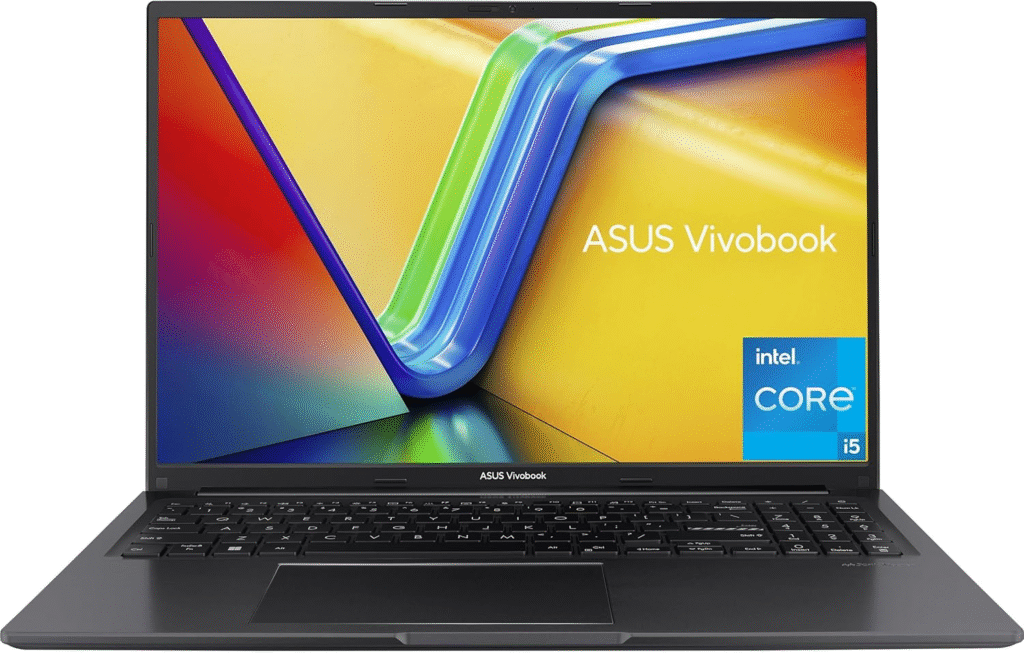
If someone asked me to recommend just one affordable Windows laptop today, this would probably be my first suggestion.
The ASUS Vivobook 16 strikes an excellent balance between performance, portability, and value. It feels more premium than many budget laptops while still keeping the price accessible.
Powered by an AMD Ryzen 5 processor (or Intel Core i3 in some configurations), paired with 8GB RAM and a fast 512GB SSD, it handles everyday productivity with ease.
Whether you’re editing documents in Microsoft Office, browsing Chrome with multiple tabs open, attending Zoom meetings, or streaming YouTube, the laptop remains responsive without feeling sluggish.
Its large 16-inch Full HD IPS display is another standout feature. Compared to older TN panels commonly found in inexpensive laptops, the IPS screen offers wider viewing angles, sharper text, and more natural colors.
Although the brightness isn’t ideal for direct sunlight, it’s more than sufficient for indoor work, classrooms, libraries, and coffee shops.
Battery life comfortably lasts through a normal workday, making it a practical companion for students and professionals alike.
Why I Recommend It
- Excellent overall value
- Smooth everyday performance
- Comfortable keyboard
- Spacious Full HD display
- Fast SSD storage
- Upgradeable memory on selected models
Things to Consider
- Display brightness could be better outdoors
- Integrated graphics are designed for casual gaming rather than demanding AAA titles
Best For
- Students
- Remote workers
- Home office users
- Everyday productivity
- General family use
Key Specifications
- Processor: AMD Ryzen 5 / Intel Core i3
- Memory: 8GB RAM
- Storage: 512GB SSD
- Display: 16-inch Full HD IPS
- Operating System: Windows 11 Home
- Connectivity: USB-C, USB-A, HDMI, Wi-Fi 6, Bluetooth
Lenovo IdeaPad Slim 3 Chromebook – Best Chromebook Under a Budget
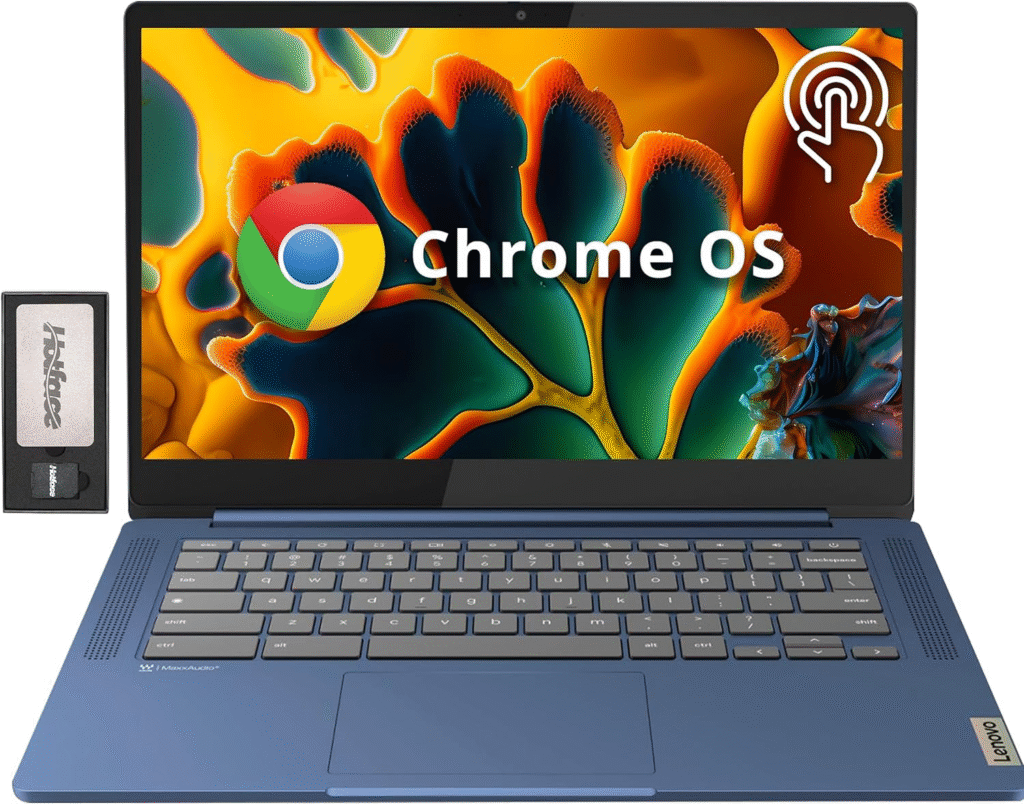
Not everyone needs a Windows laptop.
If your daily routine revolves around Google Docs, Gmail, YouTube, web browsing, and cloud-based apps, a Chromebook can actually be the smarter purchase.
The Lenovo IdeaPad Slim 3 Chromebook impressed me with its simplicity.
ChromeOS boots within seconds, updates happen automatically, and the overall experience feels incredibly responsive despite modest hardware.
An Intel Core i3 configuration with 8GB RAM provides enough power for multitasking, online classes, and streaming without slowing down.
One pleasant surprise is the display quality.
Unlike many entry-level Chromebooks that use dull screens, this model features a sharp Full HD IPS panel with surprisingly accurate colors, making videos and presentations look much more enjoyable.
Battery life is another highlight, often lasting an entire school or workday without needing a charger.
Why I Recommend It
- Excellent battery life
- Fast startup
- Lightweight design
- Comfortable keyboard
- Reliable everyday performance
- Great value for students
Things to Consider
- Limited support for traditional Windows software
- Local storage is smaller than that of many Windows laptops
Best For
- Students
- Teachers
- Online learning
- Web browsing
- Streaming services
- Everyday productivity
Key Specifications
- Processor: Intel Core i3
- Memory: 8GB RAM
- Storage: 128GB SSD/UFS
- Display: 14-inch Full HD IPS
- Operating System: ChromeOS
- Connectivity: USB-C, USB-A, Wi-Fi 6, Bluetooth
Acer Aspire Go 15 – Best Budget Laptop for Students
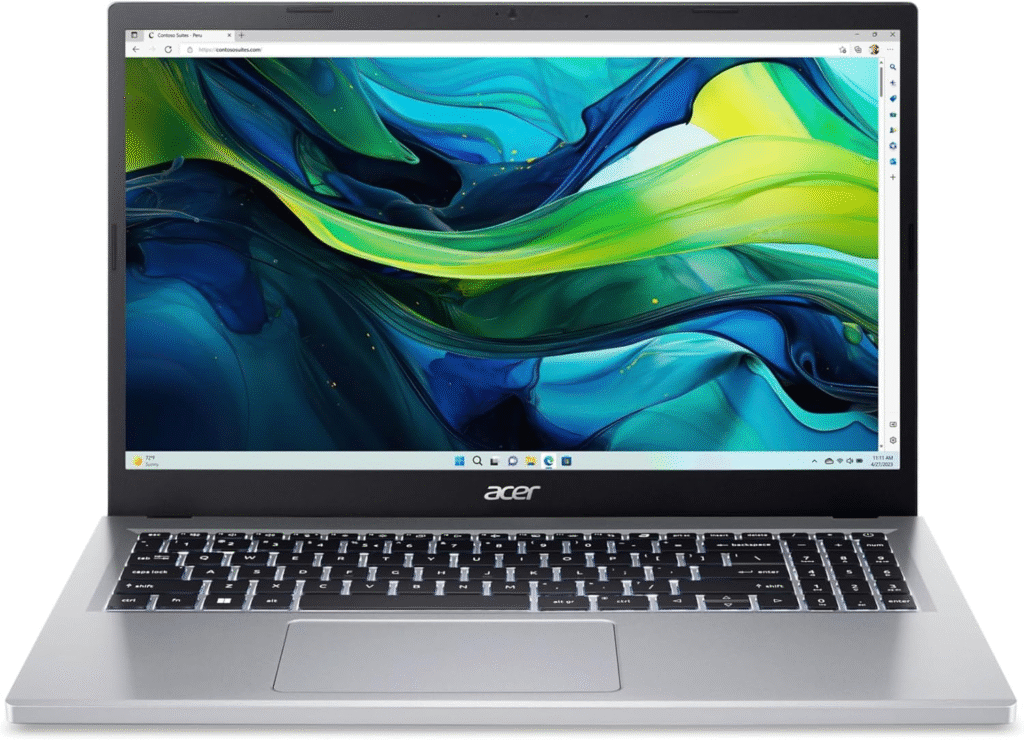
Finding a dependable Windows laptop under a tight budget isn’t always easy, which is why the Acer Aspire Go 15 deserves attention.
It offers exactly what most people actually need—solid performance, dependable battery life, and a comfortable typing experience—without adding expensive features that many buyers never use.
Its Intel Core i3 or Intel Processor N100 configurations are well-suited for Microsoft Office, Google Workspace, web browsing, email, and video conferencing.
The laptop also includes SSD storage, helping Windows 11 load quickly while reducing application launch times.
The 15.6-inch Full HD display provides enough workspace for spreadsheets, writing assignments, and multitasking, while Wi-Fi 6 ensures reliable wireless performance at home, school, or the office.
One aspect I particularly appreciate is the keyboard. It feels comfortable during long typing sessions, making it ideal for students working on assignments or professionals writing reports throughout the day.
Why I Recommend It
- Reliable Windows performance
- Fast SSD storage
- Comfortable keyboard
- Good battery endurance
- Modern connectivity options
Things to Consider
- Not suitable for intensive video editing
- Basic integrated graphics limit gaming performance
Best For
- College students
- Office work
- Homework
- Everyday computing
- Families
Key Specifications
- Processor: Intel Core i3 / Intel N100
- Memory: 8GB RAM
- Storage: 256GB SSD
- Display: 15.6-inch Full HD
- Operating System: Windows 11 Home
- Connectivity: USB-C, HDMI, USB-A, Wi-Fi 6, Bluetooth
More Budget Laptops Worth Considering
Not every buyer has the same priorities. Some people want the flexibility of a touchscreen, while others simply need a dependable laptop for emails, online classes, or streaming. These next picks stand out because they excel in specific situations without breaking the budget.
HP Chromebook Plus x360 – Best Convertible Laptop for Everyday Flexibility
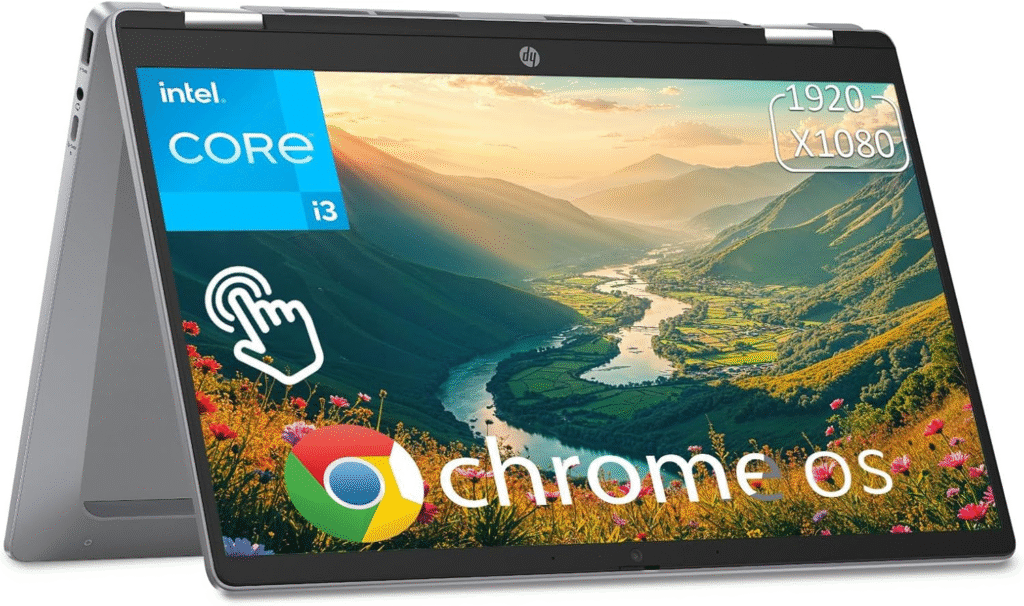
If you enjoy the idea of switching between a traditional laptop and a tablet, the HP Chromebook Plus x360 is an excellent option. The 360-degree hinge lets you fold the display completely back, making it convenient for taking notes, watching movies, reading documents, or giving presentations.
Despite its affordable price, the Chromebook Plus x360 doesn’t feel cheap. The compact design makes it easy to carry throughout the day, and the Full HD touchscreen produces vibrant colors that look great while browsing the web, streaming videos, or attending online meetings.
Performance is powered by an Intel Core i3 processor with 8GB RAM, which handles ChromeOS exceptionally well. Opening multiple browser tabs, editing Google Docs, joining Zoom meetings, and using productivity apps feels smooth and responsive.
One feature I especially appreciate is the Chromebook Plus software experience. Built-in AI tools, excellent security, and automatic updates make this laptop incredibly easy to maintain.
Why I Recommend It
- Versatile 2-in-1 convertible design
- Responsive touchscreen
- Excellent portability
- Fast ChromeOS experience
- Strong battery life
- Great for students and travelers
Things to Consider
- Limited local storage compared to Windows laptops
- Not designed for professional creative software
Best For
- Students
- Travelers
- Remote learning
- Media consumption
- Everyday productivity
Key Specifications
- Processor: Intel Core i3
- Memory: 8GB RAM
- Storage: 128GB UFS
- Display: 14-inch Full HD IPS Touchscreen
- Operating System: ChromeOS
- Connectivity: USB-C, USB-A, Wi-Fi 6, Bluetooth
How to Choose the Right Cheap Laptop
A low price doesn’t automatically mean good value.
I’ve seen plenty of inexpensive laptops that look attractive until you actually start using them. Slow storage, outdated processors, poor displays, and limited memory can quickly turn a bargain into a frustrating purchase.
Here are the areas I always recommend checking before buying.
Choose a Modern Processor
The processor is the heart of your laptop, and it determines how smoothly everything runs.
For most people, an Intel Core i3, Intel Processor N100, Intel N200, or AMD Ryzen 3 provides enough performance for web browsing, Microsoft Office, online classes, email, and streaming.
If your budget stretches slightly higher, an AMD Ryzen 5 or Intel Core i5 offers noticeably better multitasking and longer-term value.
Older Intel Celeron and Pentium processors still appear in very inexpensive laptops, but I generally recommend avoiding them unless your needs are extremely basic.
Don’t Settle for Less Than 8GB RAM
RAM directly affects multitasking.
While some budget laptops still ship with 4GB RAM, that amount quickly becomes limiting once you open several Chrome tabs, join a video call, or work on multiple Office documents.
For most users, 8GB RAM is the sweet spot.
If you plan to keep the laptop for several years, look for upgradeable memory whenever possible.
SSD Storage Makes a Huge Difference
One of the biggest improvements in affordable laptops over the last few years has been the widespread adoption of SSD storage.
Compared to older hard drives or basic eMMC storage, an SSD provides:
- Faster boot times
- Quicker application launches
- Better file transfers
- Smoother Windows performance
- Improved overall responsiveness
Whenever possible, choose a laptop with at least a 256GB SSD. While 128GB may be sufficient for ChromeOS devices, Windows users will appreciate the extra space.
Display Quality Matters More Than You Think
You’ll spend hours looking at your laptop’s screen, so don’t overlook display quality.
A Full HD (1920×1080) IPS display delivers noticeably sharper text, better viewing angles, and more accurate colors than older HD or TN panels.
If you regularly stream Netflix, edit photos, or work with documents, a quality IPS display significantly improves the overall experience.
Touchscreen displays are a nice bonus if you prefer a more interactive experience, particularly on 2-in-1 convertible laptops.
Look for Modern Connectivity
A well-equipped budget laptop should include a practical selection of ports and wireless features.
Ideally, you should look for:
- USB-C
- USB-A
- HDMI
- Headphone jack
- Wi-Fi 6
- Bluetooth
These features make it easier to connect external monitors, flash drives, keyboards, wireless headphones, and other accessories without relying on extra adapters.
Windows Laptop or Chromebook?
This is one of the most common questions buyers ask me.
The answer depends entirely on how you plan to use your laptop.
Choose a Windows Laptop If You Need
- Microsoft Office desktop applications
- Professional software
- Better compatibility
- Local file storage
- Greater flexibility
- Upgrade options
Choose a Chromebook If You Mainly Use
- Google Docs
- Gmail
- YouTube
- Netflix
- Zoom
- Web browsing
- Android apps
- Cloud storage
Chromebooks are generally easier to maintain, boot faster, receive automatic updates, and often provide longer battery life.
Windows laptops, however, remain the better choice for users who rely on traditional desktop software or expect more flexibility in the future.
Frequently Asked Questions
Is a laptop under $400 actually worth buying?
Yes. Modern budget laptops are significantly better than they were just a few years ago. Models with Intel Core i3, AMD Ryzen 3, 8GB RAM, and SSD storage can comfortably handle everyday productivity, online learning, streaming, and office work.
Is 8GB RAM enough?
For most users, yes. It provides enough memory for web browsing, Microsoft Office, Zoom meetings, email, streaming, and light multitasking. If you frequently edit videos or run demanding applications, 16GB is preferable.
Should I choose SSD or eMMC storage?
SSD is almost always the better choice. It offers much faster boot times, quicker application loading, and a noticeably smoother user experience than eMMC storage.
Can these laptops handle casual gaming?
Yes, but expectations should remain realistic. Integrated Intel UHD Graphics or AMD Radeon Graphics work well for casual games, indie titles, browser-based games, and older esports titles. Modern AAA games generally require a dedicated graphics card.
Amazon Affiliate Disclaimer
As an Amazon Associate, I earn from qualifying purchases. This means I may earn a small commission if you buy through links on this page, at no extra cost to you. This helps support the research and content I create.
Final Thoughts
Buying an affordable laptop no longer means accepting slow performance or outdated hardware.
Whether you’re a student preparing for a new semester, a professional working from home, or someone simply looking for a dependable everyday computer, there are excellent options available that balance price, performance, and reliability.
If I had to recommend one overall Windows laptop, the ASUS Vivobook 16 stands out because of its strong performance, comfortable keyboard, SSD storage, and excellent value.
If portability, simplicity, and battery life matter more than Windows compatibility, the Lenovo IdeaPad Slim 3 Chromebook remains one of the smartest budget purchases available.
Before making your decision, focus on the features that truly affect daily use: a modern processor, 8GB RAM, SSD storage, a Full HD IPS display, and Wi-Fi 6 connectivity. Those components will have a far greater impact on your experience than flashy marketing claims or unnecessary extras.