
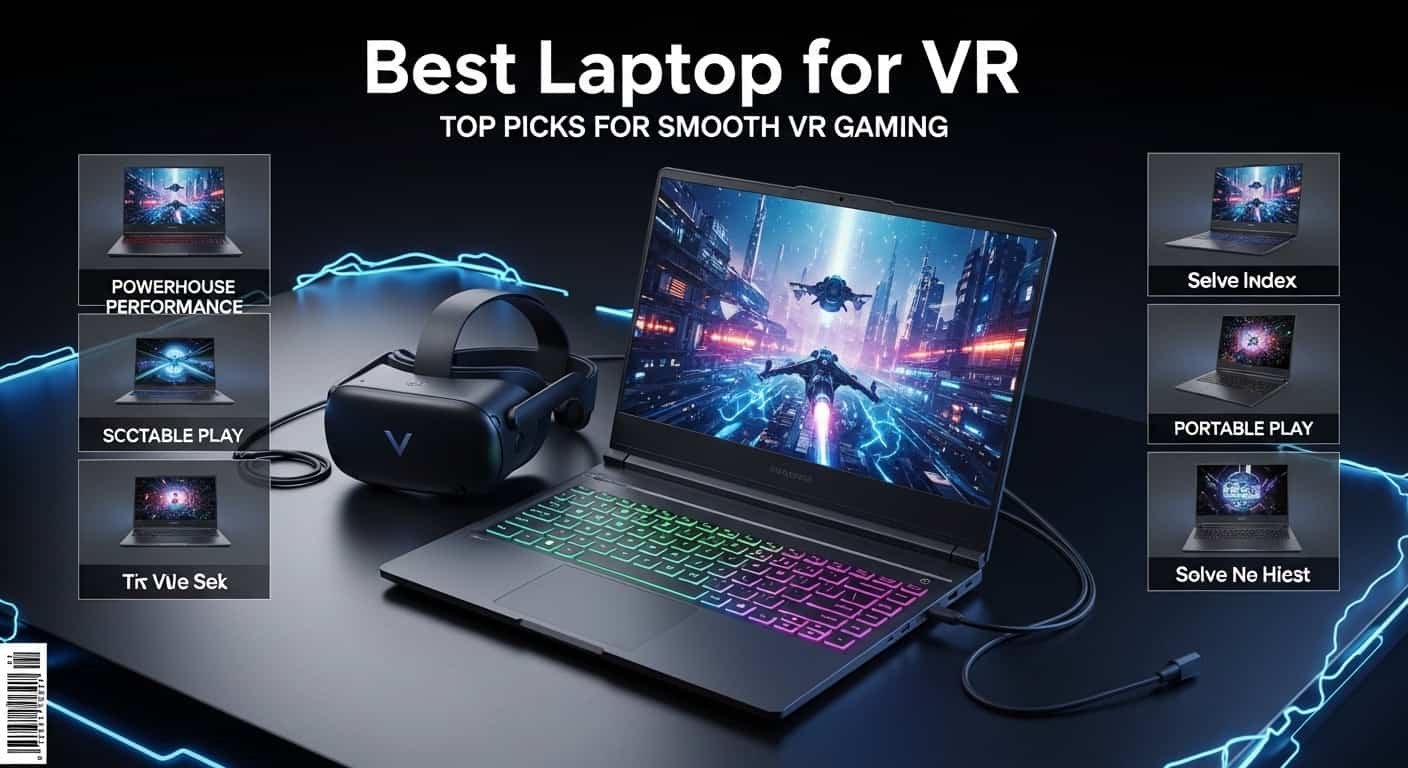
I still remember the first time I strapped on a VR headset, fired up a game on an underpowered laptop, and felt that queasy, stuttery lag creep in within about ninety seconds. My stomach turned, my immersion broke, and I spent the next twenty minutes lying on the couch, wondering if virtual reality was just not for me. Turns out, it wasn’t VR that was the problem; it was my laptop.
If you’ve had a similar experience (or you’re trying to avoid one entirely), you already know that not every “gaming laptop” is actually a VR-ready laptop. There’s a real difference, and it comes down to a handful of specs that either make your headset feel like magic or make you want to throw the whole rig out the window.
I’ve spent a stupid amount of time testing laptops with headsets strapped to my face, sweating through benchmark after benchmark, comparing frame rates, checking thermals, and yes, occasionally feeling a little sick when a laptop just couldn’t keep up. So I put together this list of the six best VR-ready laptops I’d actually recommend to a friend, plus a buying guide that answers the questions I get asked the most.
Let’s get into it.
Amazon Affiliate Disclaimer
As an Amazon Associate, I earn from qualifying purchases. This m eans I may earn a small commission if you buy through links on this page, at no extra cost to you. This helps support the research and content I create.
The Best VR-Ready Laptops You Can Buy Today
Lenovo ThinkPad P1 Gen 7 — Best Workstation
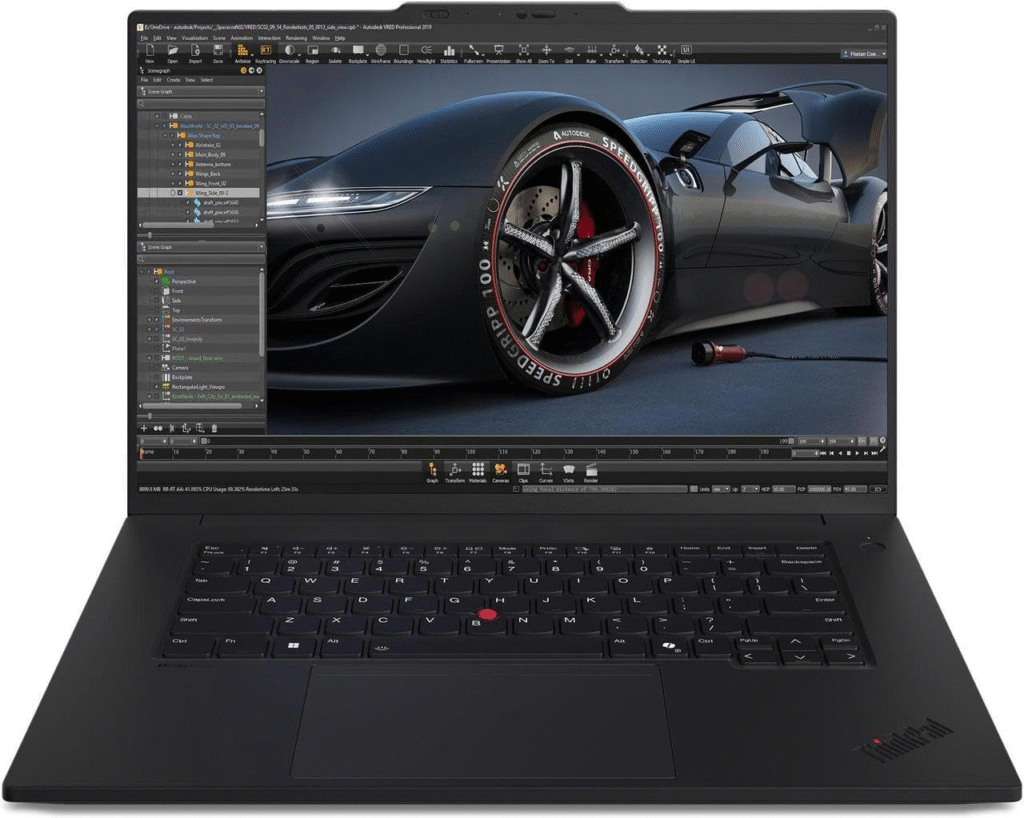
If your VR use case leans more “3D modeling and CAD” than “shooting aliens,” the ThinkPad P1 Gen 7 is the laptop I’d point you toward. It’s built like a proper workstation, and that shows the moment you start pushing it through professional-grade VR apps.
Specifications
- CPU: Intel Core Ultra 7 165H
- GPU: Nvidia RTX 1000 Ada Generation
- RAM: 32GB
- Storage: 1TB SSD
- Display: 16-inch, 1920 x 1200, 60Hz, IPS
- Weight: 4.3 pounds
Reasons to buy
I was genuinely impressed by how well-optimized this machine felt for professional workloads. The keyboard has that crisp, satisfying ThinkPad feel I’ve always liked, the audio is surprisingly loud and clear for a workstation laptop, and you get a healthy spread of ports — including Thunderbolt 4 — so you’re not scrambling for adapters when you plug in your headset.
Reasons to avoid
The display isn’t going to wow you outside of VR. Colors feel a little flat, and if you’re doing color-sensitive creative work when you’re not in a headset, you’ll notice it. The webcam is also a bit grainy, which matters more than you’d think if you’re on video calls between VR sessions.
Read More About: Best College Laptops for Every Budget (2026 Buying Guide)
Lenovo Legion Pro 5i Gen 9 — Best for Most People
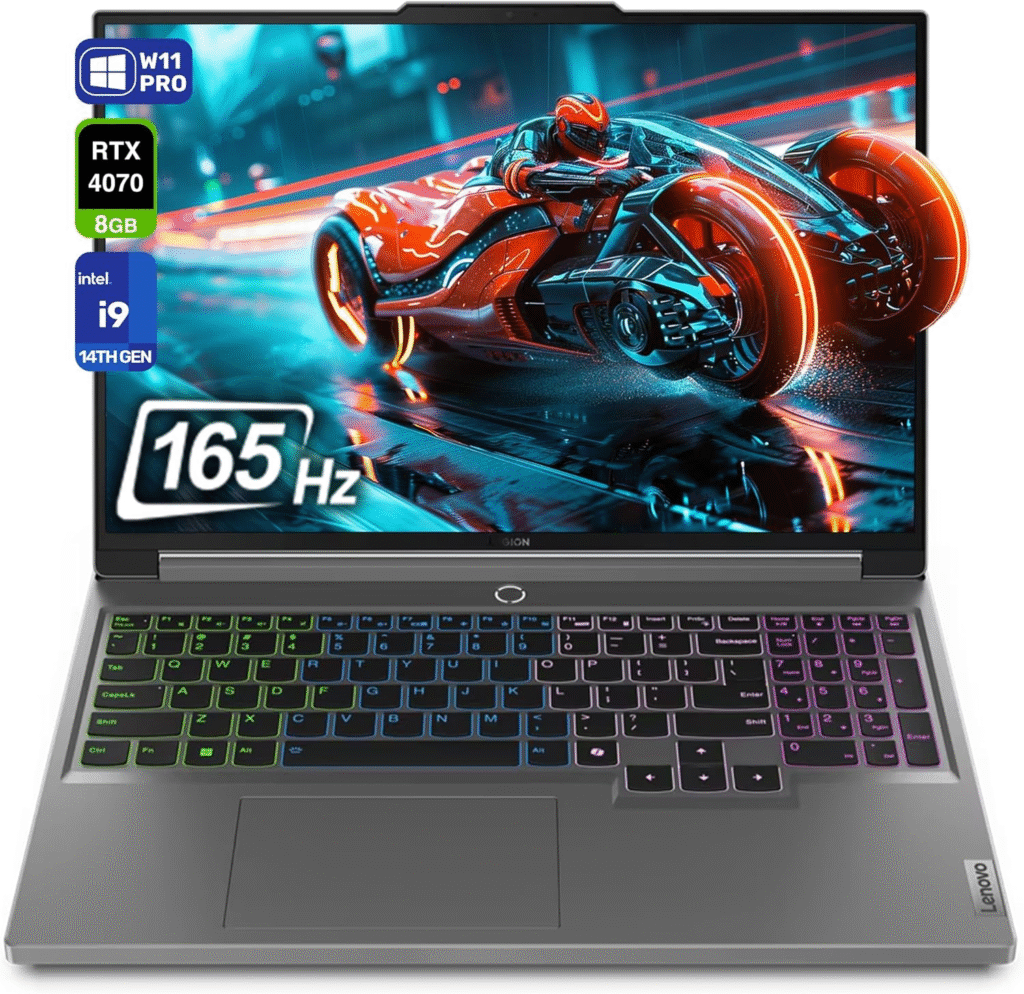
This is the laptop I’d tell most people to just buy and stop overthinking it. It’s not flashy, but it hits that sweet spot of price, performance, and reliability that makes it easy to live with day to day.
Bottom Line
The Legion Pro 5i Gen 9 balances everything well enough that it doesn’t feel like you’re sacrificing much anywhere. It won’t blow you away with any single spec, but it also won’t let you down.
Pros
Sustained performance held up well across longer VR sessions in my testing, which matters more than a single benchmark number. The keyboard is classic Legion quality, and battery life is genuinely solid for a gaming laptop — you’re not tethered to an outlet every time you want to use it.
Cons
The color gamut and contrast are limited, so if you care about vibrant visuals outside of VR, you might feel a bit shortchanged. It’s also mostly plastic construction, and on the heavier, chunkier side, so don’t expect it to feel premium in your hands.
Best Budget
Dell G16 (7630)
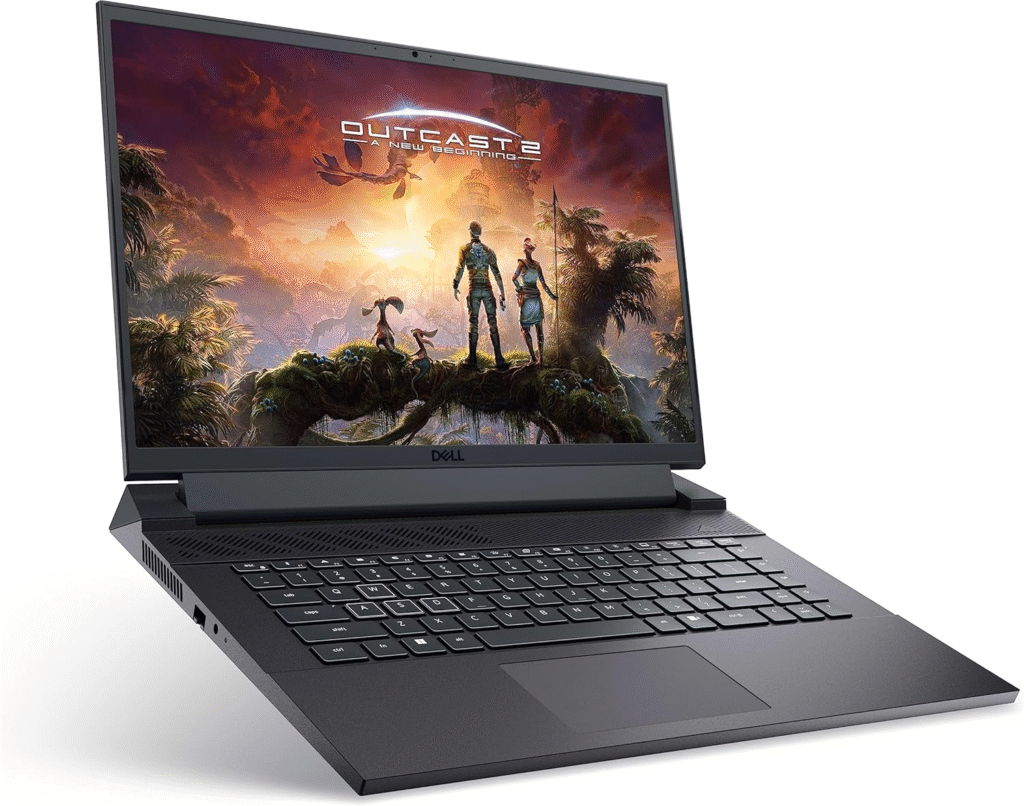
I’ll be honest — I didn’t expect to like this one as much as I did. VR-ready laptops under $1,000 usually make you compromise somewhere painful, but the Dell G16 (7630) doesn’t feel like a budget machine once you’re actually using it.
Specifications
- CPU: Intel Core i7-1365HX
- GPU: Nvidia GeForce RTX 4060
- RAM: 16GB
- Storage: 1TB SSD
- Display: 16-inch, 2560 x 1600, 240Hz
- Weight: 6 pounds
Reasons to buy
You’re getting an RTX 4060 at this price point, which is honestly rare — most budget VR laptops stick you with something weaker. The display is vivid, the mechanical keyboard feels far more premium than the price tag suggests, and battery life is decent enough that you’re not glued to the wall.
Reasons to avoid
The touchpad is tiny, so if you spend a lot of time on the laptop itself (not just in your headset), you’ll want a mouse nearby. The built-in speakers are also thin and a little harsh, so plan on pairing this with a dedicated headset for audio anyway.
Best Thin-and-Light
Asus ProArt P16
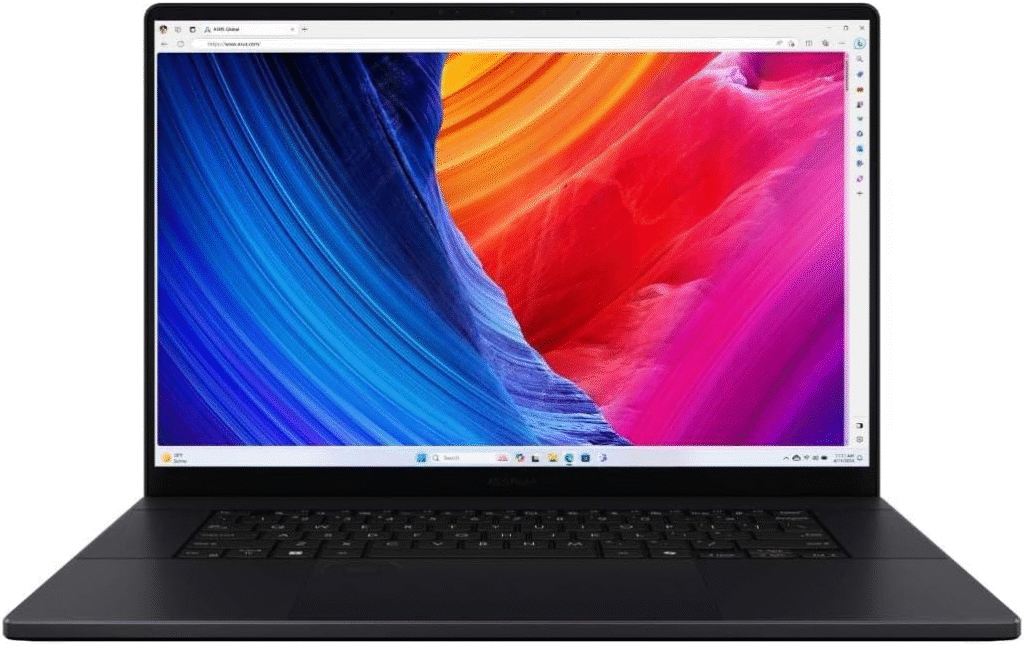
I keep coming back to this laptop whenever someone asks me for a VR-ready machine they can actually travel with. It doesn’t scream “gaming laptop,” which honestly makes it more versatile.
Specifications
- CPU: AMD Ryzen AI 9 HX 370
- GPU: Nvidia GeForce RTX 4070
- RAM: 32GB
- Storage: 2TB SSD
- Display: 16-inch, 3840 x 2400, 60Hz, OLED
- Weight: 4.1 pounds
Reasons to buy
The OLED display alone is worth talking about — it’s sharp, color-accurate, and makes non-VR work genuinely enjoyable. Pair that with a discrete RTX 4070 and a CPU that handles both AI-assisted creative tools and VR apps without breaking a sweat, and you’ve got a machine that pulls double duty as a content-creation powerhouse.
Reasons to avoid
Brightness is where this laptop stumbles. If you work near a window or in a bright office, the glossy panel will fight you. It’s also not the cheapest option here, so if raw price-to-performance is your priority, there are more affordable alternatives.
Best Performance
Alienware m18 R2
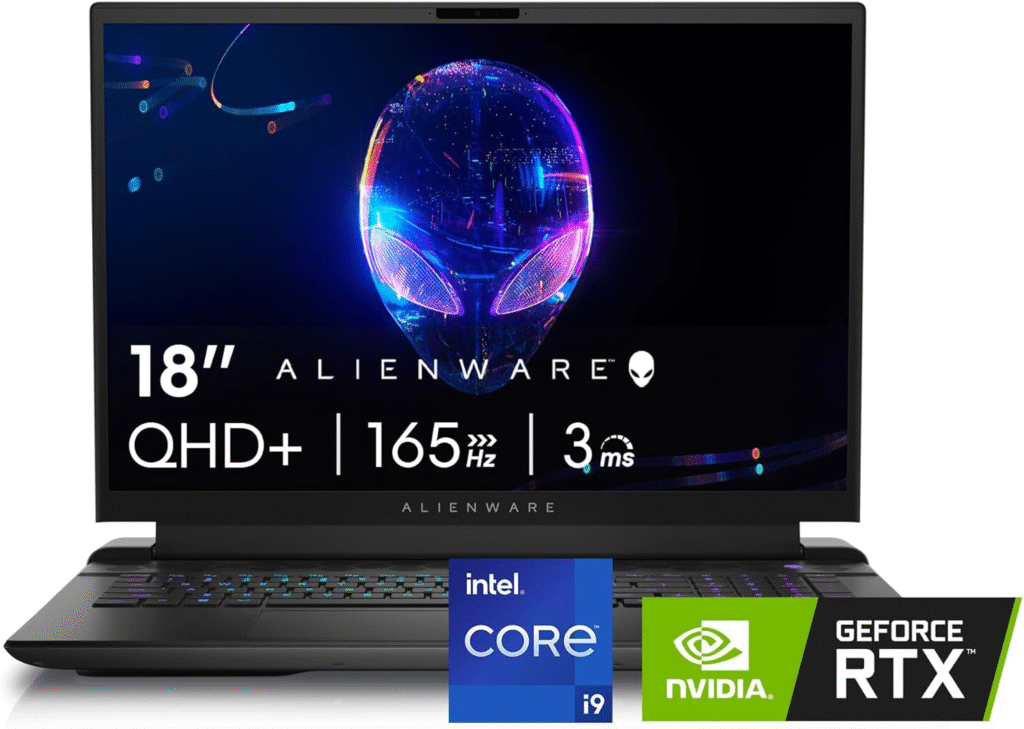
When someone tells me they want the biggest, most immersive VR experience possible and money isn’t really the concern, I point them here.
Pros & Cons
Pros: Blistering processing and gaming performance, a surprisingly approachable starting price for what you get, a QHD+ 165Hz display, and the option for a mechanical Cherry MX keyboard if you like tactile feedback.
Cons: It gets expensive fast once you start upgrading configurations, it’s heavy even by “giant gaming laptop” standards, and the screen brightness could be better.
Bottom Line
The m18 R2 is a sleek, genuinely fast machine with premium touches throughout, and it handles demanding VR titles without flinching.
Specs & Configurations
- CPU: Intel Core i9-14900HX
- GPU: Nvidia GeForce RTX 4090 Laptop GPU
- RAM: 32GB
- Storage: 2TB SSD
- Display: 18-inch, 2560 x 1600, 165Hz, IPS
- Weight: 8.9 pounds
MSI Raider 18 HX AI
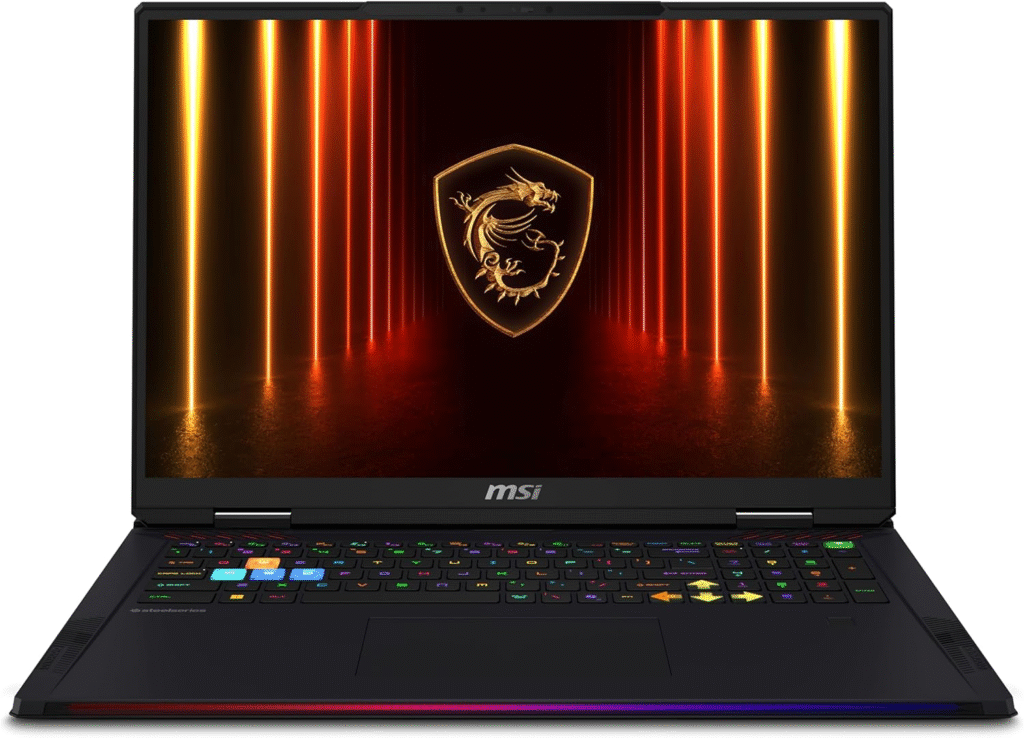
If the Alienware is about raw muscle, the Raider 18 HX AI is about muscle and polish. This is the laptop I’d grab if I wanted to crank every VR setting to Ultra and not think twice.
Specifications
- CPU: Intel Core Ultra 9 285HX
- GPU: Nvidia GeForce RTX 5080
- RAM: 64GB
- Storage: 4TB SSD
- Display: 18-inch, 3840 x 2400, 120Hz, Mini-LED
- Weight: 7.8 pounds
Reasons to buy
This thing is a beast. General performance is strong across the board, the Mini-LED display is genuinely gorgeous, the keyboard has a satisfying bounce to it, and the audio is some of the best I’ve heard on a gaming laptop. You also get plenty of ports, so connecting a headset and peripherals simultaneously isn’t a hassle.
Reasons to avoid
You’re paying a premium for that power, the fans get loud when you push it, and battery life while unplugged is rough. This is a laptop that lives on your desk, not in your bag.
Best Workstation (Runner-Up Mention)
While the ThinkPad P1 Gen 7 takes my top workstation pick above, it’s worth noting that if your workflow leans toward video editing or 3D content creation more than traditional gaming, both the ProArt P16 and the ThinkPad P1 Gen 7 deserve a side-by-side comparison based on your specific software needs before you decide.
What Do I Need for VR on a Laptop? It’s All About the GPU
Here’s the thing nobody tells you clearly enough: your GPU is doing almost all the heavy lifting in VR. A laptop running integrated graphics, anything labeled Intel HD Graphics, UHD Graphics, Iris Xe, or even Intel Arc without a discrete GPU number attached — simply isn’t going to cut it. You need a dedicated, discrete graphics card, full stop.
Here’s why it matters more in VR than regular gaming: on a monitor, most people are fine with 60 frames per second. Strap on a headset, though, and that same 60fps can feel choppy, even nauseating. You really want to be hitting a sustained 90fps for comfort. That’s not a nice-to-have — that’s the difference between an immersive session and a headache.
In terms of actual GPU tiers, older headsets like the HTC Vive Pro 2 or Valve Index will technically run on something as modest as a GTX 1060 or GTX 1070. But I wouldn’t recommend cutting it that close today. Aim for at least an RTX 4060 as your baseline, and if you can stretch toward an RTX 4070, RTX 4080, or the newer RTX 5080, you’ll get noticeably smoother frame rates in demanding titles — especially anything as GPU-hungry as Microsoft Flight Simulator in VR mode, which will humble even strong hardware.
What Processor and Memory Do I Need for VR?
Good news here: the CPU and RAM requirements are far less scary than the GPU conversation. Most VR headsets, including the Meta Quest line and HP Reverb G2, are happy with any reasonably modern quad-core processor — think Intel Core i5 or better, or an AMD Ryzen 5 or higher. Every laptop on my list above clears that bar with room to spare.
RAM is similarly forgiving. 8GB is the technical minimum most headsets list, but I wouldn’t buy anything with less than 16GB in 2025 — multitasking, background apps, and modern VR titles will eat into that 8GB fast. If you can get 32GB, especially on a creator-focused machine like the ProArt P16, you’ll thank yourself later.
Which Ports Does My Laptop Need for VR?
This is the part that trips people up the most, and I get questions about it constantly. Here’s what I tell everyone:
Check what your specific headset actually needs before you buy. The Meta Quest 2 and Quest 3 use Meta Quest Link over a USB Type-C 3.2 cable, which most modern laptops handle fine. But headsets like the Valve Index or HTC Vive Pro 2 require both a USB 3.0 port and a DisplayPort connection — not HDMI.
This trips people up constantly: an HDMI-to-DisplayPort adapter will not work. You need a genuine DisplayPort output, whether that’s a physical port or DisplayPort routed through USB-C (which many of the laptops above support). If your laptop only has Mini-DisplayPort, a Mini-DisplayPort-to-Type-C adapter will bridge that gap, but double-check compatibility before you buy one.
Storage-wise, VR game libraries get big fast. I’d recommend at least 512GB of SSD storage, and ideally 1TB, so you’re not constantly uninstalling and reinstalling titles.
FAQs
How Do I Set Up Meta Quest Link?
If you’re using a Meta Quest headset with one of these laptops, here’s the quick version of what worked for me: grab a high-quality USB-C cable rated for at least 5Gbps (the official Meta cable works great, but a solid third-party option will save you money). Download the Meta Quest Link app on your laptop, plug in your headset, then inside the headset go to your universal menu, open Settings, select System, tap Quest Link, and hit Launch. Give it a minute to sync, and you’ll be tethered in and ready to go.
What GPU Do I Need to Play All VR Games?
Honestly? If your goal is every single VR title at max settings, including something as demanding as Microsoft Flight Simulator in VR, you’re looking at a top-tier GPU like the RTX 4080 or RTX 5080. For the vast majority of VR games, though, an RTX 4060 or RTX 4070 will get you smooth, comfortable performance at slightly reduced settings — and honestly, most people won’t notice the difference once they’re actually in the headset.
Should I Wait for the RTX 50-Series?
I get asked this constantly, and my honest answer is: probably not, unless you’re chasing the absolute bleeding edge. Most VR games simply aren’t demanding enough to require it. That said, features like DLSS 4 are starting to roll into newer titles and can meaningfully boost frame rates, so if you’re on the fence and can wait a few months, it’s not a bad idea. If you need a laptop now, an RTX 4070 or RTX 4080 machine will serve you well for years.
How We Test the Best VR-Ready Laptops
Every laptop on this list went through the same gauntlet before it earned a spot here. I run industry-standard synthetic benchmarks like Geekbench and 3DMark alongside real-world tests I’ve developed through years of reviewing hardware — including video transcoding, sustained gaming sessions, and thermal monitoring under load.
I track battery life through extended web-surfing and gaming rundowns, measure display brightness and color gamut with a colorimeter, and pay close attention to how hot each machine runs during extended VR sessions, since heat buildup can genuinely affect comfort during longer play. While I don’t run VR-specific benchmarks (the tooling for that is still limited), traditional gaming performance is a reliable proxy — a laptop that handles today’s most demanding AAA titles smoothly is going to handle VR just as well, if not better.