Affiliate Disclosure: This article contains Amazon affiliate links. If you purchase through these links, I may earn a small commission at no extra cost to you. I bought all four routers with my own money and was not paid or sponsored by any brand to write this review.
I’ll be honest with you, I spent way too many nights staring at router listings, trying to figure out if I actually needed to spend $150+ on a “gaming” router just because my Netflix kept buffering during the season finale of whatever I was watching that week. Turns out, I didn’t. And if you’re reading this because your Wi-Fi drops the second you walk into the kitchen, or your partner is yelling that the stream froze right as the credits were about to roll, you’re probably in the same boat I was.
The good news? You don’t need to blow your budget to fix this. Wi-Fi 6 and Wi-Fi 7 routers have gotten cheap enough that you can get genuinely solid performance for well under $100. But here’s the catch — not every “budget” router performs the same, and the marketing on the box rarely tells you the whole story. So let me walk you through what I’ve learned, what actually matters, and which routers are worth your money right now.
Wi-Fi 6 versus Wi-Fi 7
Let’s clear up the confusion first, because I know this is where most people get stuck. Wi-Fi 6 has been around since 2019, and it’s mature, reliable, and, most importantly for you, cheap. Wi-Fi 7 is the newer standard, and while it sounds like a no-brainer upgrade, the reality is a bit more nuanced.
Wi-Fi 7 routers come in two flavors: dual-band and tri-band. Tri-band models add the 6GHz band, which is where you get the real speed jump — but that also means a higher price tag. Dual-band Wi-Fi 7 routers skip the 6GHz band entirely, which keeps costs down, but in my experience (and in independent testing), their real-world performance often lands closer to a good Wi-Fi 6 router than a true next-gen upgrade.
So, should you care about Wi-Fi 7 at all if you’re on a budget? Only if most of your devices actually support it. If your phone, laptop, and streaming stick are all still Wi-Fi 6 or older, you won’t feel much of a difference; you’ll just be paying extra for a standard your gear can’t fully use yet.
Wi-Fi 6 and Wi-Fi 7 Router Specifications
This is the part where I geek out a little, so bear with me. On paper, Wi-Fi 7 crushes Wi-Fi 6 in nearly every spec category:
- Wireless bands: Wi-Fi 6 sticks to 2.4GHz and 5GHz. Wi-Fi 7 can add a 6GHz band on tri-band models.
- Max channel bandwidth: Wi-Fi 6 tops out at 160MHz; Wi-Fi 7 can hit 320MHz.
- Spatial streams: Wi-Fi 6 supports up to 8; Wi-Fi 7 doubles that to 16.
- Modulation: Wi-Fi 6 uses 1024 QAM, while Wi-Fi 7 steps up to 4K QAM — basically, more data packed into the same signal.
- Multi-Link Operation (MLO): This is Wi-Fi 7’s real party trick. It lets your devices talk to the router across multiple bands at once, which can reduce lag and improve reliability.
But here’s what nobody puts on the box: these numbers are theoretical maximums, not what you’ll see in your living room. I’ve seen budget Wi-Fi 7 routers barely edge out Wi-Fi 6 competitors once you factor in walls, distance, and a house full of connected devices. So don’t let the spec sheet alone make your decision.
The Frugal Bunch: Value-Priced Wi-Fi 6 Routers
If you’re not chasing the newest standard and just want something that reliably gets the job done, Wi-Fi 6 routers in the $35–$70 range are honestly a great place to shop. Let’s get into the specific models worth your attention.
Best Mid-Range Router For Streaming
If you’re streaming across multiple devices — say, one TV running 4K HDR while someone else is on a tablet — you’ll want a router with strong 5GHz performance and enough ports to keep wired devices from bottlenecking. A tri-band Wi-Fi 7 router with 2.5Gbps Ethernet ports handles this kind of household load comfortably, especially if your internet plan is gigabit-speed or close to it. You don’t need the flashiest gaming router here; you need consistent throughput and decent range across rooms.
Best Budget Router For Streaming
For me, “budget” doesn’t mean “barely works.” It means getting the best performance-per-dollar without paying for features you’ll never touch. In this price bracket, dual-band Wi-Fi 6 routers remain the sweet spot — they’re mature, well-supported, and can comfortably handle 4K streaming, video calls, and everyday browsing across several devices at once, all without you needing to think about it.
Asus RX-AX1800S
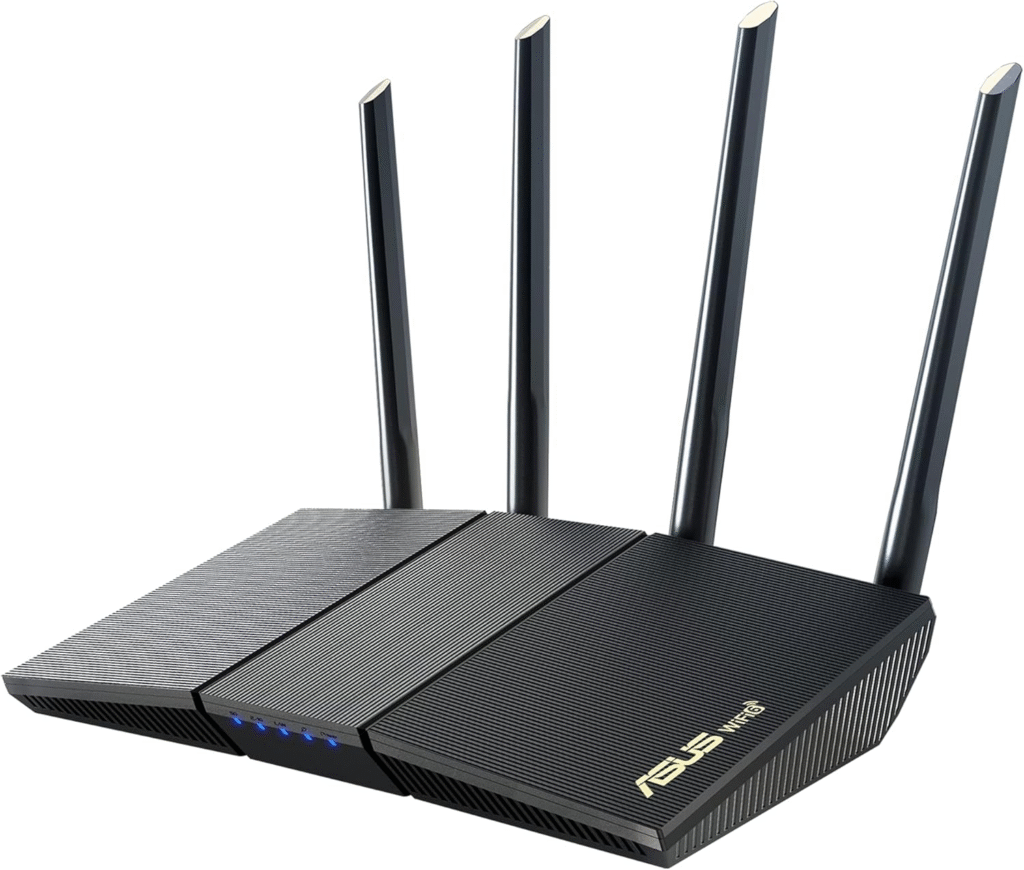
I like recommending the RX-AX1800S to people who want reliable hardware without fiddling too much. It’s a Wi-Fi 6 router built with genuinely solid materials, and the four movable antennas let you fine-tune coverage if you’ve got an awkward apartment layout. What really sold me, though, is the ASUSWRT dashboard — it’s one of the cleanest router interfaces I’ve used, giving you real configuration control instead of a dumbed-down app that hides everything behind a paywall.
On the back, you get a Gigabit WAN port and four Gigabit LAN ports, plus a dedicated WPS button for quick device pairing. At around $70, it’s not the cheapest option here, but if you want software that doesn’t feel like an afterthought, it’s worth the extra few dollars.
Netgear Nighthawk R6700AX
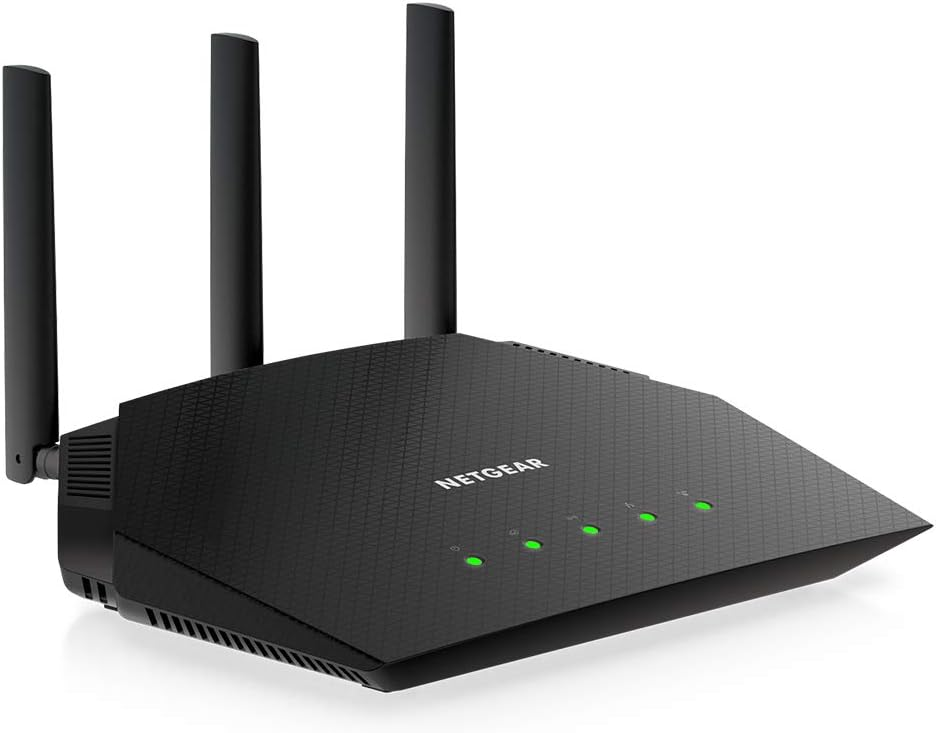
Netgear’s name carries weight for a reason, and the R6700AX is a dependable, no-frills Wi-Fi 6 router. It’s a compact tower-style unit — though I’ll warn you, it’s light enough that it can tip over if you accidentally yank a cable, so give it a stable spot.
You won’t find a USB port or WPS button here; Netgear kept things simple with just a Gigabit WAN and four Gigabit LAN ports. What you’re really paying for is brand reliability and Netgear’s software ecosystem, including optional security subscriptions I’ll cover in the FAQ below. At roughly $70, it’s a solid pick if you already trust the Netgear name and want minimal setup friction.
Reyee RG-E6
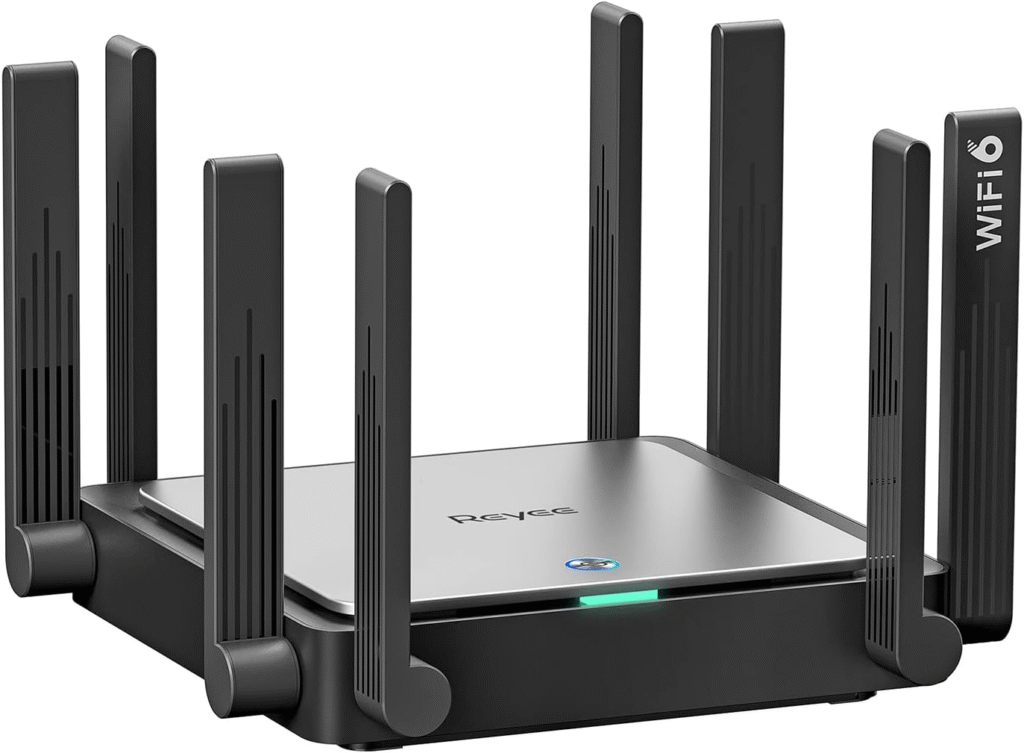
If gaming is more your priority than pure streaming, the RG-E6 is worth a look. It’s visually loud — eight antennas arranged in tuning-fork pairs — but the standout feature is a dedicated Game port on the back that you can aggregate with another LAN port for improved wired throughput.
The web interface genuinely impressed me: real-time CPU usage, connected client counts, ping status, and prioritized device controls, all laid out clearly. My one concern is longevity — Reyee has had spotty availability and support for this model, so if long-term firmware updates matter to you, keep that in mind before buying.
Cudy WR1500
This is the one I’d point you to if you just need Wi-Fi to work and don’t want to spend much thinking about it. At around $35, the WR1500 is the cheapest router in this roundup, and while the plastic housing feels a little flimsy, the performance is genuinely fine for everyday use — browsing, video calls, and standard-definition to 4K streaming for light households.
Cudy’s smartphone app is surprisingly good, and it supports remote management if you ever need to tweak settings while you’re not home. If you’re setting up a router for a rental, a guest room, or a small apartment, this is hard to beat for the price.
Cudy WR3000
Think of the WR3000 as the WR1500’s sturdier older sibling. Same general design, but with thicker, higher-quality plastic that won’t tip over as easily, plus additional status LEDs so you can actually tell what’s happening at a glance. Performance is a step up too, making it a good middle ground if the WR1500 feels a bit too barebones but you still don’t want to spend past $50.
Dual-Band Wi-Fi 7 Routers for Under $100
Here’s where things get interesting. You can now get genuine Wi-Fi 7 hardware — MLO support, 4K QAM, the whole spec sheet — without spending anywhere near flagship prices. The tradeoff with dual-band Wi-Fi 7 models is that you lose the 6GHz band, so you won’t get the massive performance ceiling of tri-band systems. But for a household without a stack of cutting-edge Wi-Fi 7 devices yet, that’s rarely a dealbreaker.
TP-Link Archer BE3600
This is the router that kept surprising me during testing. The Archer BE3600 is a dual-band Wi-Fi 7 router that consistently posted the strongest close-range throughput numbers in its price class, and it includes a 2.5Gbps WAN port plus a 2.5Gbps LAN port — something you won’t find on any of the Wi-Fi 6 routers above. There’s also a USB 3.0 port for network storage, which even supports Time Machine backups if you’re a Mac user.
The web interface is clean and well-organized, and TP-Link’s Tether app makes setup painless if you’d rather manage things from your phone. At under $87, it’s genuinely one of the best price-to-performance routers I’ve come across this year, especially if you want to be Wi-Fi 7-ready without the tri-band price tag.
What should you look for in a budget router?
When I’m helping friends pick a router, I tell them to ignore the marketing buzzwords and focus on four things:
- Real-world range, not just top speed. A router that hits huge numbers six feet away but falls apart at 25 feet won’t help you if your bedroom is on the other side of the house.
- Port speeds, not just port count. A single 2.5Gbps port is often more useful than four Gigabit ports if you have a fast internet plan.
- Mesh compatibility. Even if you don’t need a mesh system today, buying a router that supports EasyMesh or OneMesh means you can expand coverage later without replacing everything.
- Software and app quality. A router with a confusing app will make basic tasks like parental controls or guest networks way more frustrating than they need to be.
FAQ about budget routers
What subscriptions do you need for the R6700AX?
You don’t need any subscription for basic Wi-Fi functionality — the R6700AX works fully out of the box. Optional Netgear subscriptions exist for extra security and parental control features, but they’re add-ons, not requirements.
What does NETGEAR Armor Powered by Bitdefender include?
This is Netgear’s optional network security subscription. It scans connected devices for vulnerabilities, blocks malicious sites, and adds antivirus-style protection across your whole home network rather than just one device.
What do NETGEAR Smart Parental Controls include?
This subscription-based feature lets you set content filters, screen time limits, and site-blocking rules for specific devices or profiles — handy if you’ve got kids sharing the network and want more granular control than the router’s free basic settings offer.
Why do more streams matter?
More spatial streams mean your router can talk to more devices simultaneously without slowing down. If your household has several people streaming, gaming, or video calling at once, a router with more streams handles that load far more gracefully than one that’s limited to just one or two.
Why are VPN tools important?
A router-level VPN protects every device on your network at once, without needing to install an app on each one individually. That matters if you care about privacy on public-facing smart devices, want to mask your browsing activity from your ISP, or need to access geo-restricted content — all without slowing down your entire household’s connection with per-device VPN apps.