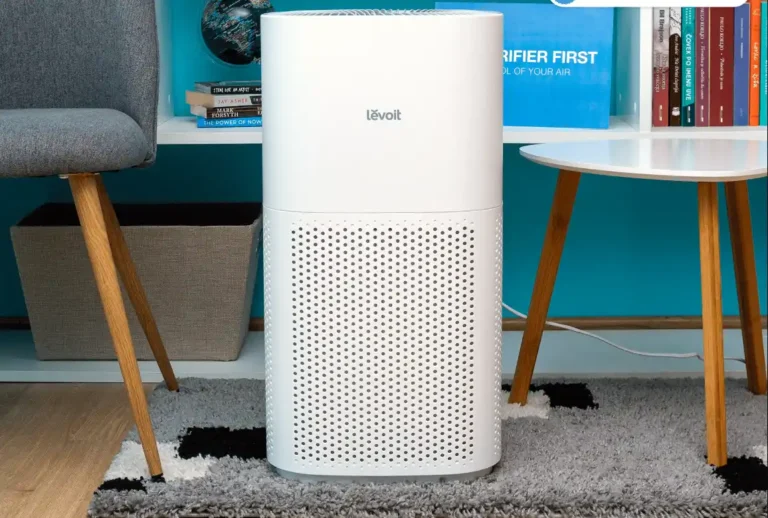

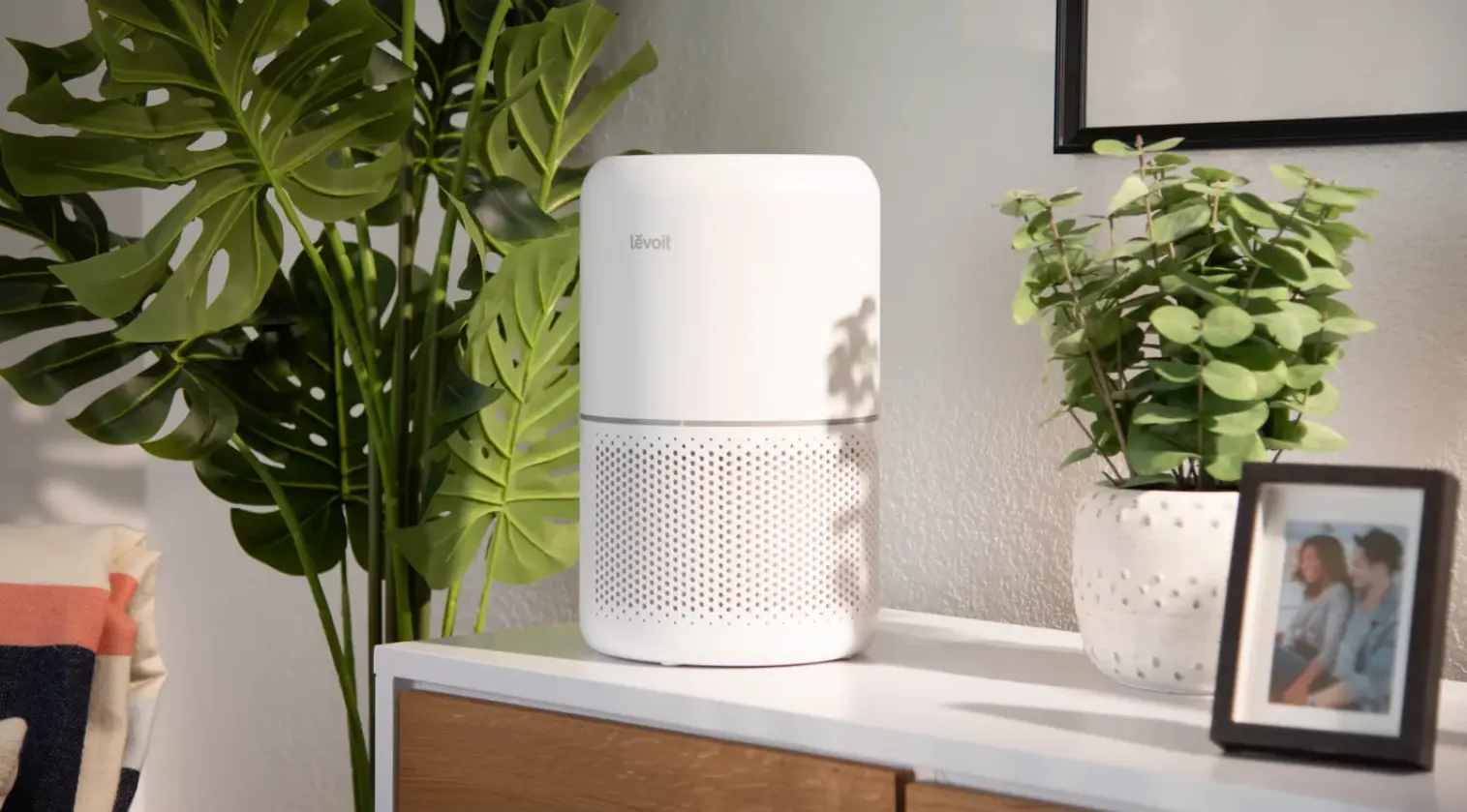
If you’ve spent any time scrolling through air purifier reviews, you already know the market is crowded. Everyone claims their machine “removes 99.97% of particles” and “runs silently.” So when I set out to actually live with two of Levoit’s most popular models, the Levoit Core 200S and the Levoit Core 300S — for several weeks, I wanted to find out which claims hold up in a real home, with real dust, real pet hair, and a real toddler who thinks the filter change light is a fun button to press.
This review covers everything from unboxing to filter replacement, so you can decide which Levoit model (if either) deserves a spot in your living room or bedroom.
What We Really Like
In my experience, the biggest selling point across the Levoit lineup isn’t any single feature — it’s how unfussy these machines are. You plug them in, pick a mode, and forget about them. A few things stood out after weeks of daily use:
- Genuinely quiet on low/sleep settings — I could run the Core 200S overnight in a small bedroom without it bothering my partner, who is a notoriously light sleeper.
- The app actually works — I’ve tested smart home gadgets whose apps crash constantly. The VeSync app paired with both units on the first try and stayed connected.
- Filter changes are refreshingly cheap compared to some premium competitors, which matters a lot if you’re running a purifier 24/7 (and you should be, if allergies are a concern).
- Compact footprint — both units tuck into a corner without eating up floor space, which I appreciated in my home office.
That said, no product is perfect, and I’ll get into where these units fall short as we go.
| Feature | Levoit Core 200S | Levoit Core 300S |
|---|---|---|
| Recommended Room Size | Up to 219 sq. ft. | Up to 215 sq. ft. |
| Filtration System | 3-Stage Filter (Pre-Filter, HEPA & Activated Carbon) | 3-Stage Filter (Pre-Filter, HEPA & Activated Carbon) |
| Smart Connectivity | ✔ Wi-Fi, App & Voice Control | ✔ Wi-Fi, App, Voice Control & Display |
| Operating Noise | Approx. 24–50 dB | Approx. 22–50 dB |
| Built-in Timer | ✔ Adjustable Timer | ✔ Adjustable Timer |
| Night Light | ✔ Included | ✔ Included |
| Display Controls | Dimmable & Lockable | Dimmable & Lockable |
| Filter Replacement Reminder | ✔ Yes | ✔ Yes |
Both models share a lot of DNA, which is part of why I tested them side by side — the differences show up more in display design and a few software touches than in raw filtration power.
Details Review
Performance – Particle Removal Tests
I wanted to see how these units performed in real rooms, not just a sealed lab chamber, so I ran two separate tests using a consumer-grade particle counter.
Testing in a 120 sq. ft. (11 m²) Room
In my home office — a small, enclosed space — I ran the Core 200S on its automatic setting after generating some dust by shaking out a rug (yes, my office smelled a bit dusty for science). Within about 15–20 minutes, the particle counter showed a noticeable drop, moving from a “moderate” reading down into the “good” range. When I tried this same test on High speed instead of Auto, the room cleared noticeably faster — closer to the 10-minute mark — which makes sense given the smaller footprint lets the CADR (clean air delivery rate) work harder relative to room volume.
Testing in a 194 sq. ft. (18 m²) Room
Moving to a larger, open living room told a different story. The Core 300S took meaningfully longer to bring particle counts down — closer to 30–40 minutes on Auto mode — and never quite hit the same “excellent” reading I saw in the smaller room. This tracks with Levoit’s stated coverage numbers: both units are rated for roughly 200+ square feet, but that’s typically calculated for a certain number of air changes per hour, and a bigger, more open room dilutes performance. If your room is on the larger end of what these units claim to cover, budget for running them on a higher fan speed more often.
Performance – Smoke Removal Test
This one is always a fun (and slightly nerve-wracking) test. I lit a match, let it smolder in a small dish, and closed the door to trap the smoke in the room with the purifier running on High.
The Core 200S handled this impressively well — the visible haze thinned out within a few minutes, and the lingering smell was largely gone within about 15–20 minutes. I found it helpful when comparing this to a cheaper purifier I’d tested previously, which took nearly twice as long to clear a similar amount of smoke. The activated carbon layer clearly earns its keep here — carbon filters are what actually grab odor molecules and gases, whereas HEPA alone mostly handles particulates.
See Everything you need to know: Top 5 Air Purifiers for Large Rooms (2026)
Noise Levels Test
Noise is where I have the strongest opinions, because a purifier that hums loud enough to disrupt sleep defeats half its purpose.
- Sleep Mode: Genuinely whisper-quiet — comparable to a quiet library. I could leave it running next to my bed without it registering as an annoyance.
- Low/Medium: A soft, consistent white-noise hum. Some people (myself included) actually find this pleasant for sleep or focus work.
- High: Noticeably louder — think “box fan on a warm night.” Fine for daytime use or when you’re actively trying to clear a smell fast, but not something I’d want running while on a work call.
In my experience, the Core 200S was marginally quieter than the Core 300S at comparable fan speeds, though the difference was subtle enough that I wouldn’t base my purchase decision on it alone.
Operating Costs – Power Usage Test & Filter Price
Nobody talks about this enough, but running a purifier 24/7 does show up on your electricity bill — even if it’s a small line item.
On average, these units draw roughly as much power as a couple of LED light bulbs when running on low-to-medium speeds, and noticeably more on High. If you’re running one continuously in a bedroom overnight on Sleep mode, the cost is negligible — a few dollars a year, in most cases.
Where the real savings show up is filter cost. Levoit’s replacement filters are priced well below many premium competitor brands, and Levoit typically recommends replacing them roughly every 6–8 months depending on usage and air quality in your home. If you have pets, smokers in the house, or live somewhere with high pollen counts, I found it helpful to check the filter indicator monthly rather than waiting for the light to prompt me — by the time the indicator triggers, performance has often already started to dip.
Setup and Installation
This is genuinely one of the easiest smart home devices I’ve set up. Out of the box:
- Remove the plastic wrap from the filter (an easy step to forget, and one that tanks performance if skipped).
- Plug in the unit.
- Download the VeSync app, create an account, and follow the in-app pairing instructions.
- Select your Wi-Fi network (2.4GHz only — a common snag if your router broadcasts a combined 2.4/5GHz network).
The whole process took me under 10 minutes on both units. My only gripe: if your home network separates 2.4GHz and 5GHz bands automatically, you may need to dig into your router settings to force a 2.4GHz-only connection temporarily.
Design
Control Panel
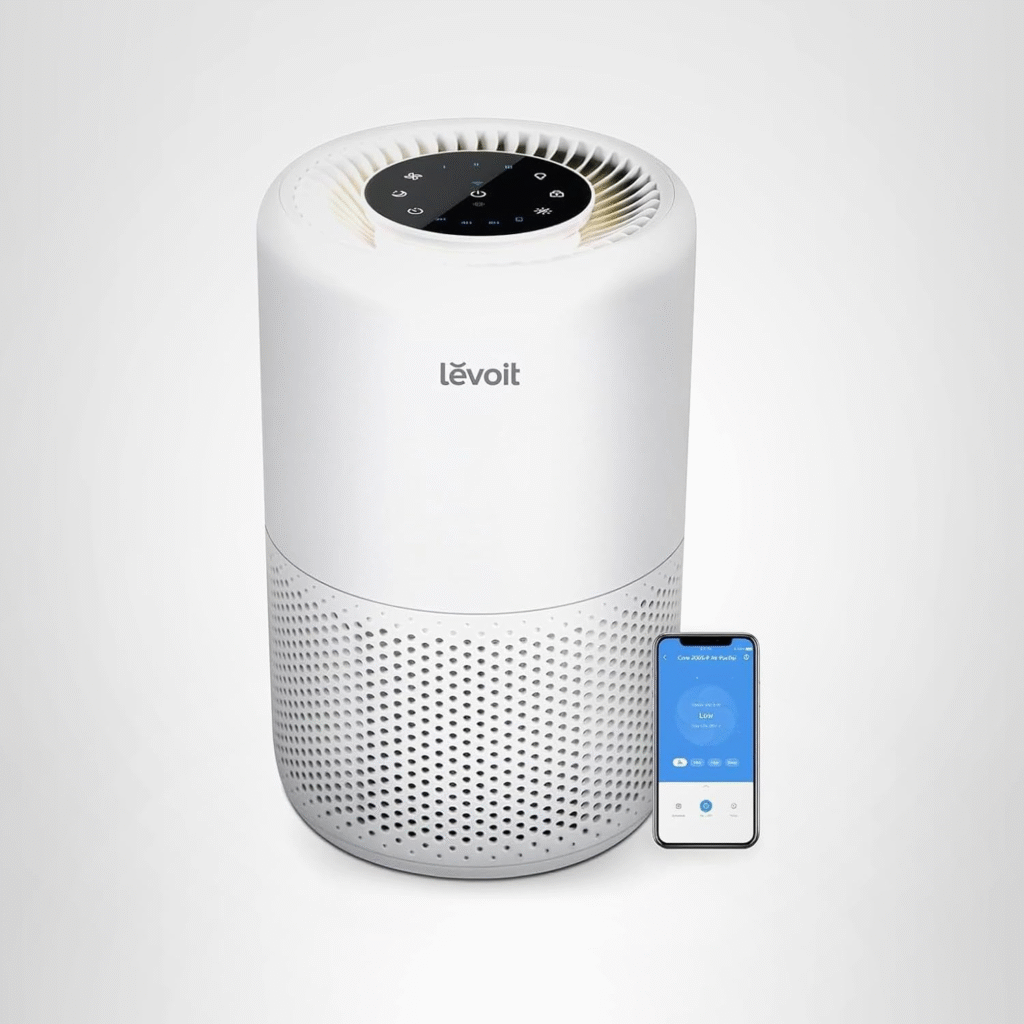
Both units use a simple top-mounted touch panel with clearly labeled icons for power, speed, timer, and light controls. When I tried this after using purifiers with cryptic button symbols, I appreciated how intuitive it felt — no manual required.
Airflow
Air is pulled in through the sides (360-degree intake on the Core 200S) and pushed out through the top vent. This design pulls dusty air in from wherever it’s sitting in the room rather than only from one direction, which I noticed made a real difference in rooms where the unit couldn’t be centrally placed.
Size and Dimensions
Both units are cylindrical, roughly the height of a kitchen trash can, and narrow enough to fit into a corner, beside a nightstand, or under a desk without dominating the room visually.
What’s in the Box?
- The purifier unit
- Pre-installed 3-in-1 filter (wrapped in plastic — remove before use!)
- Power cord
- Quick start guide
Features Overview
VeSync Smart App
The app lets you control fan speed, set schedules, monitor filter life, and (on some models) view air quality data remotely. In my experience, the app is more reliable than most smart home apps I’ve used — it rarely lags or disconnects, which is more than I can say for some smart plugs I own.
Timer
You can set the unit to run for a specific number of hours before shutting off automatically — handy if you want clean air while you sleep but don’t want it running all night at full blast.
Sleep Mode
This dims the display, silences any beeping sounds, and drops the fan to its quietest setting. It’s the mode I used almost every night during testing.
The Night Light
A soft, adjustable light on the base of the unit. It’s dim enough not to disturb sleep but bright enough to avoid stubbing your toe on a 2 a.m. bathroom trip.
Display Off and Display Lock
You can fully turn off the display (handy in a pitch-dark bedroom) and lock the control panel so curious kids — or curious cats — don’t accidentally change your settings.
Filter Change Indicator
A light indicator alerts you when it’s time for a new filter, and resets with a simple button hold once you’ve swapped it in.
Filtration Technology
Pre-filter
A washable mesh layer that catches large particles — pet hair, lint, dust bunnies — before they reach the finer filtration layers. This extends the life of the more expensive HEPA layer.
Main Filter
A True HEPA-style filter designed to capture very fine particles, including much of what triggers allergies: pollen, dust mite debris, and many mold spores.
Activated Carbon Filter
A layer of activated carbon that adsorbs odors and some gases — cooking smells, pet odors, and mild smoke. This is the layer doing the heavy lifting in the smoke test above.
How Do I Replace the Levoit Core 200S Filter?
Replacing the filter is refreshingly simple:
- Unplug the unit.
- Twist off the top cover (usually counterclockwise) to expose the filter cage.
- Remove the old filter and dispose of it — it’s not reusable.
- Insert the new filter, making sure it’s seated correctly (there’s usually an arrow or marking indicating airflow direction).
- Replace the top cover.
- Plug the unit back in and hold the filter reset button (usually 3 seconds) to clear the indicator light.
Total time: about 2–3 minutes once you’ve done it once.
FAQ About Levoit Core 200S
Is the Levoit Core 200S Ozone Free?
Yes. The Core 200S uses a mechanical filtration process (pre-filter, HEPA, activated carbon) rather than ionizers or UV-based systems that can produce ozone as a byproduct. This makes it a safer choice for households with asthma or sensitive respiratory systems, where ozone exposure is a genuine concern.
What Is the Warranty on This Air Purifier?
Levoit typically offers a limited warranty on the Core 200S, generally covering manufacturing defects for a set period after purchase (commonly around one to two years, depending on region and retailer). I’d recommend registering your product through the VeSync app or Levoit’s website shortly after purchase, since this is often required to activate the full warranty period — and keep your receipt just in case.
Does the Levoit Core 200S Have an Air Quality Sensor?
No — the Core 200S itself does not include a built-in air quality sensor; it relies on preset fan speeds and manual/app control. If real-time air quality monitoring matters to you, models further up Levoit’s lineup (like the Core 300S or Vital series) add this feature, displaying a color-coded indicator based on detected particulate levels.
Mini Buyer’s Guide: Which Levoit Is Right for You?
Before you check out, here’s a quick gut-check:
- Tight budget, small-to-medium room, want simplicity? The Core 200S is hard to beat — it’s affordable, quiet, and covers a genuine bedroom or home office comfortably.
- Want real-time air quality readouts and a slightly more detailed display? Lean toward the Core 300S or a step-up model with a built-in sensor.
- Living with pets or allergies? Either model works, but keep an eye on your pre-filter — washing it every couple of weeks extends the life of your main filter significantly.
- Larger, open-concept living room? Consider sizing up to a model rated for a larger square footage, or running two smaller units rather than relying on one to cover an oversized space.
At the end of the day, both the Core 200S and Core 300S deliver dependable, quiet, no-nonsense air purification without requiring a manual just to turn them on. If you want the basics done extremely well, Levoit remains one of the safest bets in this price range — and after weeks of testing, that’s a genuine, no-asterisks recommendation.
Amazon Affiliate Disclaimer
As an Amazon Associate, I earn from qualifying purchases. This m eans I may earn a small commission if you buy through links on this page, at no extra cost to you. This helps support the research and content I create.