
Have you ever lost an online match because your router suddenly decided to lag at the worst possible moment? I know how frustrating that feels because I’ve been there myself. One second, everything is running smoothly, and the next, my ping spikes, teammates start complaining, and the match is practically over. That’s when I realized something important—you don’t always need the most expensive gaming router to enjoy a smooth gaming experience.
Today, many budget gaming routers offer features that were once exclusive to premium models. Technologies like Wi-Fi 7, Wi-Fi 6, Multi-Link Operation (MLO), MU-MIMO, Beamforming, and Quality of Service (QoS) have become far more affordable, allowing gamers to enjoy low latency, stable connections and excellent wireless performance without spending hundreds of dollars.
Whether you play competitive FPS titles, battle royale games, cloud gaming services, or simply want faster downloads for your PlayStation, Xbox, Nintendo Switch, or gaming PC, choosing the right router can dramatically improve your online experience. The best part? You don’t have to empty your wallet to future-proof your home network.
After comparing the latest models, evaluating their wireless performance, gaming features, coverage, security, and overall value, I’ve narrowed down some of the best budget gaming Wi-Fi routers for 2026.
Amazon Affiliate Disclaimer
As an Amazon Associate, I earn from qualifying purchases. This means I may earn a small commission if you buy through links on this page, at no extra cost to you. This helps support the research and content I create.
Our Top Tested Picks
Not every affordable router delivers the same experience. Some focus on raw speed, while others prioritize gaming features, security, or future-proof hardware. These are the models that stand out for delivering excellent value without entering flagship pricing.
TP-Link Archer AX21 AX1800 Dual-Band Wi-Fi 6 Router
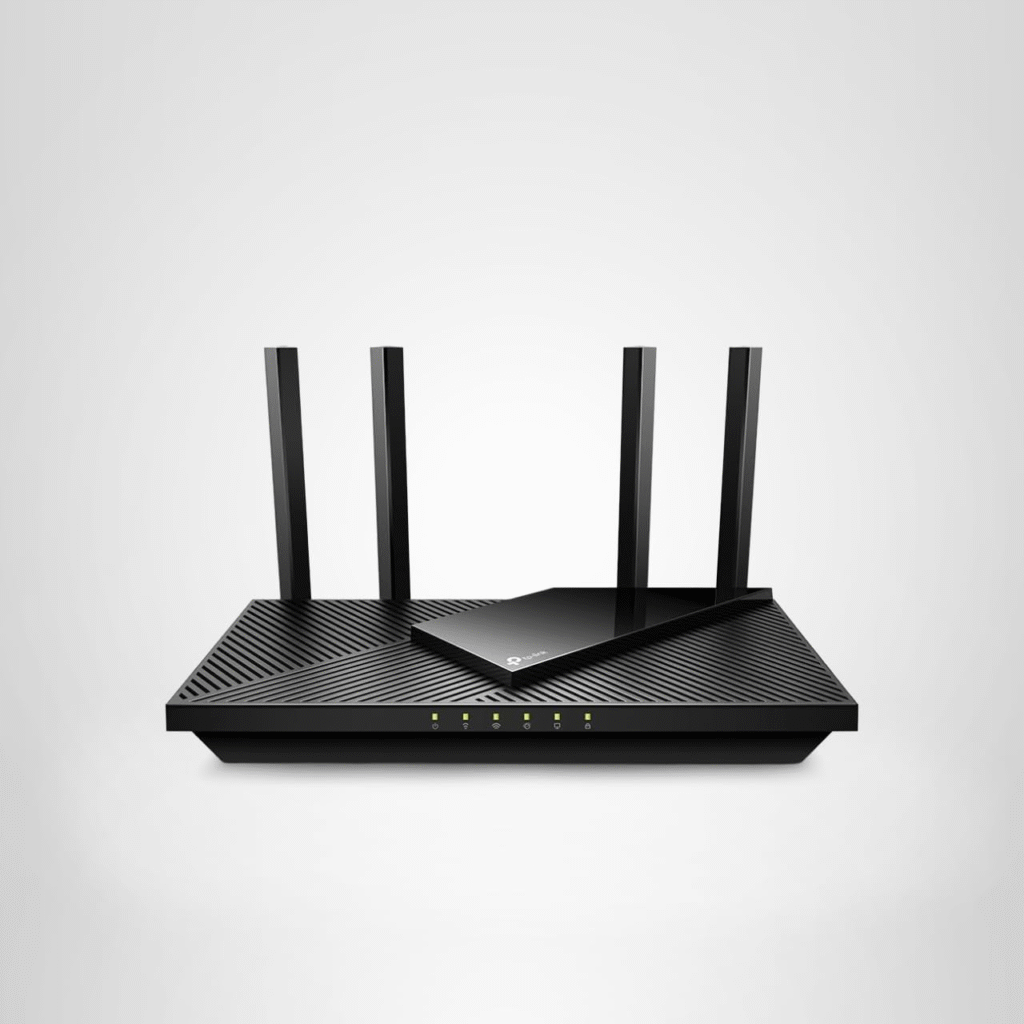
The TP-Link Archer AX21 continues to prove that a reliable gaming router doesn’t need to be expensive. Although it’s built around Wi-Fi 6 (802.11ax) instead of the newer Wi-Fi 7 (802.11be) standard, it still delivers dependable wireless performance for casual and competitive gamers on a budget.
If your internet plan is under Gigabit speeds and you mainly play multiplayer games while streaming or browsing, this router offers enough bandwidth to keep everything running smoothly. Features like MU-MIMO, Beamforming, OFDMA, IPv6 compatibility, and WPA3 security help improve network efficiency while reducing congestion when multiple devices are connected.
Bottom Line
For gamers looking to spend less than $100, the TP-Link Archer AX21 remains one of the strongest value picks available. It may lack 2.5GbE ports, 6GHz connectivity, and 320MHz channel support, but its consistent throughput, stable latency, and user-friendly management make it an excellent starter gaming router.
Pros
- Affordable price
- Reliable Wi-Fi 6 performance
- Supports MU-MIMO and OFDMA
- WPA3 security support
- Beamforming improves signal strength
- Four Gigabit LAN ports
- Easy mobile app setup
- Supports EasyMesh expansion
Cons
- No Wi-Fi 7 support
- No Multi-Gig Ethernet
- No dedicated gaming dashboard
- Limited advanced QoS customization
- Single Gigabit WAN port
TP-Link Archer BE230 BE3600 Dual-Band Wi-Fi 7 Router
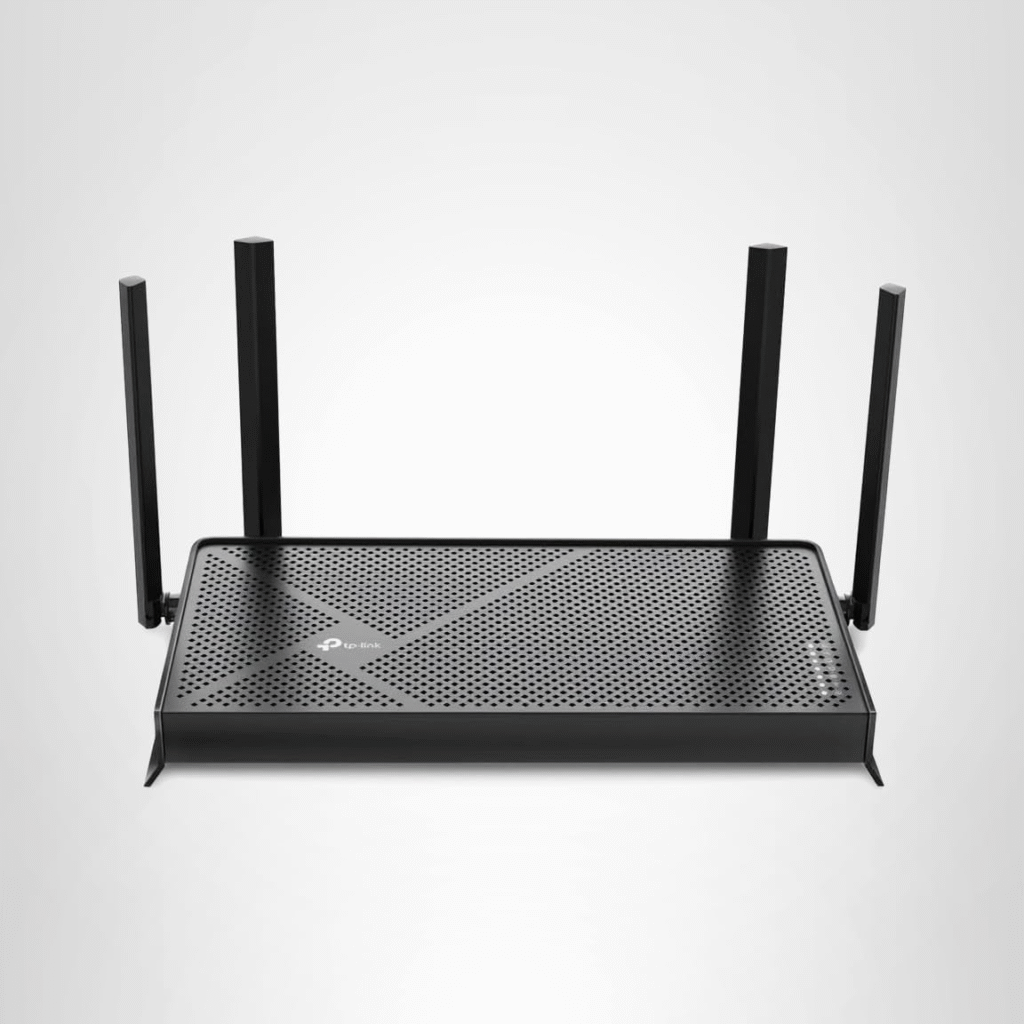
If you want to step into the world of Wi-Fi 7 without spending flagship money, the TP-Link Archer BE230 deserves serious attention. It combines newer wireless technology with an approachable price, making it one of the best entry-level Wi-Fi 7 routers available today.
The addition of Multi-Link Operation (MLO) helps compatible devices communicate across multiple wireless links, improving both throughput and reducing latency. Combined with WPA3 encryption, VPN support, Beamforming, and MU-MIMO, it creates a surprisingly capable networking solution for online gaming and streaming.
Although this model doesn’t include a dedicated 6GHz band or 320MHz channels, it still delivers impressive performance for households using fiber internet up to multi-gig speeds through its 2.5GbE WAN port.
Asus TUF BE9400 Gaming Router
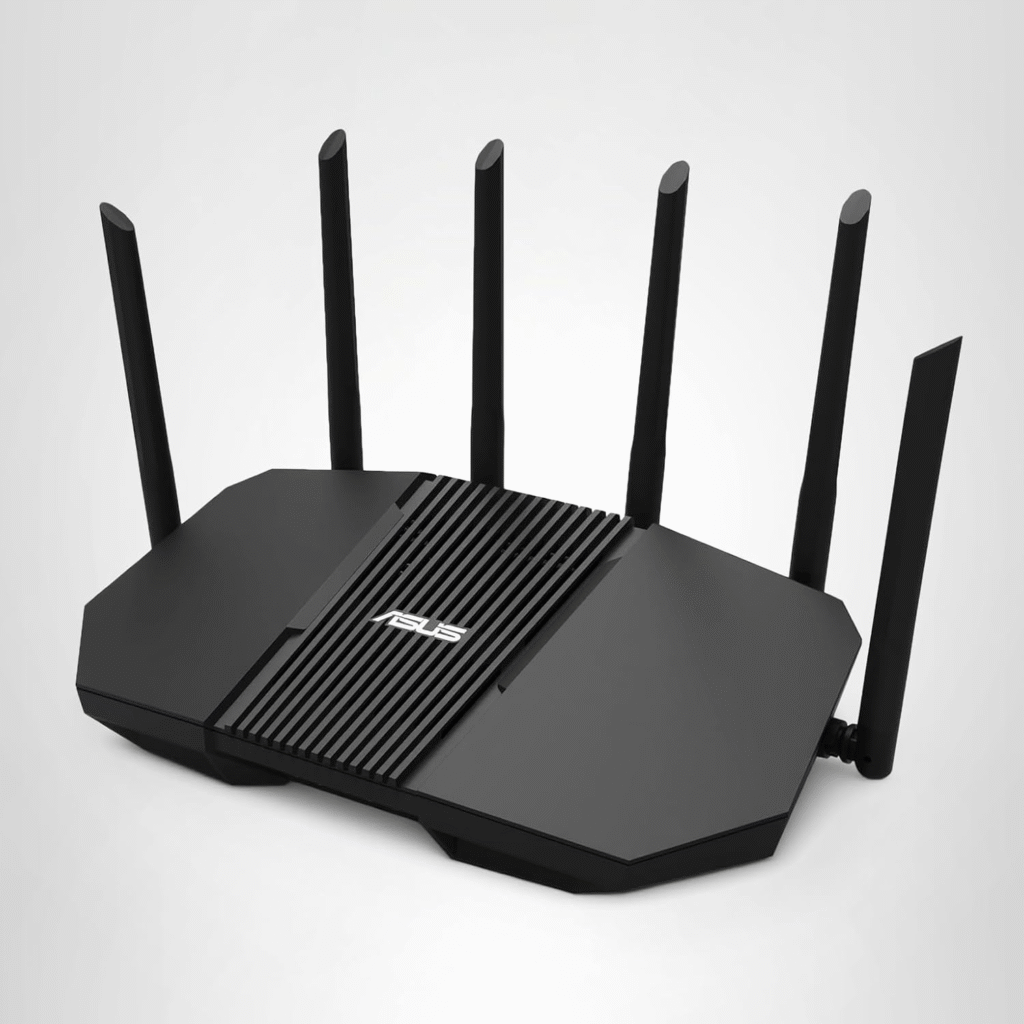
For gamers who care about software as much as hardware, the Asus TUF BE9400 Gaming Router offers one of the best experiences in this price range.
Unlike many budget routers, ASUS includes several premium software features at no additional cost. The router integrates AiProtection, advanced Parental Controls, Gaming QoS, VPN support, and compatibility with AiMesh, allowing users to expand wireless coverage throughout larger homes.
The combination of Wi-Fi 7, multiple 2.5GbE LAN ports, and gamer-focused firmware makes it ideal for players who frequently participate in competitive online games where every millisecond matters.
I especially appreciate how ASUS keeps its interface simple enough for beginners while still providing advanced settings like traffic prioritization, port forwarding, guest networking, and bandwidth management for experienced users.
The Best Wireless Router Deals This Week
Router prices change frequently, especially during seasonal sales. If you’re shopping carefully, you can often find premium hardware at mid-range prices.
Some of the most attractive deals currently include:
- TP-Link Archer AX21
- TP-Link Archer BE230
- Asus TUF BE9400
- NETGEAR Nighthawk RS150
- ASUS RT-BE90U
- ASUS RT-BE92U
- Motorola MNQ1525
- TP-Link Archer BE400
I always recommend comparing the price against the included features rather than buying based solely on discounts. Sometimes spending just a little more gives you Wi-Fi 7 support, Multi-Gig Ethernet, or stronger long-term firmware updates that keep the router relevant for years.
Best Budget Wi-Fi Router for Most Buyers
Not everyone needs an ultra-expensive gaming router with RGB lighting and dozens of advanced gaming presets. For most households, what really matters is stable wireless coverage, low latency, solid security, and dependable speeds for gaming, streaming, and everyday internet use.
After comparing performance, features, ease of use, and price, I believe the TP-Link Archer AX21 AX1800 Dual-Band Wi-Fi 6 Router remains one of the best choices for the average buyer who wants dependable gaming performance without overspending.
Its Wi-Fi 6 platform still provides excellent value, particularly for homes with several connected devices. Whether you’re downloading games, attending video meetings, streaming 4K content, or competing in multiplayer matches, the Archer AX21 handles everyday workloads remarkably well.
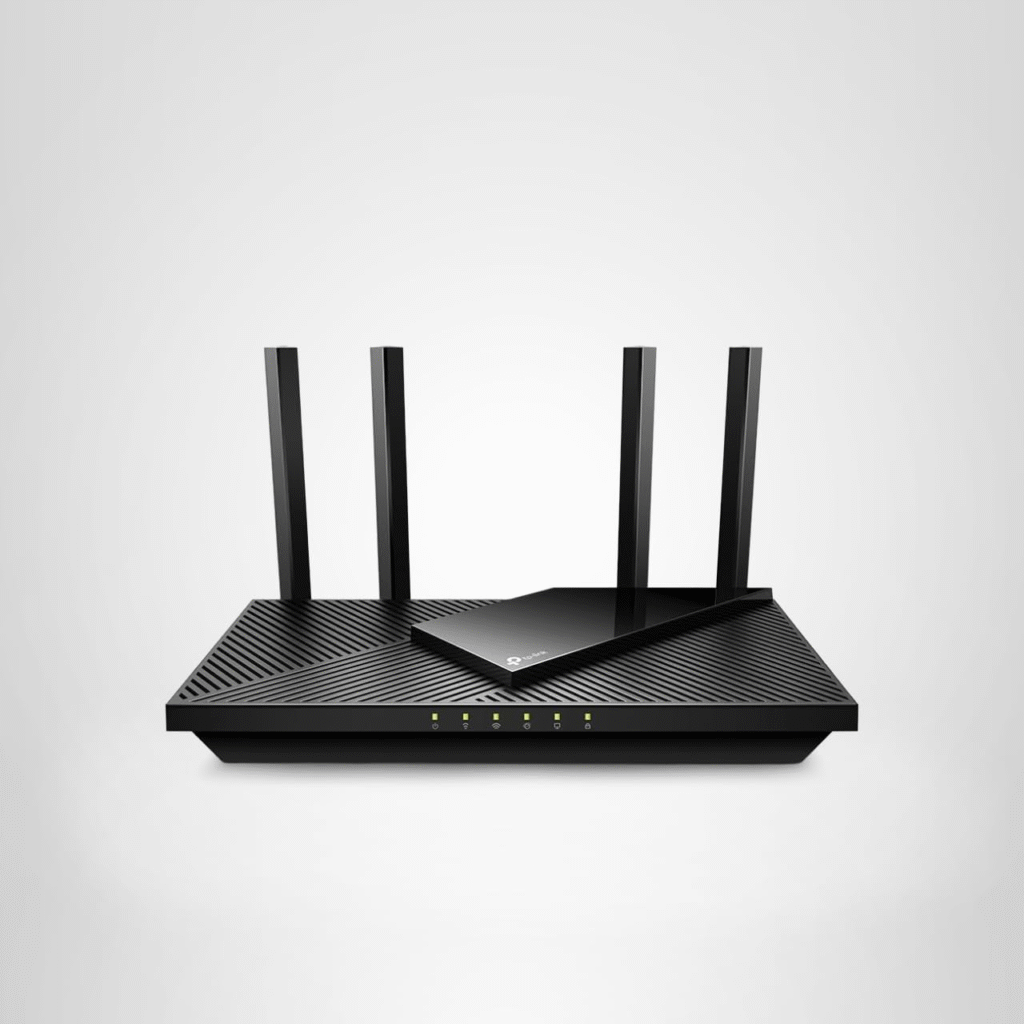
TP-Link Archer AX21 AX1800 Dual-Band Wi-Fi 6 Router
Pros & Cons
Pros
The Archer AX21 succeeds because it focuses on delivering practical features instead of flashy marketing. It supports Beamforming, MU-MIMO, and OFDMA, which work together to improve wireless efficiency when several devices share the same network.
Its support for WPA3 enhances wireless security, while EasyMesh compatibility allows future expansion if your home’s coverage needs increase. The intuitive TP-Link management app also simplifies firmware updates, guest networking, parental controls, and device management.
Cons
The router isn’t designed for enthusiasts chasing every cutting-edge specification.
You’ll miss features like:
- 6GHz connectivity
- Multi-Link Operation (MLO)
- 320MHz channels
- 2.5GbE LAN ports
- 10GbE connectivity
- Advanced gaming acceleration
- Dedicated gaming dashboard
Fortunately, these compromises help keep the price remarkably affordable.
Why We Picked It
I selected the Archer AX21 because it strikes one of the best balances between affordability, reliability, and real-world performance.
Many gamers assume they need a premium router to reduce lag, but that’s rarely true. A well-designed Wi-Fi 6 router with effective QoS, strong Beamforming, MU-MIMO, and stable firmware can outperform poorly optimized premium hardware in everyday gaming scenarios.
During regular home use, the router comfortably manages online gaming, Netflix streaming, smart home devices, video calls, and large downloads simultaneously without noticeable slowdowns.
Another reason I like this model is its consistent firmware support. TP-Link continues refining its software, improving security and stability through regular updates.
Who It’s For
The Archer AX21 is an excellent fit if you:
- Play multiplayer games on PC or console.
- Own a PlayStation, Xbox, or Nintendo Switch.
- Live in a small or medium-sized home.
- Want dependable Wi-Fi 6 without paying Wi-Fi 7 prices.
- Need reliable streaming alongside gaming.
- Have internet speeds up to Gigabit service.
- Prefer simple installation with a mobile app.
- Want a router that’s easy for beginners but capable enough for experienced users.
If your household doesn’t require 6GHz networking or multi-gig internet today, this router remains one of the smartest purchases you can make.
Specs & Configurations
Here are the key specifications that make the Archer AX21 a dependable budget gaming router:
- Wireless Standard: Wi-Fi 6 (802.11ax)
- Bands: Dual-Band (2.4GHz + 5GHz)
- Speed Rating: AX1800
- LAN Ports: 4 Gigabit Ethernet
- WAN Port: 1 Gigabit Ethernet
- Security: WPA2/WPA3
- Networking Technologies: MU-MIMO, OFDMA, Beamforming
- IPv6 Compatible
- Guest Networking
- VPN Support
- Quality of Service (QoS)
- EasyMesh Compatibility
- Mobile App Management
- Web-Based Administration
- Automatic Firmware Updates
While these specifications won’t satisfy every networking enthusiast, they offer more than enough capability for most gamers seeking a reliable, affordable, and future-ready home network without exceeding a tight budget.
Best Budget Wi-Fi 7 Router
If you’re planning to keep your router for the next four or five years, I honestly think it’s worth considering a Wi-Fi 7 model instead of buying another Wi-Fi 6 router. While Wi-Fi 6 is still an excellent choice for many households, Wi-Fi 7 introduces technologies that improve not only speed but also latency, efficiency, and future compatibility.
One of the biggest improvements is Multi-Link Operation (MLO). Instead of relying on a single wireless band, compatible devices can communicate across multiple bands simultaneously. For online gaming, that means fewer interruptions, smoother gameplay, and a more consistent connection even when your network is busy.
Another advantage is improved MU-MIMO support, wider channel bandwidth, better traffic management, and higher overall network capacity. Although many affordable Wi-Fi 7 routers don’t include the full 320MHz channel width or dedicated 6GHz support, they still provide meaningful improvements over previous generations.
If you ask me which affordable Wi-Fi 7 router delivers the best balance of performance and value, the TP-Link Archer BE230 BE3600 Dual-Band Wi-Fi 7 Router stands out.
TP-Link Archer BE230 BE3600 Dual-Band Wi-Fi 7 Router
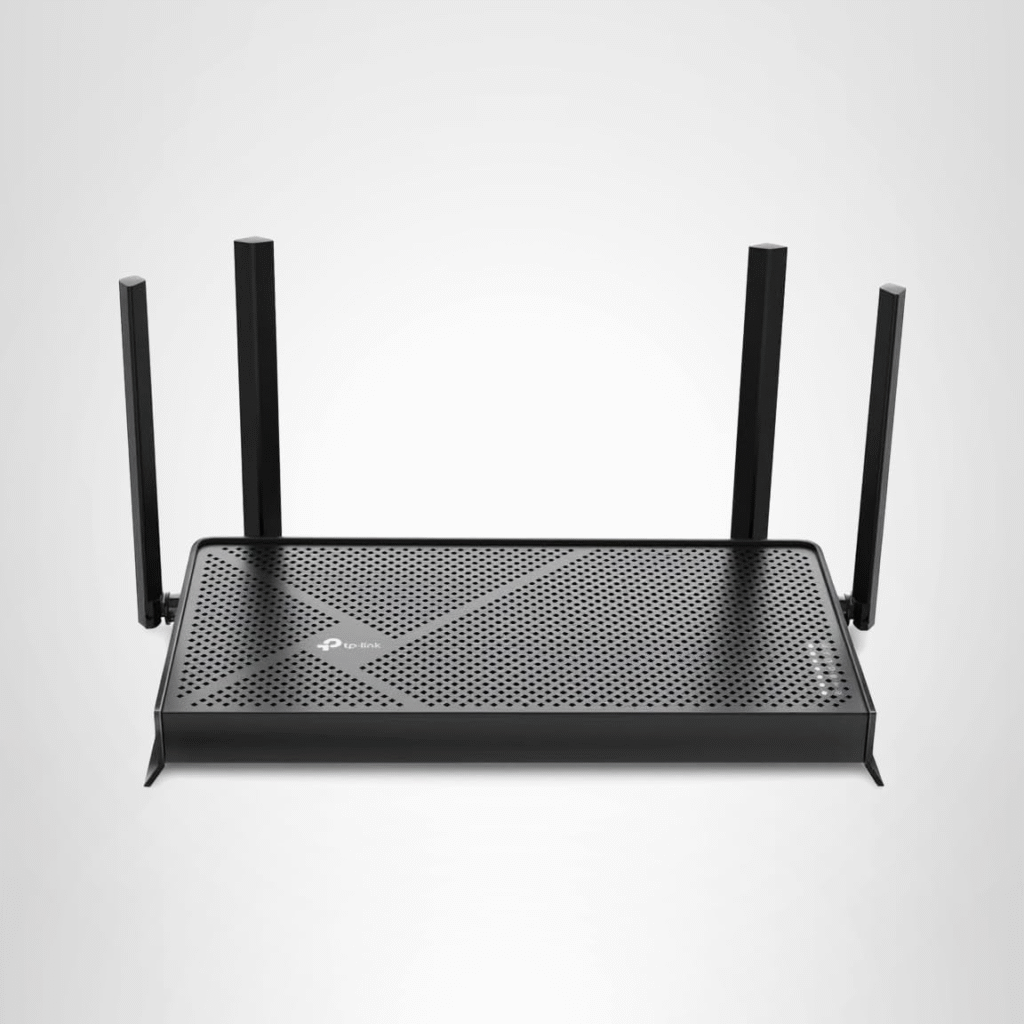
The TP-Link Archer BE230 proves that next-generation networking no longer requires a premium budget. Designed around the latest IEEE 802.11be wireless standard, it offers noticeably faster wireless performance than many similarly priced Wi-Fi 6 routers while remaining easy to configure for beginners.
During everyday use, the router handles multiple connected devices exceptionally well. Whether I’m downloading a new game, streaming 4K videos, attending video meetings, or playing competitive multiplayer titles, the connection remains stable with minimal latency.
Unlike many older routers that begin to struggle when several devices are active, the Archer BE230 uses improved traffic handling through MLO, Beamforming, OFDMA, and enhanced MU-MIMO technology to distribute bandwidth efficiently.
For homes with dozens of connected devices—including smartphones, smart TVs, gaming consoles, smart speakers, laptops, and smart home equipment—it offers excellent value.
Pros & Cons
Pros
- Affordable entry into Wi-Fi 7 technology
- Excellent overall wireless throughput
- Supports Multi-Link Operation (MLO)
- Built-in VPN Client and VPN Server
- 2.5GbE WAN connectivity
- Strong Beamforming performance
- Improved MU-MIMO
- Easy setup using TP-Link’s mobile app
- Includes HomeShield security tools
- WPA3 encryption
- Supports Guest Networking
- Excellent value for future-proofing
Cons
- No dedicated 6GHz radio
- Doesn’t support 320MHz channels
- Four LAN ports only
- USB functionality is limited
- Premium HomeShield features require a subscription
These trade-offs are understandable considering the router’s price, and they don’t significantly affect gaming performance for most users.
Why We Picked It
I picked the Archer BE230 because it brings genuine Wi-Fi 7 benefits into a price range that many gamers can actually afford.
Too often, manufacturers advertise incredibly high theoretical speeds that most users never experience. Instead, I look at what matters in real-world gaming:
- Stable ping
- Reliable wireless coverage
- Low latency
- Fast file downloads
- Consistent streaming
- Strong security
- Easy management
The Archer BE230 checks all of these boxes.
Its combination of Quality of Service (QoS), MLO, Beamforming, WPA3, and HomeShield creates a router that performs well not only for gaming but also for busy households where multiple family members stream movies, attend online classes, or work from home.
Another reason I recommend it is longevity. Buying a Wi-Fi 7 router today means you’ll be better prepared as more laptops, smartphones, gaming handhelds, and consoles begin supporting the latest wireless technologies.
Who It’s For
The TP-Link Archer BE230 is ideal if you:
- Want an affordable Wi-Fi 7 router
- Play competitive online games
- Subscribe to Gigabit or Multi-Gig Fiber Internet
- Stream 4K or 8K content
- Frequently download large game updates
- Own several Wi-Fi devices
- Want stronger future compatibility
- Need better wireless efficiency than older Wi-Fi 6 routers
It’s especially attractive for gamers who expect to upgrade their PCs, consoles, or mobile devices over the next few years.
Specs & Configurations
Key specifications include:
- Wireless Standard: Wi-Fi 7 (802.11be)
- Dual-Band (2.4GHz + 5GHz)
- BE3600 Speed Rating
- 2.5GbE WAN Port
- Four Gigabit LAN Ports
- WPA3 Security
- Multi-Link Operation (MLO)
- MU-MIMO
- OFDMA
- Beamforming
- VPN Client
- VPN Server
- HomeShield Security
- Guest Network
- Mobile App Management
- Automatic Firmware Updates
Overall, these specifications provide excellent value for buyers seeking a modern gaming router without paying flagship prices.
Best Budget Wi-Fi 6 Mesh System
Not every home can be covered by a single router. If you live in a multi-story house or have thick concrete walls, you’ve probably experienced weak Wi-Fi signals in certain rooms.
I’ve dealt with those frustrating dead zones myself, and adding a Mesh Wi-Fi System made a huge difference.
Unlike traditional range extenders, a mesh network creates one seamless wireless network throughout your home. Your devices automatically connect to the strongest node as you move around, eliminating constant disconnects and maintaining stable performance.
Among affordable options, eero 6+ remains one of the strongest Wi-Fi 6 mesh systems available.
The system supports:
- Wi-Fi 6
- Beamforming
- MU-MIMO
- WPA3 Security
- Smart Home compatibility
- Automatic firmware updates
- Easy mobile management
Installation takes only a few minutes, making it perfect for users who don’t want to spend hours configuring networking equipment.
Although some advanced security and parental control features require a subscription, the hardware itself delivers excellent signal coverage and reliable performance.
If your primary goal is eliminating weak Wi-Fi areas rather than chasing maximum benchmark speeds, a mesh system may provide a bigger gaming improvement than replacing your router alone.
Final Thoughts
Choosing the best budget gaming router isn’t about buying the most expensive model—it’s about finding the right balance between performance, features, and price.
If your budget is tight, the TP-Link Archer AX21 continues to offer incredible value with dependable Wi-Fi 6, Beamforming, OFDMA, MU-MIMO, and solid overall performance.
If you’re ready to invest in newer technology, the TP-Link Archer BE230 delivers excellent Wi-Fi 7 performance, Multi-Link Operation (MLO), 2.5GbE connectivity, and improved network efficiency at a price that’s surprisingly reasonable.
Meanwhile, gamers who need broader coverage should seriously consider a Wi-Fi 6 Mesh System like the eero 6+, especially for larger homes where signal strength matters just as much as raw speed.
At the end of the day, the best gaming router is the one that fits your internet speed, your home size, your gaming habits, and your budget. By focusing on features such as low latency, QoS, WPA3 security, VPN support, Beamforming, MU-MIMO, and future-ready Wi-Fi standards, you’ll enjoy smoother online gaming, faster downloads, better streaming, and a more reliable home network for years to come.