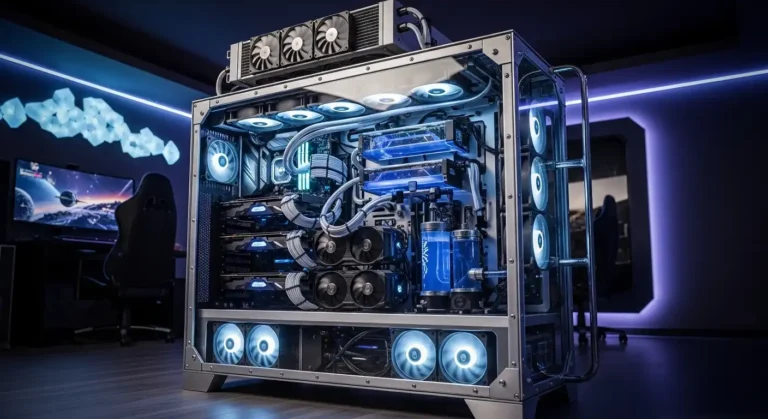
Building a custom loop used to feel intimidating, but once I understood the parts and the planning behind it, it became one of the most rewarding upgrades I’ve ever done to a PC. In this guide, I’ll walk you through the best custom water cooling kits you can buy right now and help you decide whether a custom loop is actually worth the effort.
Overview
Before we dive into cooling kits, here’s a quick reality check about modern PC hardware performance. Today’s most powerful GPUs for creative workloads are dominated by NVIDIA RTX 50-series and 40-series cards, thanks to massive VRAM, ray-tracing power, and CUDA/OptiX acceleration. Flagship cards like the RTX 5090 and RTX 4090 lead extreme rendering workloads, while workstation GPUs like the RTX 6000 Ada and RTX PRO 6000 target professional studios. Mid-range creators often lean toward the RTX 4070 Ti / 5070 Ti, while budget creators still benefit from the RTX 3060. The main takeaway: modern GPUs are incredibly powerful, which also means they generate serious heat and demand strong cooling solutions. Even alternatives from AMD, like the RX 7900 XTX, push thermal limits.
This is exactly why custom water cooling still matters.
Best Custom Water Cooling Kits in 2026 Round-Up
Below are the top kits I recommend for different budgets and experience levels. I’ll break down each option and explain who it’s best for.
1. EK-Quantum Power Kit D-RGB P360
If I wanted one kit that delivers premium quality, aesthetics, and cooling performance, this would be it.
Why I like it
- Exceptional build quality across every component
- Handles heavy overclocking with ease
- Beautiful RGB and premium fittings
- Easy assembly for a high-end kit
Downside
- Premium price
This kit uses a nickel-plated copper water block paired with a thick 360mm radiator and a near-silent D5 pump/res combo. Every component feels high-end, from the tubing to the fittings. If you want a top-tier custom loop experience without mixing parts yourself, this is the safest premium pick.
2. Corsair Hydro X Series iCUE XH303i RGB
This kit balances performance, aesthetics, and price extremely well.
Why I like it
- Excellent cooling for overclocking
- Clean low-profile pump design
- Hardline tubing included
- Expandable for GPU cooling
Downside
- Requires Corsair ecosystem and controller
It’s a fantastic entry point into hardline loops. Everything you need is included, and the radiator fits most mid-tower builds easily.
3. EKWB EK-KIT P240
If you’re new to custom loops, this is where I recommend starting.
Why I like it
- Beginner-friendly soft tubing
- Quiet, high-quality fans
- Strong performance for the price
- Fits smaller cases
Downside
- No RGB
- Distilled water must be purchased separately
This kit removes most of the intimidation factor from custom loops. Assembly is simpler, and maintenance is easier compared to hardline builds.
4. Corsair Hydro X Series iCUE XH305i RGB
This kit delivers a balance of performance, aesthetics, and ecosystem integration.
Why I like it
- Strong performance for large cases
- Excellent RGB integration
- Includes cutting and bending tools
Downside
- Heat gun not included
- Some reliability complaints
If you already use Corsair hardware, this kit fits perfectly into the ecosystem.
5. Thermaltake Pacific CL360 Max D5
This kit is built for aesthetics as much as performance.
Why I like it
- Full RGB setup across components
- Thick copper radiator for cooling
- High-static-pressure fans
Downside
- No bending kit included
- Pump reliability concerns reported
This kit shines in showpiece builds.
6. Thermaltake Pacific M240 D5
A great entry point if you want hard tubing without spending a fortune.
Why I like it
- Budget-friendly custom loop
- Strong cooling performance
- Includes most core components
Downside
- No bending kit or cutting tools
- Mixed metals require maintenance
It’s not perfect, but it’s a solid starting point.
What Is Water Cooling — And Is It Dangerous?
Water cooling transfers heat away from components using liquid instead of air. A pump circulates coolant through water blocks, tubing, and a radiator where heat dissipates through fans.
Yes, leaks can damage hardware. But with proper installation and leak testing, it’s safe and reliable.
Maintaining a Custom Loop Water Cooler
From my experience, maintenance is the biggest commitment.
Key rules I always follow:
- Never use tap water
- Use distilled water or premixed coolant
- Flush radiators before installation
- Check fittings and seals regularly
- Clean blocks and tubing periodically
- Replace worn fans and seals
Maintenance is the trade-off for stunning aesthetics and top-tier cooling.
Custom Loop vs AIO — Which Is Better?
AIO Coolers
- Plug-and-play simplicity
- Lower cost
- Minimal maintenance
Custom Loops
- Maximum customization
- Better aesthetics
- Potentially better cooling
- Higher cost and effort
Custom loops are about performance and visual appeal.
Is Custom Water Cooling Worth It in 2026?
Honestly, it depends on your priorities.
Air coolers and AIOs are incredibly capable today. A custom loop is rarely required for performance alone. But if aesthetics, customization, and the building experience matter to you, nothing else compares.
Amazon Affiliate Disclaimer
As an Amazon Associate, I earn from qualifying purchases. This helps support my work at no extra cost to you.
FAQs
Which GPU is best for 3D rendering?
In my experience, the best GPUs for 3D rendering right now are high-VRAM RTX cards. If I want maximum performance for heavy scenes and ray tracing, I’d choose top-tier GPUs from NVIDIA because most rendering engines like Blender, Octane, and Redshift are optimized for CUDA and OptiX acceleration.
Is RTX or GTX better for 3D rendering?
RTX is significantly better. RTX GPUs include ray-tracing cores and Tensor cores, which massively speed up rendering and AI denoising. GTX cards can still render, but they’re slower and less efficient for modern workflows.
Is the RTX 3060 good for 3D rendering?
Yes, the RTX 3060 is still a great entry-level rendering GPU. Its 12GB VRAM makes it perfect for beginners, freelancers, and smaller scenes. I often recommend it as a budget-friendly starting point.
Does 3D rendering use a graphics card?
Yes — heavily. Modern render engines rely on GPU acceleration to render scenes much faster than CPUs. The GPU handles ray tracing, lighting, textures, and complex effects.
Is Nvidia better for 3D?
For most creators, yes. AMD GPUs are improving, but NVIDIA still dominates because most rendering software is optimized for CUDA and OptiX.
Does the RTX 6000 exist?
Yes. The RTX 6000 is a professional workstation GPU designed for studios and heavy production workloads. It offers massive VRAM and enterprise-level reliability, making it ideal for large scenes and commercial rendering pipelines.