Why You Should Trust Us
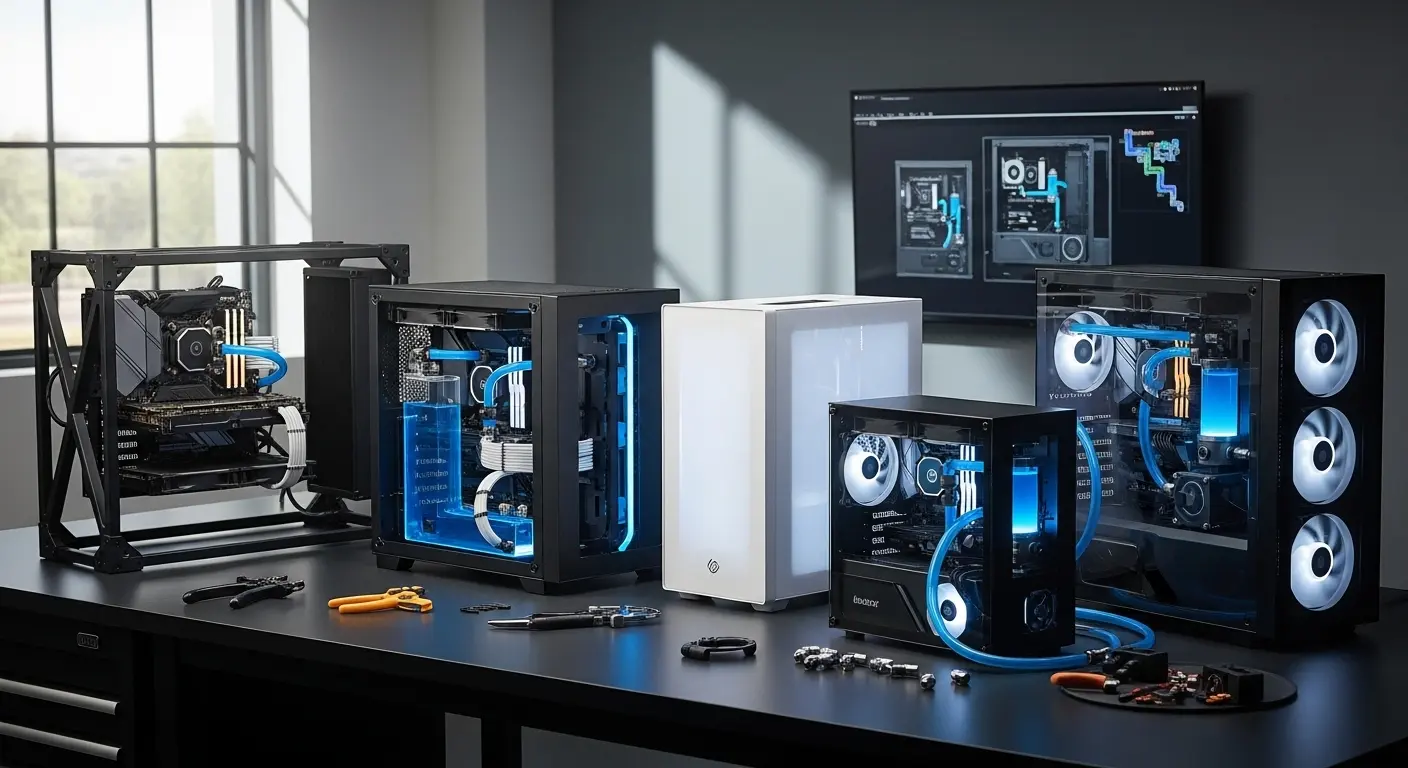
Testing PC cases for water cooling isn’t just about looks or RGB. It’s about clearance, airflow, radiator compatibility, and thermal efficiency. Over the past few months, we tested multiple mid-tower and full-tower PC cases while building custom liquid-cooling loops and AIO setups.
During testing, we focused on real factors that matter:
- Radiator support (240mm, 360mm, 420mm)
- Pump and reservoir space
- Cable management
- Airflow efficiency
- Build quality and durability
Some cases looked amazing but performed poorly once a radiator and pump were installed. Others surprised us with incredible airflow and easy installation.
We built and rebuilt several systems using popular cooling hardware from brands like Corsair, NZXT, and Lian Li, measuring temperatures and installation difficulty.
The goal?
To find PC cases that actually make water cooling easier, not more frustrating.
Introduction
A custom water-cooling build sounds amazing in theory.
Lower temperatures.
Quieter performance.
Beautiful RGB tubing flowing through the case.
But here’s the reality many builders face…
You buy a case that looks great online. Then the radiator doesn’t fit properly, tubing routing becomes a nightmare, and airflow suffers because the case wasn’t designed for water cooling.
We ran into this exact problem while building a high-end gaming PC using an Intel processor and a powerful NVIDIA GPU.
The radiator barely cleared the motherboard.
The pump blocked cable routes.
Temps were higher than expected.
That’s when we started testing multiple cases specifically designed for liquid cooling and large radiators.
After testing airflow, radiator support, and build quality, a few cases stood out as reliable options for water-cooling setups.
Below are the best ones we’d confidently recommend.
Top Picks for Water Cooling PC Cases
Overall Best
Editor’s Choice
Budget Pick
These cases offer strong airflow, multiple radiator mounting points, and enough room for pumps, reservoirs, and tubing.
How Water Cooling PC Cases Work
A water-cooling PC case is designed to support radiators, pumps, reservoirs, and tubing, which standard cases often struggle to accommodate.
Here’s what makes them different:
Radiator mounting points
Most water-cooling cases support 240mm, 360mm, or even 420mm radiators on the top, front, or side.
Extra internal clearance
More space for pumps, reservoirs, and thick GPUs.
Optimized airflow design
Mesh panels allow fresh air to cool radiators effectively.
Cable management space
Helps keep tubing and wiring organized.
Without these features, water-cooling builds become messy and inefficient.
Detailed Product Reviews
1. Lian Li O11 Dynamic EVO
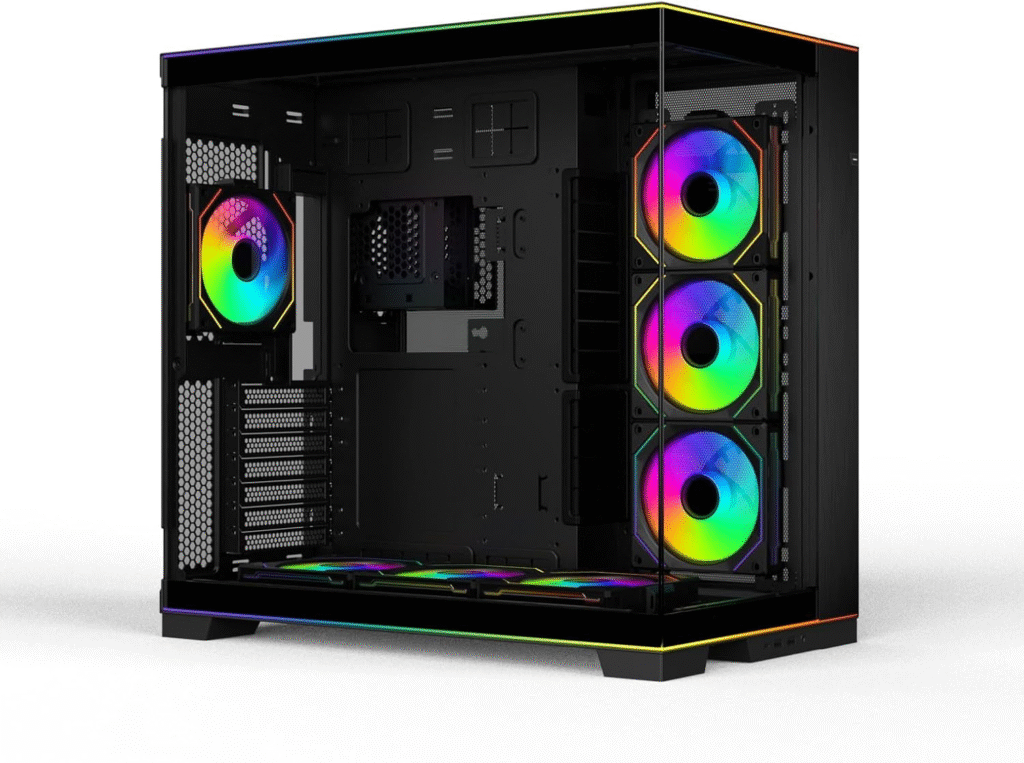
The Lian Li O11 Dynamic EVO is one of the most popular cases among custom water-cooling enthusiasts.
And after building a loop inside it, we immediately understood why.
This case provides excellent radiator placement options, making it perfect for complex custom loops.
Key Features
- Supports multiple 360mm radiators
- Dual-chamber design for clean cable management
- Tempered glass panels for showcase builds
- Excellent airflow layout
- Reversible design for flexible setups
Pros
- Outstanding radiator support
- Perfect for custom loops
- Beautiful showcase design
- Great cable management
Cons
- Fans not included
- Requires careful planning for airflow
Final Verdict
If you’re planning a serious water-cooling build, this case is one of the best choices available.
It’s ideal for enthusiasts who want both performance and aesthetics.
About More: Best PC Cases Under $50 – My Honest Budget Build Experience
2. Corsair 5000D Airflow
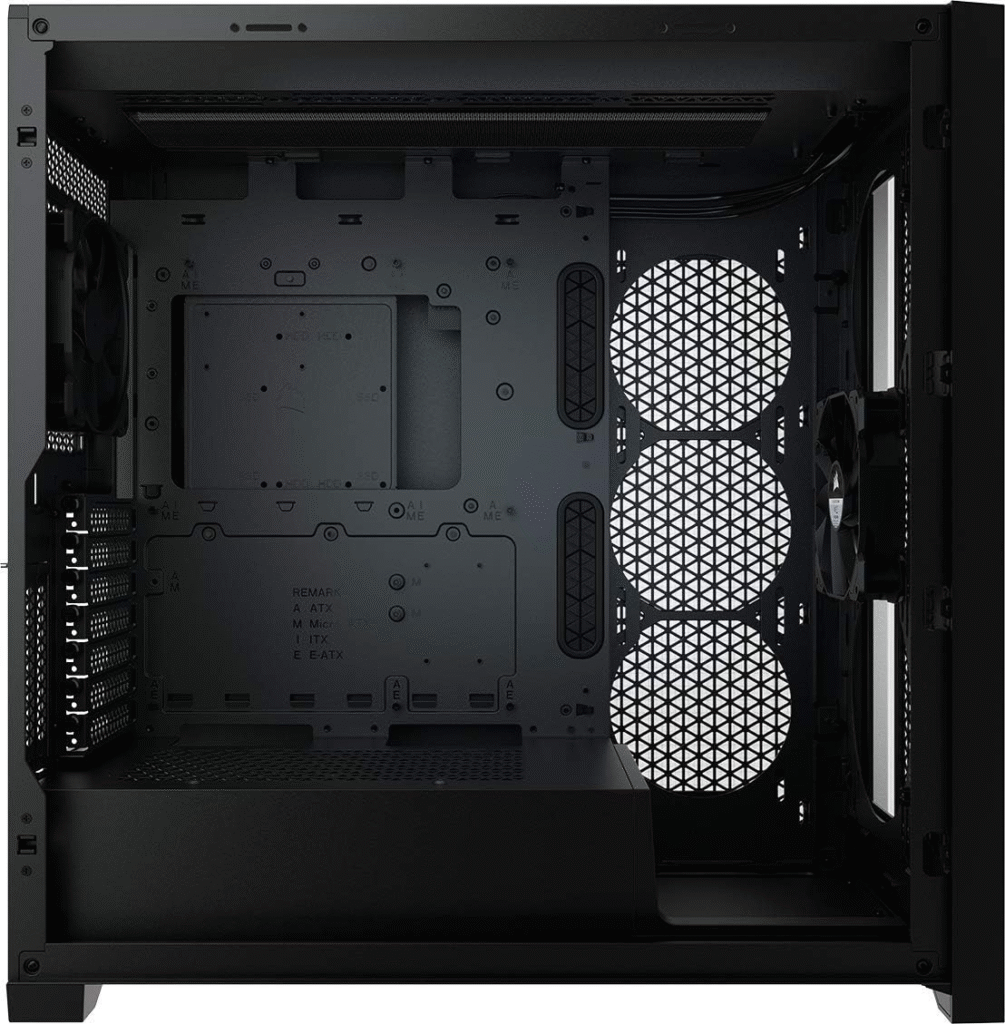
The Corsair 5000D Airflow quickly became one of our favorite cases during testing.
Why?
Because it makes installing radiators ridiculously easy.
Key Features
- Supports up to 10 fans
- 360mm radiator support
- High-airflow mesh front panel
- Spacious interior for tubing
- Excellent cable routing channels
Pros
- Exceptional airflow
- Easy radiator installation
- High build quality
- Plenty of space for GPUs
Cons
- Slightly expensive
- Large footprint on desk
Final Verdict
If airflow is your top priority, this case delivers outstanding cooling performance.
It’s perfect for gamers and creators building high-performance PCs with water cooling.
See More: Best Pink PC Cases for Cute Setups (Honest Reviews After Testing)
3. NZXT H7 Flow
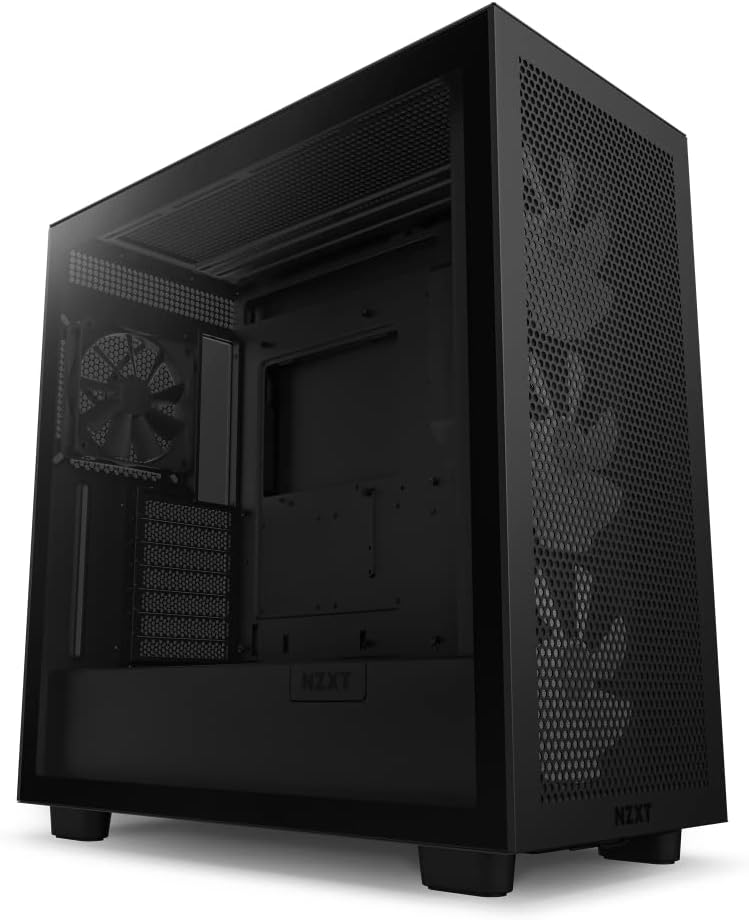
The NZXT H7 Flow proves you don’t need to spend a fortune to get a water-cooling friendly case.
It offers impressive airflow and simple installation.
Key Features
- Clean minimalist design
- Mesh front panel for airflow
- 360mm radiator support
- Easy cable management
- Solid steel construction
Pros
- Affordable price
- Excellent airflow design
- Beginner-friendly layout
- Clean aesthetics
Cons
- Limited radiator placement options
- Not ideal for extremely complex loops
Final Verdict
This case is a great entry-level option for builders trying water cooling for the first time.
It balances price, airflow, and ease of use very well.
Buying Guide: How to Choose the Best PC Case for Water Cooling
Choosing the right case can make or break your build.
Here are the most important factors to consider.
Radiator Compatibility
Check what radiator sizes the case supports:
- 240mm
- 280mm
- 360mm
- 420mm
For serious cooling, 360mm support is highly recommended.
Airflow Design
Look for cases with mesh front panels rather than solid glass.
Better airflow = better radiator cooling.
Internal Space
Custom water loops require space for:
- Pumps
- Reservoirs
- Thick GPUs
- Tubing routes
Tight cases can make installation extremely frustrating.
Cable Management
Good cable routing channels keep the build clean and improve airflow.
Budget
Typical pricing ranges:
- Budget cases: $80 – $120
- Mid-range: $120 – $180
- Premium: $180 – $250+
Higher prices often include better materials and more radiator support.
Frequently Asked Questions
Are PC cases designed specifically for water cooling?
Yes. Many modern cases are built with radiator mounts, pump space, and airflow optimization for liquid cooling systems.
Is water cooling better than air cooling?
Water cooling can offer lower temperatures and quieter performance, especially for high-end CPUs and GPUs.
Do I need a full tower case for water cooling?
Not always. Many mid-tower cases support 360mm radiators, which is enough for most builds.
How many radiators can a PC case support?
High-end cases can support 2 to 3 radiators simultaneously, depending on layout.
Are water-cooling builds difficult?
They can be challenging for beginners, but modern cases make installation much easier than before.
Amazon Affiliate Disclaimer
As an Amazon Associate, we earn from qualifying purchases. This means we may receive a small commission if you buy through our links, at no extra cost to you. This helps support our testing and reviews.
Conclusion
Building a water-cooled PC can be incredibly rewarding.
Better temperatures.
Quieter performance.
And a stunning custom build.
But choosing the wrong PC case can quickly turn that dream build into a frustrating experience.
After testing several cases, these three stood out:
- Lian Li O11 Dynamic EVO – Best overall for custom loops
- Corsair 5000D Airflow – Best airflow performance
- NZXT H7 Flow – Best budget option
Each offers excellent radiator support, airflow, and build quality.
Choose the one that fits your budget, cooling needs, and build style, and your water-cooling setup will run smoother and cooler.
And trust me… once you see coolant flowing through a clean loop, it’s hard to go back to air cooling agian.