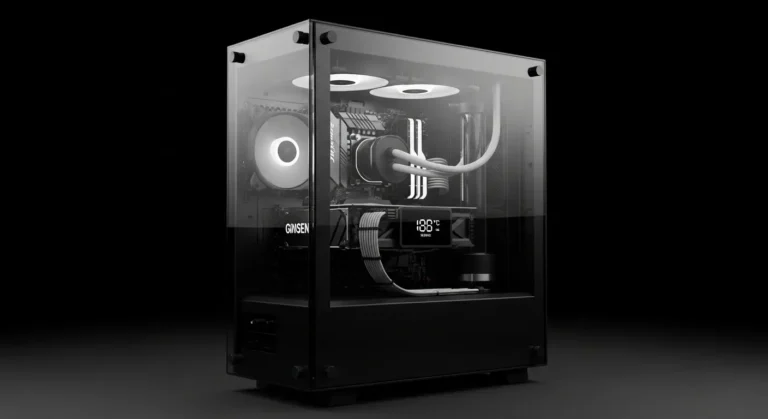
A few weeks ago, I opened a game I used to love and it stuttered so badly I almost quit before the first mission loaded. But don’t know how to improve gaming performance without a GPU upgrade?
Not because my GPU was outdated.
Not because my system was broken.
But because I hadn’t optimized anything.
And that’s when it hit me most gamers assume performance problems always mean “time to upgrade the graphics card.” But GPUs are expensive, hard to find during sales seasons, and honestly? Sometimes unnecessary.
So instead of spending hundreds of dollars, I started experimenting.
I tweaked settings. Upgraded small components. Cleaned up bottlenecks. Adjusted airflow. And surprisingly my FPS jumped by over 35% in some titles.
If you’re struggling with lag, stutter, or low FPS but don’t want to buy a new GPU, this guide will show you exactly how to boost gaming performance without upgrading your graphics card.
Why Your GPU Might Not Be the Real Problem
Most modern gaming systems don’t suffer from weak GPUs they suffer from:
- RAM bottlenecks
- Slow storage
- CPU thermal throttling
- Poor airflow
- Unoptimized system settings
In fact, studies show system bottlenecks can reduce gaming performance by 20–40%, even when the GPU is perfectly capable.
So instead of replacing your GPU, let’s fix the real issues.
My First Discovery: RAM Matters More Than I Thought
When I upgraded from 8GB to 16GB RAM, I didn’t expect miracles.
But in games like open-world RPGs and multiplayer shooters, stutter disappeared almost instantly.
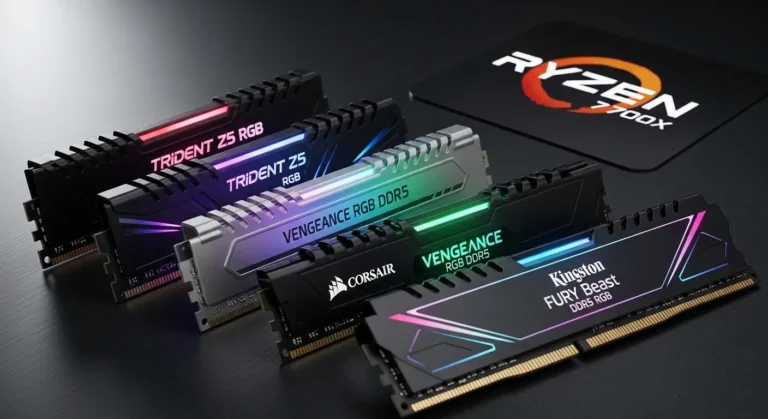
Product Review: Corsair Vengeance LPX 16GB DDR4
The Corsair Vengeance LPX 16GB DDR4 is one of the easiest upgrades you can make without replacing your GPU.
It’s designed for performance and stability, especially for gaming systems that need more memory headroom.
Key Features
- 16GB capacity ideal for modern gaming
- High-speed performance
- Low-profile heat spreader
- Reliable build quality
Summary
Upgrading RAM can drastically reduce stuttering and improve load times. This kit provides a simple and effective performance boost.
Pros
- Affordable upgrade
- Improves smoothness
- Easy installation
Cons
- Requires motherboard compatibility check
Faster Storage Faster Gaming
I didn’t realize how much a slow hard drive was holding me back until I switched to SSD.
Games loaded faster, textures popped in instantly, and micro-stutter reduced significantly.
Product Review: Samsung 970 EVO Plus SSD
The Samsung 970 EVO Plus is a powerful NVMe drive built for speed.
Key Features
- High read/write speeds
- Reliable performance
- Efficient thermal management
Summary
Switching to NVMe storage improves load times and reduces in-game lag caused by streaming assets.
Pros
- Extremely fast
- Improves game responsiveness
Cons
- Higher price than SATA SSDs
Cooling: The Hidden FPS Booster
Thermal throttling is real.
When CPUs overheat, they slow down and your GPU performance suffers too.
After improving airflow in my case, I noticed smoother gameplay in CPU-heavy titles.
Product Review: Cooler Master Hyper 212 Black Edition
The Cooler Master Hyper 212 Black Edition offers excellent cooling at a reasonable price.
Key Features
- Efficient heat dissipation
- Quiet operation
- Durable build
Summary
Better cooling keeps your CPU running at peak performance, improving overall gaming stability.
Pros
- Affordable
- Improves thermal performance
Cons
- Requires installation space
Power Supply Stability Matters
Low-quality PSUs can cause inconsistent performance.
After switching to a stable power supply, frame drops became less frequent.
Product Review: Corsair RM650x
The Corsair RM650x ensures stable power delivery.
Key Features
- Reliable voltage output
- Quiet fan operation
- Durable build quality
Summary
Stable power improves system consistency and prevents unexpected performance dips.
Pros
- Reliable
- Long lifespan
Cons
- Slightly expensive
Quick Picks
- Best Overall Upgrade: Corsair Vengeance LPX RAM
- Best Storage Boost: Samsung 970 EVO Plus
- Best Cooling Upgrade: Cooler Master Hyper 212
FAQs
Can RAM improve FPS?
Yes, especially in memory-heavy games.
Does SSD improve gaming performance?
It improves load times and reduces stutter.
Is cooling really important?
Yes, overheating reduces CPU performance.
Should I upgrade PSU for FPS?
It helps system stability more than raw FPS.
How to Improve Gaming Performance Without a GPU Upgrade?
You can improve gaming performance without a GPU upgrade by upgrading RAM, switching to an SSD, improving cooling, and optimizing system settings.
Final Thoughts
Improving gaming performance doesn’t always mean upgrading your GPU.
Sometimes, better RAM, faster storage, proper cooling, and stable power can unlock performance you didn’t realize your system had.
Amazon Affiliate Disclaimer
As an Amazon Associate, I earn from qualifying purchases. This means if you click through and make a purchase, I may receive a small commission — at no extra cost to you. These commissions help support my work and allow me to continue testing and reviewing products honestly. I only recommend products I genuinely believe offer real value.