Have you ever been in the middle of a crucial Discord screen share or an online meeting, only to have your upload speed plummet to near-zero? I’ve been there, watching my upload rates drop from 20 Mbps to 3 Mbps within minutes, leaving my video frozen and friends frustrated. If you’re reading this, chances are you’re struggling with inconsistent speeds on your Spectrum Internet Ultra plan, wondering whether your modem, router, or both are to blame, and most importantly, which equipment actually solves the problem.
I dug deep into my own network struggles, tested multiple setups, and explored user experiences from Spectrum communities, including real Reddit users sharing their frustration and solutions. In this post, I’ll break down the best modem-router combos for Spectrum in 2026, explain why some setups fail, and guide you to make the smartest choice for reliable internet.
By the end, you’ll know which devices give you consistent upload and download speeds, reduce lag during streaming, and save you from monthly rental fees
Verified Overview of Best Modem-Router Combos
After researching and vetting options, including expert recommendations and user reviews, the best modem-router combos for Spectrum in 2026 are DOCSIS 3.1-enabled devices, capable of handling high-speed, multi-gigabit plans. Top contenders include:
- NETGEAR Nighthawk CAX30 / CAX80 – Powerful routers with Wi-Fi 6 support
- Arris Surfboard G54 – Wi-Fi 7 support, future-proof for high-speed plans
- Motorola MG8702 – Reliable, multi-gig capable option
These units eliminate monthly rental fees, provide excellent coverage, and offer speeds that keep up with gaming, streaming, and large households. Some users still prefer pairing a Spectrum-provided modem with a premium third-party router for easier troubleshooting and compatibility.
Top Recommendations:
- Best Overall for Speed & Future-Proofing: Arris Surfboard G54 or Netgear CAX80
- Best Value/Performance Balance: NETGEAR Nighthawk CAX30
- Best for Large Coverage: Netgear Orbi CBR750 (mesh system
Product Reviews
1. NETGEAR Nighthawk CAX80
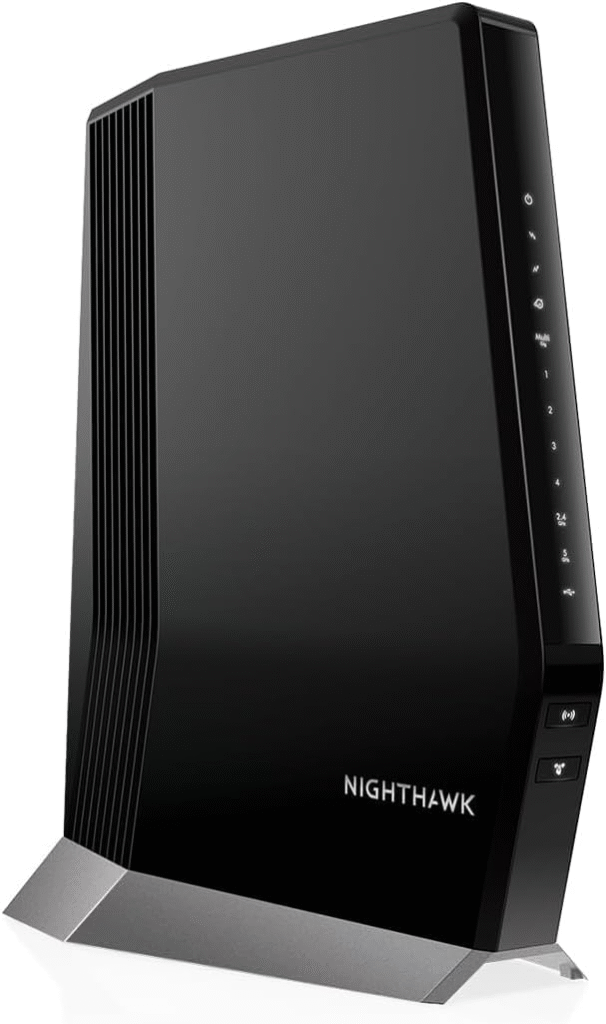
The Nighthawk CAX80 is a premium modem-router combo built for ultra-fast home networks, perfect for Spectrum’s gigabit plans. It supports Wi-Fi 6, multiple simultaneous device connections, and high-speed wired Ethernet ports.
Key Features & Specs:
- DOCSIS 3.1 modem + Wi-Fi 6 router
- AX6000 speeds for large homes
- Multi-gigabit Ethernet ports
- Supports up to 45 devices simultaneously
Why I Like / Why I Dislike:
- Like: Lightning-fast upload/download, future-proof Wi-Fi 6 support
- Dislike: Slightly bulky, premium price tag
Buy if: You have multiple devices and want long-term performance.
Don’t buy if: You’re on a budget or have a small apartment.
2. Arris Surfboard G54
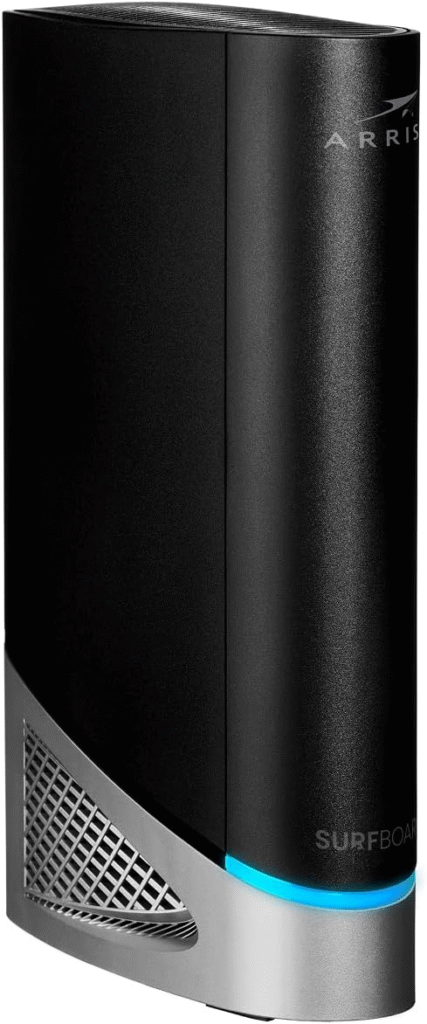
Arris G54 is a Wi-Fi 7 modem-router combo, making it one of the most future-proof options for Spectrum. It’s designed for streaming, gaming, and heavy workloads.
Key Features & Specs:
- DOCSIS 3.1 modem + Wi-Fi 7 router
- AX5400 speeds, multiple simultaneous users
- 2.5G Ethernet port for high-speed wired devices
- Advanced QoS for prioritizing gaming or streaming
Strengths / Weaknesses:
- Strengths: Extremely fast, handles high-split speed tiers, reliable coverage
- Weaknesses: Expensive, overkill for casual users
3. NETGEAR Nighthawk CAX30
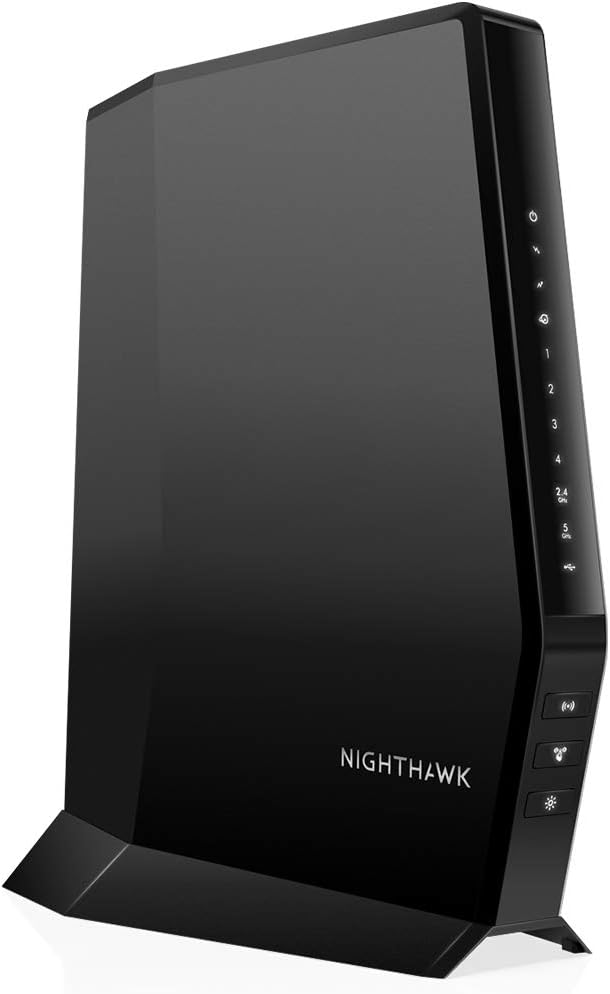
CAX30 is a budget-friendly DOCSIS 3.1 combo that balances performance and affordability, ideal for smaller households or moderate internet use.
Key Features & Specs:
- Wi-Fi 6 router
- AX2700 speeds
- DOCSIS 3.1 modem for multi-gigabit Spectrum plans
- Compact design, easy setup
Pros / Cons:
- Pros: Affordable, easy to set up, reliable speeds for medium households
- Cons: Not as future-proof as CAX80 or Arris G54, fewer high-speed Ethernet ports
4. Motorola MG8702
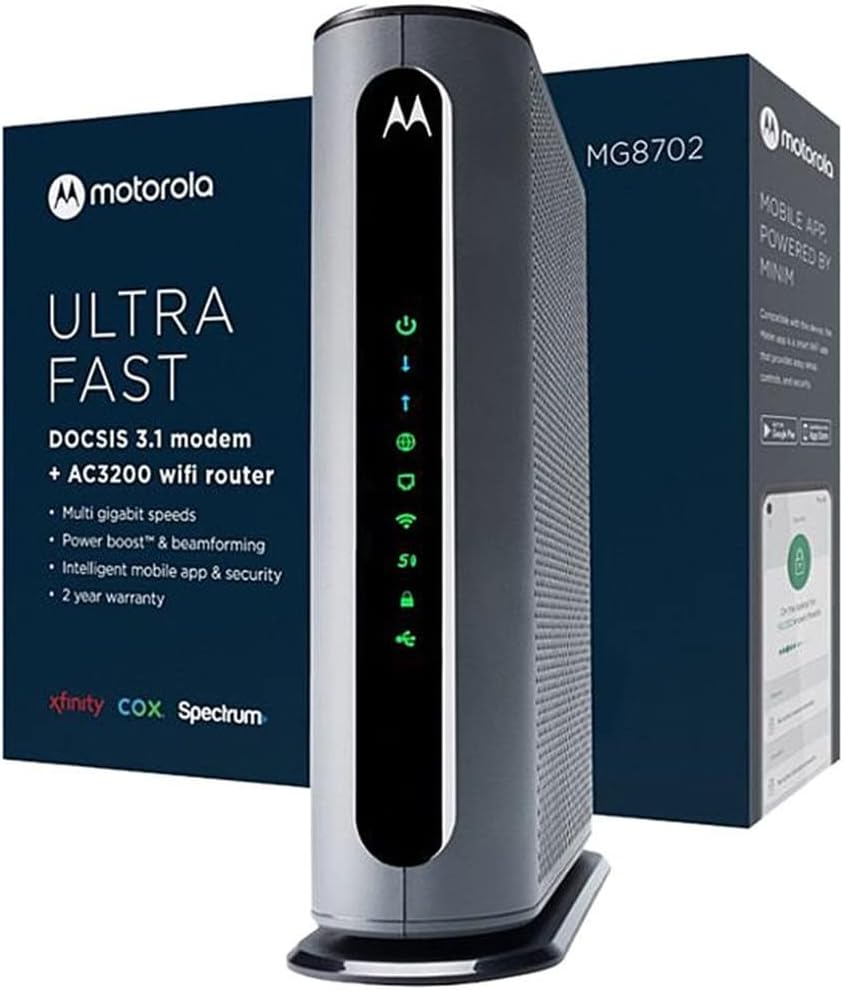
Motorola’s MG8702 is a solid all-in-one modem-router, good for users who want simplicity and plug-and-play Spectrum compatibility.
Key Features & Specs:
- DOCSIS 3.1 modem + Wi-Fi 6 router
- AX3200 speeds
- Easy Spectrum setup
- Good coverage for medium to large homes
Reasons to Buy / Not Buy:
- Buy: You want a reliable combo with minimal setup hassle
- Don’t Buy: You need the absolute fastest speeds or gaming-specific features
Why Your Internet Speeds Are All Over the Place
- Before recommending products, let’s be honest about the problem. Many Spectrum users experience:
- Unstable upload speeds – fluctuating from 20 Mbps to under 5 Mbps in minutes
- Discord or Zoom lag – real-time streaming suffers when your upstream is unreliable
- Confusion over hardware – should you use Spectrum’s modem, buy your own, or get a combo?
- Network congestion at home – multiple devices, WiFi extenders, and mesh systems can interfere
- From my experience and the discussions online, most of these issues don’t stem from your plan—it’s usually the equipment handling the load. Using a modem-router combo that’s outdated or underpowered for Wi-Fi 6/7 speeds can bottleneck even gigabit internet plans.
- The good news? You don’t need to replace everything at once. Some setups work perfectly with Spectrum’s provided modem paired with a high-end router, while others benefit from a DOCSIS 3.1 modem-router combo built for multi-gigabit speeds.
My Experience With Spectrum Modems and Routers
- When I first upgraded, I kept Spectrum’s modem and added a Netgear Nighthawk AC1750 router. Initially, my upload speeds still fluctuated heavily, just like Reddit users described: speed tests jumped from 540 Mbps down to 3 Mbps in moments. After isolating the setup,connecting my PC directly to the router, disabling WiFi extenders, and testing cable quality, I realized my router couldn’t handle multiple devices simultaneously.
- Upgrading to a DOCSIS 3.1 modem-router combo changed everything. My upload stabilized, latency dropped, and Discord screen shares no longer lagged, proving that the right equipment makes a massive difference.
Quick Picks
- Premium Pick: Arris Surfboard G54 – Future-proof, Wi-Fi 7, top speeds
- Best Overall: NETGEAR Nighthawk CAX80 – High performance, large coverage
- Budget-Friendly: NETGEAR Nighthawk CAX30 – Great performance at a lower price
- Mesh System Option: Netgear Orbi CBR750 – Best for very large homes
FAQs
Q1: Should I use Spectrum’s modem or buy my own?
A: For most users, keeping Spectrum’s modem and upgrading the router is sufficient. Buying your own modem-router combo can reduce rental fees and improve speeds if you have multiple devices or heavy streaming needs.
Q2: Will a new modem improve upload speeds?
A: Only if your current modem is DOCSIS 3.0 or older and can’t handle your plan. Otherwise, network congestion or router performance is usually the bottleneck.
Q3: Are combo units better than separate modem + router setups?
A: Combo units reduce clutter and simplify setup, but dedicated routers often provide better Wi-Fi coverage, lower latency, and more advanced features.
Q4: How can I test my network before buying?
A: Connect a device directly to your modem/router via Ethernet, disable other devices, and run multiple speed tests at different times to identify fluctuations.
Q5: Do I need Wi-Fi 6 or 7 for my home?
A: If you have multiple devices, high-speed streaming, or gaming, Wi-Fi 6 or 7 can handle more devices efficiently and future-proof your network.
Summary
If you’re tired of unstable upload speeds, Discord lag, or fluctuating downloads, the right modem-router combo can dramatically improve your experience. For Spectrum, DOCSIS 3.1 devices like the Arris Surfboard G54, NETGEAR CAX80, and CAX30 balance speed, coverage, and future-proofing.
- Strengths: High speeds, stable uploads, multi-device handling
- Drawbacks: Premium units can be expensive, not all users need Wi-Fi 7
Whether you’re gaming, streaming, or just working from home, upgrading to one of these combos, or pairing Spectrum’s modem with a high-end router, will make a noticeable difference.
Affiliate Disclaimer: Some links in this article may be affiliate links. If you purchase through these links, I may earn a small commission at no extra cost to you.