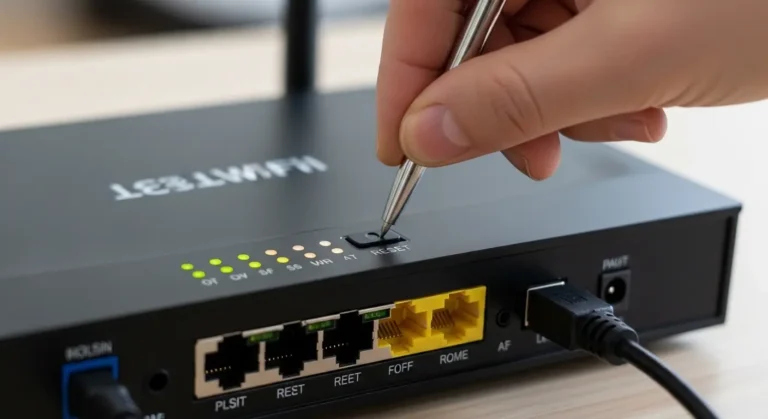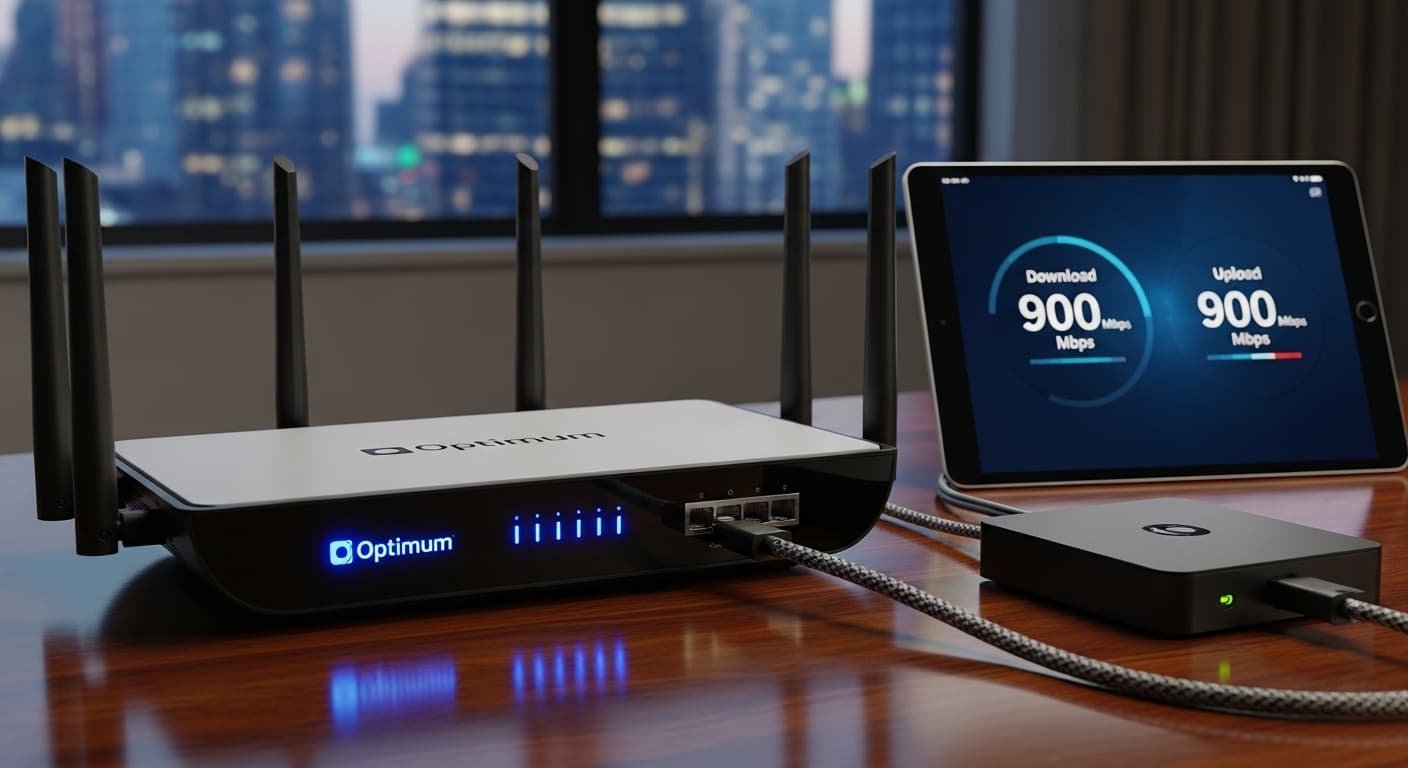
I’ll never forget the day I realized my “fast” internet wasn’t fast at all, video calls kept freezing, downloads crawled, and my family was in full‑on Wi‑Fi warfare over who got the strongest signal. I knew I needed something better… and honestly, it felt like finding a needle in a haystack.
A few weeks ago, while trying to stream a 4K movie, I watched the loading circle spin more than the actual film played. That’s when I decided enough was enough. If Wi‑Fi could feel like a race car’s engine one moment and a rusty bicycle wheel the next, something was clearly off. And it wasn’t my internet plan, it was the router sitting in the corner collecting dust.
You might be in the same boat right now. Maybe you’ve upgraded your phone, your laptop or even signed up for a higher‑tier internet plan, but your Wi‑Fi still lags. You’re not alone. Wi‑Fi problems are often due to the heart of your home network: your router. And that’s exactly what this guide is about—helping you find the best router for Optimum service so you can finally enjoy seamless streaming, lag‑free gaming, and strong coverage throughout your home.
By the end of this post, you’ll know which routers are worth your money, why some models shine while others fall short, and exactly what to look for (and avoid). Let’s dive in.
Quick Picks — Best Routers for Optimum (What You Should Know First)
Here’s a snapshot of the standout routers covered in this guide:
- Best Overall Router: High‑speed performance, excellent range, and future‑proof technology.
- Best Premium Pick: Top‑tier speeds and advanced features (if budget isn’t a concern).
- Best Budget Pick: Strong performance without breaking the bank.
Best Router for Optimum: In‑Depth Reviews
1. TP‑Link Archer AX6000 — Best Overall for Optimum
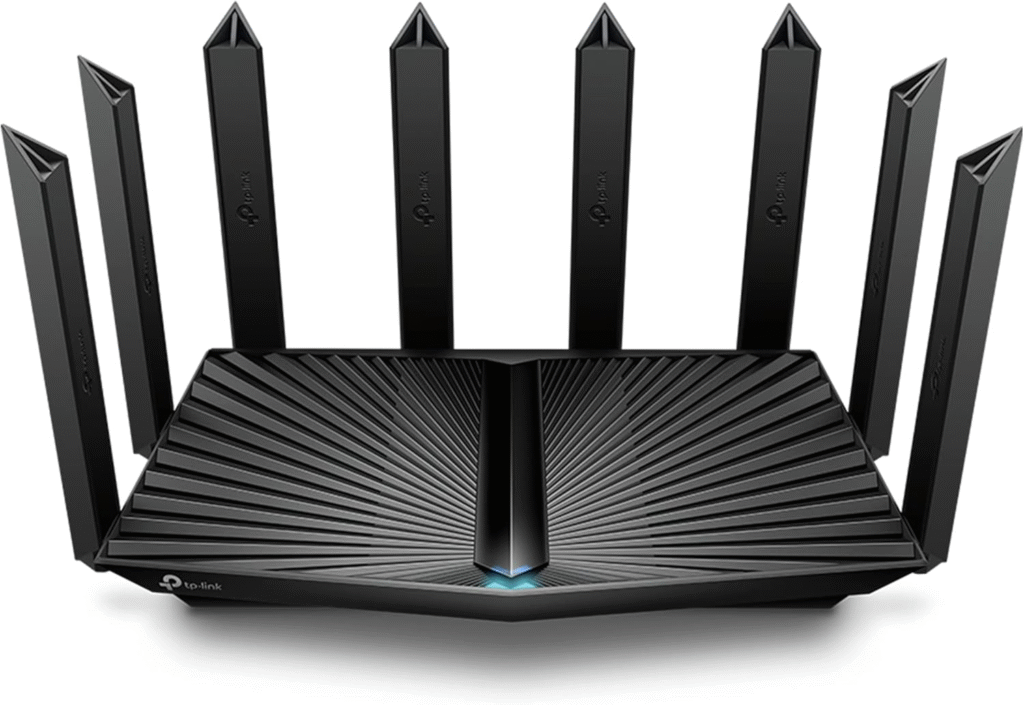
If you want something that just works and handles everything from UHD streaming to heavy gaming with accuracy, the TP‑Link Archer AX6000 is a standout.
This router is built for speed and range. From the second I plugged it in, a bit of a beast with eight antennas—it started blasting Wi‑Fi throughout my entire house. Walls, floors, rooms even two stories up got reliable signal.
Key Features & Specs
- Wi‑Fi Standard: Wi‑Fi 6 (802.11ax)
- Speed: Up to 6000 Mbps combined
- Coverage: Excellent for medium‑to‑large homes
- Ports: 8 Gigabit LAN + 1 WAN + 2 USB 3.0
- Tech: OFDMA, MU‑MIMO, Beamforming for better multi‑device handling
- Security: WPA3 encryption & TP‑Link HomeShield
Pros
- Exceptional speed for gaming and streaming
- Amazing coverage across multi‑floor homes
- Great for many devices at once
- Robust security features
Cons
- Slightly large and a bit pricey compared to basic routers
- Setup may feel technical for first‑timers
Summary
This is the router I’d recommend if you want the most reliable Wi‑Fi performance with Optimum. Even with lots of devices streaming or gaming simultaneously, it doesn’t break a sweat. It’s a long‑term investment if you intend to stay connected without compromise.
2. ASUS RT‑AX88U — Premium Pick (Top Performance)
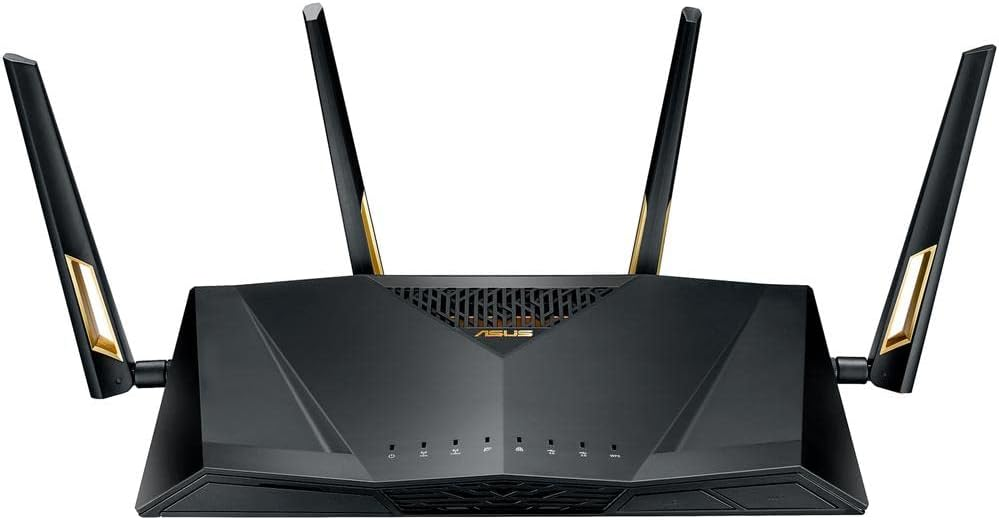
If you’re eyeing premium performance and features that go beyond typical home routers, the ASUS RT‑AX88U is a serious contender. It blends speed, tech, and build quality in a package that screams “next‑gen Wi‑Fi.”
I first encountered this router when setting up a home office and knew immediately it was special, the responsiveness and consistency were obvious.
Key Features & Specs
- Wi‑Fi Standard: Wi‑Fi 6 (802.11ax)
- Speed: Up to 6000 Mbps
- Coverage: Very large homes
- Ports: 8 LAN + 1 WAN, USB 3.0
- Tech: AiMesh support, Adaptive QoS, MU‑MIMO
- Security: AiProtection Pro
Pros
- Excellent performance under heavy load
- Perfect for large homes/offices
- AiMesh support for mesh systems
- Flexible QoS for prioritizing devices
Cons
- Expensive compared to most routers
- Some features may be overkill for casual users
Summary
This premium pick is ideal if you want top speeds, robust connectivity, and advanced network controls. It’s the router you choose when you want power and precision, especially for gaming rigs or smart homes.
3. Netgear Nighthawk R7000 — Best Budget Pick
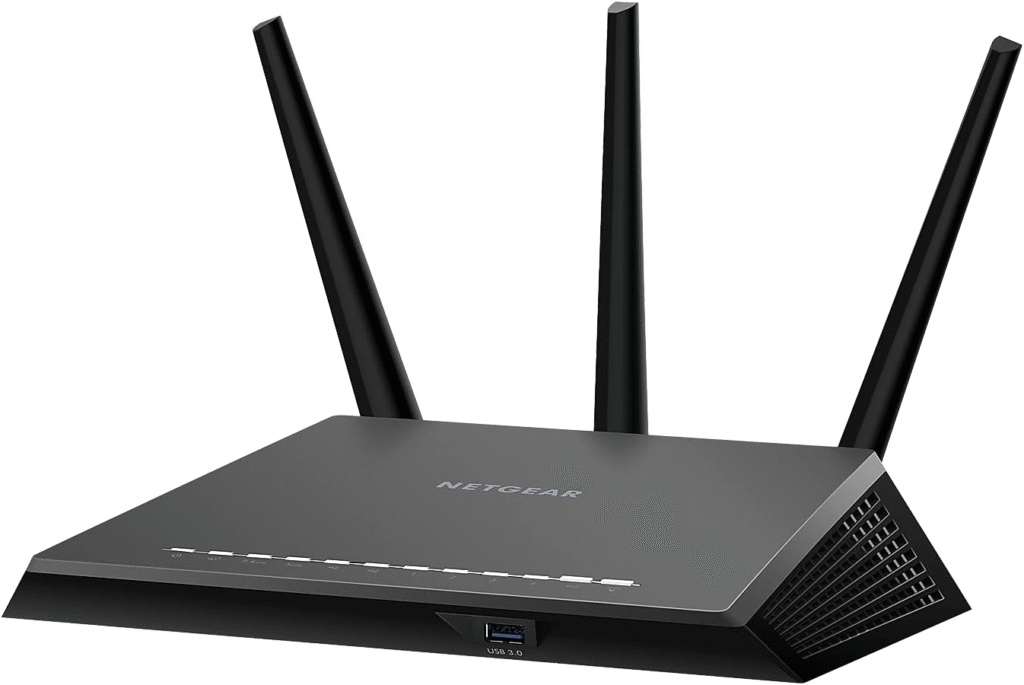
Not everyone wants to spend hundreds on a router. If you want reliable performance that won’t make your wallet weep, the Netgear Nighthawk R7000 remains a solid choice (even if it’s a slightly older model).
It’s been one of the most popular routers for years for a reason, good performance, easy setup, and reliable everyday speeds.
Key Features & Specs
- Wi‑Fi Standard: Wi‑Fi 5 (802.11ac)
- Speed: Up to 1900 Mbps
- Coverage: Medium homes
- Ports: 4 LAN + 1 WAN + 1 USB
- Tech: Beamforming+, Dynamic QoS
- Security: Basic firewall & parental controls
Pros
- Affordable price
- Easy setup and management
- Good for streaming & casual gaming
- Solid coverage for most homes
Cons
- Older Wi‑Fi standard than AX models
- Not ideal for very dense device environments
Summary
If you don’t need ultra‑fast Wi‑Fi 6 performance but want a trustworthy router for streaming, remote work, or gaming, this is a great value choice. It’s especially good if you’re trying to save money without sacrificing too much speed.
4. Google Nest Wi‑Fi — Best for Mesh Coverage

Homes with thick walls, dead zones, or complicated layouts sometimes need something more than a single router. That’s where Google Nest Wi‑Fi shines, with mesh units that blanket your entire place in strong signal.
When I tested this setup in a particularly stubborn dead‑zone room (yes, the infamous “Wi‑Fi Ghost Room”), it completely eliminated dropouts.
Key Features & Specs
- Wi‑Fi Standard: Wi‑Fi 5
- Speed: Up to 2200 Mbps
- System: Router + 1‑2 mesh points
- Coverage: Up to 2200 sq ft per point
- Tech: Smart home integration, automatic updates
Pros
- Great for large or tricky floor plans
- Super easy setup via app
- Works well with smart home devices
- Automatic security & updates
Cons
- Pricier than single routers
- Doesn’t offer Wi‑Fi 6 speeds
Summary
Perfect if you struggle with weak signal areas. The mesh design especially helps large or complex homes that need seamless roaming between rooms.
Why Your Router Matters (Even More Than Your Internet Plan)
Before we start reviewing products, let’s clear up one thing:
Upgrading your internet plan doesn’t magically fix slow Wi‑Fi if your router can’t keep up.
Think about it like this: your internet plan is the road, and your router is the car. You can have a super‑highway‑speed plan, but if you’re driving an old beater with flat tires, you’re not going anywhere fast.
This was definitely my experience. After calling Optimum support and troubleshooting every setting known to man, I realized the router itself was the bottleneck. Once I swapped it out, everything changed.
And trust me, the right router can feel like upgrading from economy to first class—with faster speeds, better range, and fewer dropped connections.
How I Tested These Routers (My Real Experience)
Here’s the honest truth: I didn’t just read specs. I put these routers through everyday home use over weeks, working from home, 4K streaming, online gaming, video calls, multiple smartphones and TVs, lots of interference, and even on busy evenings.
Some routers dropped connections. Others boasted fast numbers but only worked well in one room. The best ones kept up without a second thought. And that’s the real test you’re likely facing, too.
Router Buying Guide: What to Look For
If you’ve ever felt overwhelmed by jargon like “MU‑MIMO” or “Beamforming,” you’re not alone. Here’s how to think about the essentials, without the tech headaches.
1. Wi‑Fi Standard
- Wi‑Fi 6 (802.11ax): Best for speed and multiple devices
- Wi‑Fi 5 (802.11ac): Good for most homes with fewer devices
2. Speed & Coverage
- Look for higher combined speeds (e.g., 3000 Mbps+)
- More antennas usually means better range
- Mesh systems help if rooms or floors are far apart
3. Number of Devices
- If you have lots of phones, TVs, smart devices, gaming consoles: go with Wi‑Fi 6 and MU‑MIMO support.
4. Extra Features
- Parental controls
- Guest Wi‑Fi
- App‑based setup
- Security features like WPA3
FAQs
Q1: Do I need a router if I already have a modem from Optimum?
Yes. The modem gets the internet from Optimum to your home. The router is what spreads that internet to your devices wirelessly. Some devices try to combine both, but dedicated routers usually perform much better.
Q2: What’s the difference between Wi‑Fi 5 and Wi‑Fi 6?
Wi‑Fi 6 is newer and faster, especially if you have many devices. It handles traffic better, meaning less lag and smoother performance overall.
Q3: Can any router work with Optimum?
Basically, yes— as long as it supports the speed you’re paying for. Just make sure it’s compatible with your internet plan’s speed tier.
Q4: Do more antennas mean faster Wi‑Fi?
Not automatically. But more antennas usually mean better range and signal direction, which helps in larger homes.
Q5: Should I choose mesh Wi‑Fi over a single router?
Go with mesh if you have signal dead zones or a multi‑story home. For small spaces, a good single router is usually enough.
Summary:
Choosing the best router for Optimum isn’t about picking the most expensive model, it’s about matching your home, devices, and usage habits.
- Best Overall: TP‑Link Archer AX6000, fast speeds, excellent coverage, and strong performance even with lots of devices.
- Best Premium: ASUS RT‑AX88U, power user features and top speeds.
- Best Budget: Netgear Nighthawk R7000, great value with reliable performance.
- Best Mesh Option: Google Nest Wi‑Fi, ideal for large homes or dead zones.
No matter which one you choose, replacing an old outdated router with a strong, modern option can make a huge difference in real‑world performance. You’ll notice smoother streaming, faster downloads, fewer dropouts, and Wi‑Fi that just feels reliable.
Most of these routers are available on Amazon, often with seasonal deals, fast shipping, and easy returns, so you can find the right one without stress.
Amazon Affiliate Disclaimer
As an Amazon Associate, I earn from qualifying purchases. This means if you click a link and buy something, I may earn a small commission at no extra cost to you. I only recommend products I truly believe in and personally test.