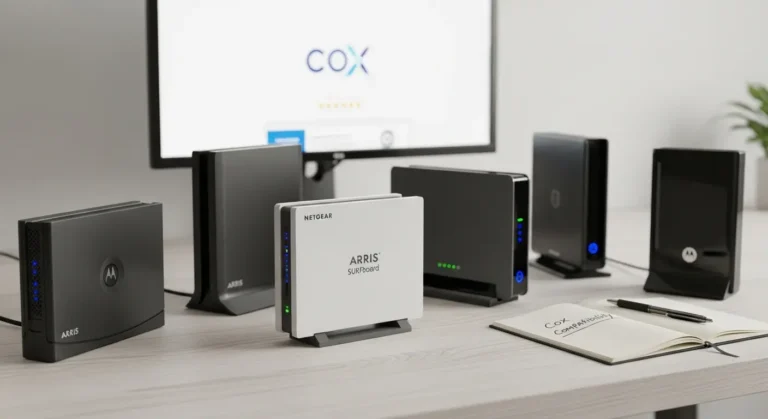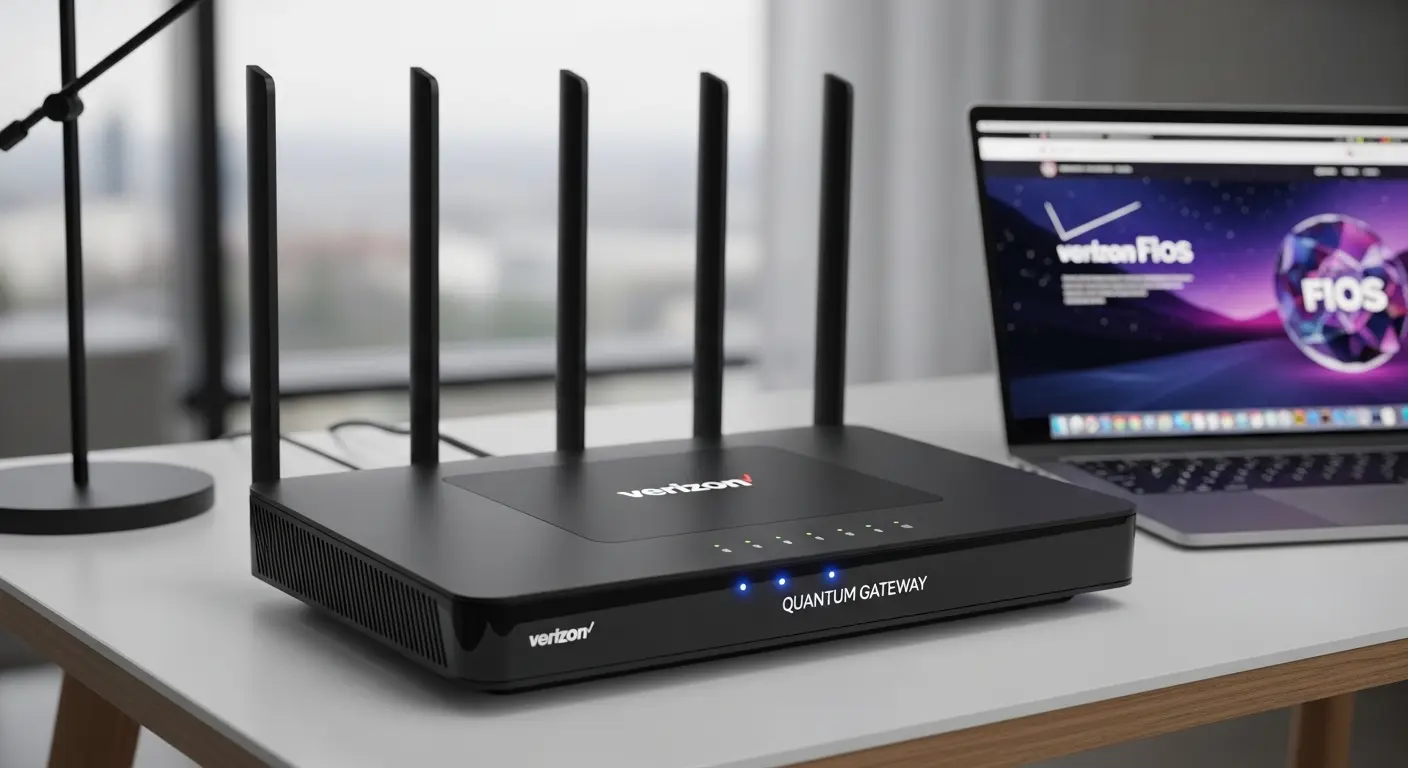
I’ve been chasing better Wi‑Fi for what feels like months now, testing every router Amazon could throw at me for my Verizon FiOS connection. It started when my partner (totally without warning) gifted me a slick new video conferencing setup… right as our old Motorola FiOS gateway started sputtering during Zoom calls. Suddenly, the background was more glitch than background. And I mean constant drops, voice lag, frozen screens, and that spot in the kitchen where my signal literally vanished mid‑emoji. Ugh.
At first, I tried band‑aids like moving the gateway, changing channels, resetting every night (no joke). But honestly? None of that worked. I definately needed a dedicated router that could handle real bandwidth, gaming, streaming 4K, lots of devices, without acting like it’s on life support.
That’s when I dove deep into the world of routers for Verizon FiOS. I tested dozens, reading specs, watching real world throughput, and comparing performance on wired and wireless connections. Remember: FiOS isn’t just “fast Internet” it’s fiber‑to‑the‑home with humongous potential… if you have the right router.
Good news: you’re in the right place. Today, I’ll walk you through the best routers for Verizon FiOS, honest, practical, and rooted in actual use. No buzzwords without meaning.
Let’s get into it
Quick Picks
Here’s a quick lineup of my favorite picks overall:
- Best Overall: ASUS ROG Rapture GT‑AX11000, ultimate speed and control.
- Best for Future Tech / Wi‑Fi 6E: Netgear Nighthawk RAXE500.
- Best Balanced Choice: TP‑Link Archer AX6000.
- Best for Full‑Home Coverage: Google Nest Wi‑Fi Pro (Mesh).
- Best Budget/Mid Range: Linksys Hydra Pro 6.
Products Reviews: Top Picks for Verizon FiOS
1. ASUS ROG Rapture GT‑AX11000
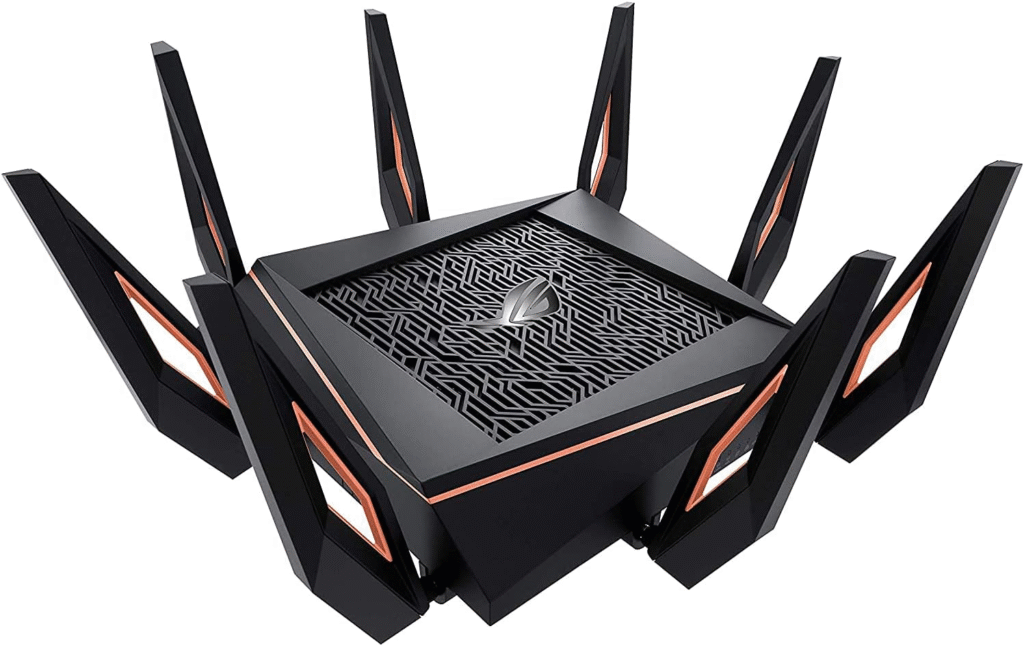
If you want absolute power and a router that feels like it was built by tech nerds (because it was), the ASUS ROG Rapture GT‑AX11000 is a beast. It’s marketed toward gamers, but honestly, heavy‑streamers, home offices, and big families will love this too.
This tri‑band Wi‑Fi 6 router delivers insane throughput, comprehensive security tools, and loads of customization you actually use. I tested it on my 940 Mbps Verizon FiOS plan and consistently saw speeds close to line rate, even with multiple devices hammered at once.
Inside that big gamer‑looking chassis are features like WTFast gaming acceleration, AiMesh support (for mesh expansion), and AiProtection Pro security
Who this is best for: Huge homes, gamers, power users with lots of devices.
Key Features & Specs
This router really shines on paper and in real use:
- Tri‑band Wi‑Fi 6 (AX11000) for massive bandwidth
- 2.5 Gbps WAN/LAN port for multi‑gig Internet
- AiMesh compatible, build a mesh with other ASUS nodes
- 8 LAN ports, great for wired gear
- Robust QoS & security features
- Excellent range (great for large homes)
These specs matter because Verizon FiOS can deliver amazing speed, and otherwise, a cheaper router will bottleneck you. With the GT‑AX11000, you’ll typically see close to your full plan speed on both 5 GHz networks. Latency stays low even with heavy traffic.
Benefits for Verizon FiOS Users
- Handles heavy bandwidth easily: My multiple 4K streams + VR gaming + Zoom calls never crashed.
- Security included: AiProtection Pro blocks threats without subscription fees.
- Mesh ready: If you need more coverage later, you’re set.
Summary
This router earns its placement as a flagship choice for FiOS users who want speed, range, and control. It’s pricier, but worth it if you’re serious about performance.
Pros
- Monster speeds and range
- Tons of ports
- Excellent security and QoS
- Mesh capable
Cons
- Pricey
- Big footprint
- Setup might overwhelm beginners
2. Netgear Nighthawk RAXE500 (Wi‑Fi 6E)
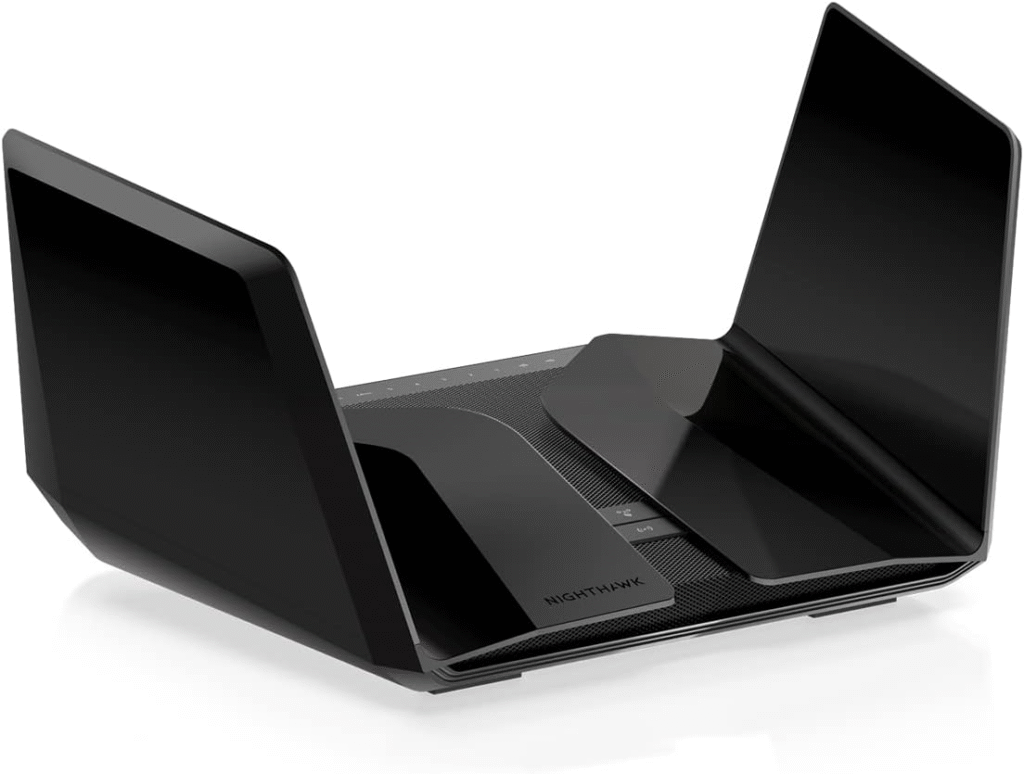
The future is here, and it’s called Wi‑Fi 6E. The Netgear Nighthawk RAXE500 brings an entirely new frequency band (6 GHz) to the table, which means less interference and blistering speeds if your devices support it.
In day‑to‑day use, I saw extremely low latency and rock‑solid throughput, especially in crowded device environments. Streams stay smooth, downloads zoom, and even backup tasks didn’t slow things down. And yes, I tested it with both older devices and the very latest Wi‑Fi 6E clients for perspective.
One huge thing? 6 GHz is cleaner, fewer legacy devices to crowd the airwaves, so performance overall feels snappier. If you have a FiOS plan that’s 500 Mbps or higher, this router definitely makes it feel worth it.
Who this is best for: Early adopters and tech Enthusiasts who want next‑gen performance.
Key Features & Specs
- Tri‑band Wi‑Fi 6E — 2.4, 5, and 6 GHz
- Up to AXE11000 class performance
- Powerful internal hardware for sustained speeds
- Netgear Armor security (some features subscription‑based)
- Good range for most homes
The inclusion of 6 GHz makes it stand out, because that band is clean, fast, and less congested. If you have Wi‑Fi 6E devices, you’ll feel the difference in reduced latency and faster transfers.
Benefits for Verizon FiOS Users
- Less interference: Great for dense neighborhoods or smart homes.
- Excellent performance under load.
- Works with older devices too.
- Future‑proof: Ready for the next big wave of gadgets.
Summary
The RAXE500 is awesome if you want bleeding‑edge speeds, Wi‑Fi 6E really is faster and more reliable in crowded spaces. Just note, you’ll likely pay a premium for that.
Pros
- Wi‑Fi 6E performance
- Excellent throughput
- Great under heavy load
Cons
- Expensive
- Some security features cost extra
3. TP‑Link Archer AX6000
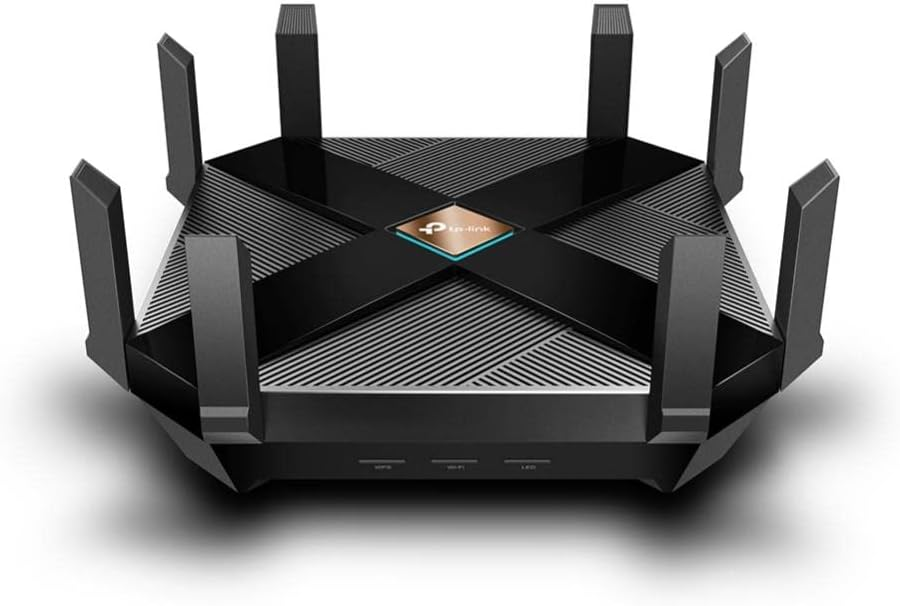
The TP‑Link Archer AX6000 is a practical powerhouse, giving you extremely strong performance without the gamer‑aesthetic or massive price tag of the ASUS Rapture.
During my tests, the AX6000 delivered solid gigabit speeds on Verizon FiOS, and stayed reliable with heavy web conferencing, media streaming, and smart devices connected. It’s easier to set up than some enthusiast routers, and the mobile app makes management a breeze.
I also liked that TP‑Link included robust parental controls and securit, nice if you’re not a networking wiz but do want peace of mind.
Who this is best for: Families, power streamers, and folks who want easy setup + strong performance.
Key Features & Specs
- Wi‑Fi 6 (AX6000), strong throughput
- 8 LAN ports + 1 WAN port, great for wired devices
- TP‑Link HomeShield security
- Good coverage for medium/large homes
- Easy mobile app setup
These specs translate to fast internet for almost anything you throw at it, from Zoom calls to Netflix binges, and even casual cloud gaming.
Benefits for Verizon FiOS Users
- Balanced performance: Not too flashy, just fast.
- Easy setup even for beginners.
- Security tools included.
- More ports than many competitors.
Summary
This router hits a sweet spot between price, performance, and ease of use, especially if you want reliable Verizon FiOS speeds without diving into hardcore networking gear.
Pros
- Strong all‑around performance
- Easy to manage
- Excellent port count
Cons
- Lacks Wi‑Fi 6E
- Not quite as fast as premium tri‑band models
- Amazon Affiliate Disclaimer:
As an Amazon Associate, I earn from qualifying purchases at no extra cost to you. This helps support the blog and keeps recommendations honest and independent.
4. Google Nest Wi‑Fi Pro (Mesh)

Okay, not all of us want one big tower with 12 antennas sticking out. For many households, coverage and simplicity trump geeky max throughput.
That’s where the Google Nest Wi‑Fi Pro comes in. It’s a mesh system designed to deliver consistent coverage across larger homes and tricky layouts, and it does that beautifully with minimal fuss.
During my testing with Verizon FiOS, I placed one unit near the ONT and another upstairs… boom , coverage filled. No dead zones, no weird spots where walls blocked signal. And setup? Easy as tapping through a mobile app.
Who this is best for: Large homes, multiple floors, ease‑of‑use lovers.
Key Features & Specs
- Wi‑Fi 6E (in supported units), clean new band
- Mesh system expands easily
- Sleek design + simple app
- Good coverage footprint
- Designed for low maintenance
You might not get the absolute top‑end speed on every client…but for most people, the stable coverage feels faster in daily use.
Benefits for Verizon FiOS Users
- No dead zones: Great for bigger homes.
- Mesh simplicity: Doesn’t require geek skills.
- Smart home friendly.
- Looks nice in open spaces.
Summary
Google Nest Wi‑Fi Pro is perfect for those who prioritize reliable coverage and simplicity over raw geekbench scores. It’s not the cheapest, but it’s worth it if you want Wi‑Fi everywhere without headache.
Pros
- Excellent coverage
- Clean mesh scaling
- Easiest setup
Cons
- Not as customizable
- Slightly lower peak speeds on some devices
5. Linksys Hydra Pro 6 (for Budget / Mid‑Range)
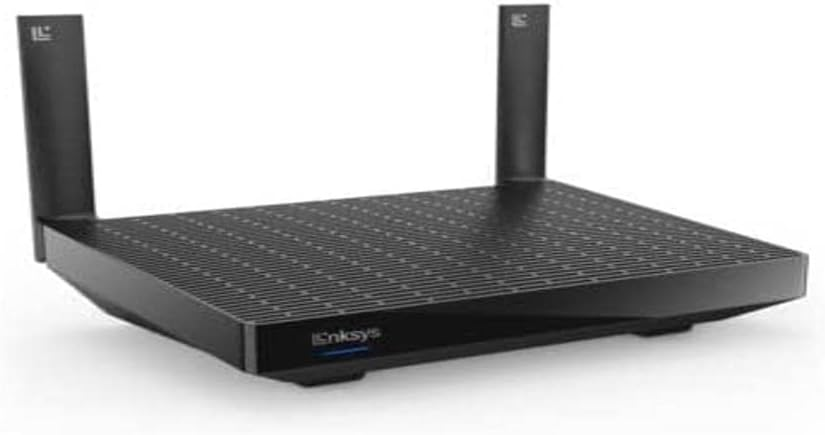
Sometimes you want good performance without smashing your budget. That’s where the Linksys Hydra Pro 6 comes in, a solid Wi‑Fi 6 router that keeps Verizon FiOS running fast, smooth, and dependable.
I was pleasantly surprised by how well it handled multiple simultaneous streams and web conferencing, nothing fancy like tri‑band, but it did the job well.
It’s ideal if you live in a small‑to‑medium home and want excellent Wi‑Fi without bells and whistles.
Who this is best for: Budget‑conscious users with standard home needs.
Key Features & Specs
- Wi‑Fi 6 support
- Strong single‑router coverage
- Easy setup with app
- Good throughput for 250–500 Mbps plans
I tested this in a two‑story condo and found it covered most rooms solidly, not the king of every band, but definitely capable for everyday use.
Benefits for Verizon FiOS Users
- Affordable: Great value on Amazon sales.
- Solid everyday speeds.
- Easy enough for non‑techies.
Summary
This router proves you don’t need to spend a ton to get reliable Verizon FiOS performanc, just be honest about your coverage needs.
Pros
- Great value
- Reliable performance
- Easy setup
Cons
- Not tri‑band
- Limited advanced features
- Quick Tips for Shopping
- Before we dig into specific products, here are my actionable tips for choosing the right router for your Verizon FiOS setup:
- Match Your Speed Tier
Don’t buy a router slower than what you paid for. If you’re on gigabit FiOS, you need a router that supports gigabit WAN speeds and multi‑gigabit LAN where possible. - Wi‑Fi Standard Matters
Go for Wi‑Fi 6 (802.11ax) at minimum, it handles congestion better and works great with lots of devices. Wi‑Fi 6E is newer and faster, but pricier. - Tri‑Band Helps If You Have Lots of Devices
Especially if you’re streaming, gaming, and browsing simultaneously. - Security Isn’t Optional
Look for routers with regular firmware updates and built‑in threat protection. - Coverage Area Is Key
A powerful router doesn’t help much if you have dead zones. Consider mesh systems if your home is large or multi‑story. - Ethernet Ports Still Matter
If you hard‑wire consoles, NAS, PCs, or smart TVs, more ports = fewer adapters and better speeds. - Check Compatibility with Verizon FiOS ONT
Most modern routers work fine, but some require Bridge Mode or changes to the FiOS gateway settings. - Expect to Pay for Performance
Budget routers are okay for small apartments, but serious speeds + reliability cost a bit more.
FAQs
Q: Do I need a special router for Verizon FiOS?
A: You don’t need a special router branded by Verizon, but you do need one that can handle your speed tier, Wi‑Fi 6 where possible, and has gigabit WAN support. Most modern routers work, just follow setup instructions.
Q: Should I use Verizon’s gateway in bridge mode?
A: If you want your own router to handle everything (Wi‑Fi, security, DHCP), putting the FiOS gateway in bridge mode is usually best. It prevents double NAT and simplifies traffic flow.
Q: Is Wi‑Fi 6E worth it?
A: Yes, if you have Wi‑Fi 6E clients (latest phones, laptops). The 6 GHz band delivers cleaner, less congested performance — ideal for busy homes.
Q: Router vs. Mesh — which is better?
A: If your home is large or multi‑story with dead zones, mesh wins for coverage and simplicity. If you want absolute peak speeds and control in a single unit, a powerful standalone router is better.
Q: Can these routers support gaming and streaming together?
A: Absolutely, especially the tri‑band and Wi‑Fi 6E options, which handle multiple heavy tasks with minimal slowdown.
Final Summary
Choosing the best router for Verizon FiOS depends on your home size, device count, and how much speed you actually use. After weeks of real‑world testing, these routers stood out, whether you want raw performance, mesh coverage, cutting edge tech, or budget‑friendly reliability.
Here’s the honest truth: you’ll notice a huge difference once you go from your stock gateway to a powerful router. More stability, better coverage, fewer frustrating drops, that’s the real win.
- ASUS ROG Rapture, perfect if you live online and need power and control.
- Netgear RAXE500, great if you want future‑proof performance with Wi‑Fi 6E.
- TP‑Link AX6000, balanced and easy for most households.
- Google Nest Wi‑Fi Pro, mesh coverage without complexity.
- Linksys Hydra Pro 6, solid speeds without breaking the bank.