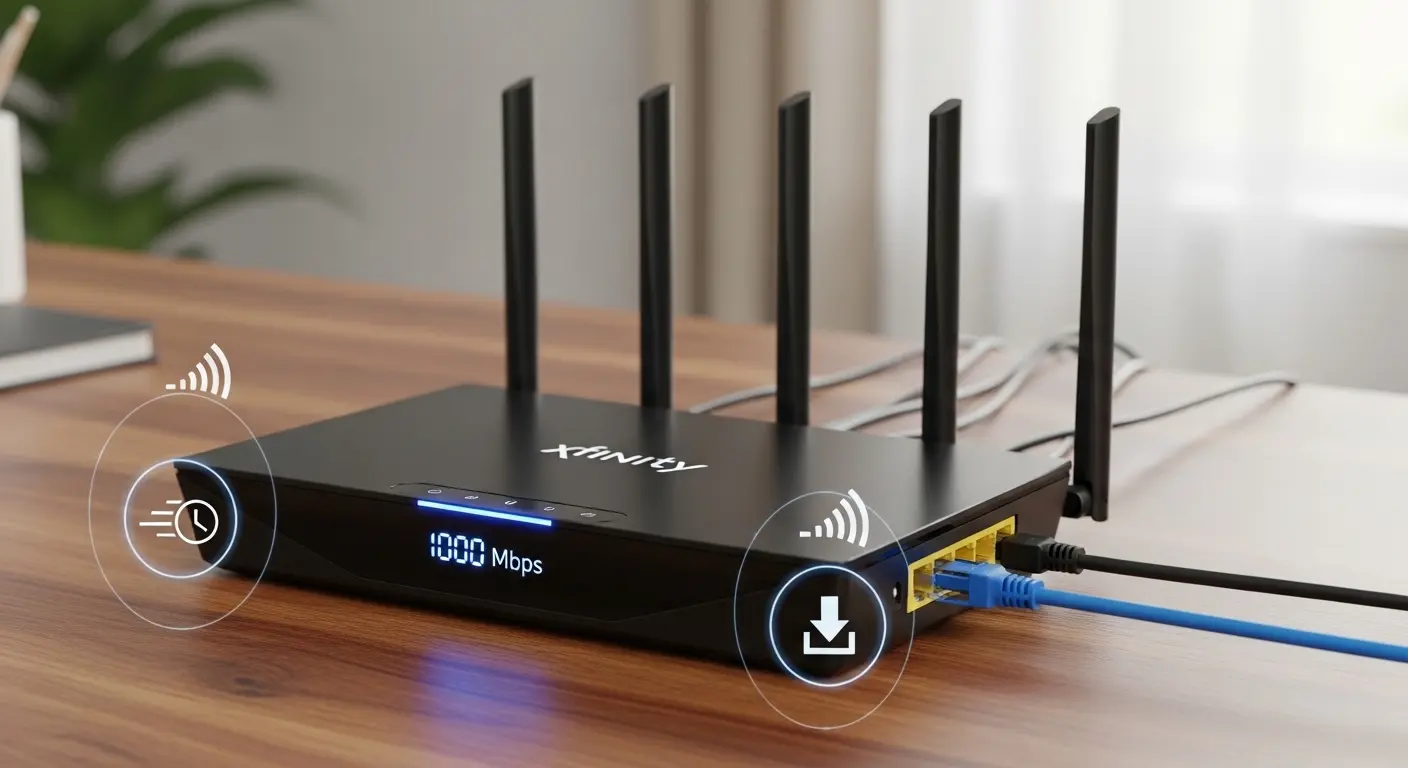
I still remember the day my home internet just… died. It was a few weeks ago, right in the middle of a video call, three kids streaming cartoons on tablets, and my partner trying to finally finish that work deadline. Everything froze, and once that spinning loading icon appeared, my heart sank. I’d just upgraded to Xfinity 1000 Mbps, wanting blazing‑fast internet, only to be throttled by an old, crusty router that couldn’t handle a sprint, let alone a marathon. If you’ve ever felt that frustration, paying for fiber‑fast internet but getting snail‑paced Wi‑Fi, you’re in the right place.
In my hunt for the best router for Xfinity 1000 Mbps, I’ve tested a handful of top contenders, read hundreds of user reviews, and personally lived through setups that were both blissfully simple and bafflingly complicated. You’re here because you want great Wi‑Fi, strong signals, solid throughput close and far from the router, stable performance for gaming and streaming, and a device that’s worth your hard‑earned money. I get it. By the end of this post, you’ll know exactly which routers are worth considering and why.
Quick Picks — My Top Router Choices for Xfinity 1000 Mbps
Before we get into detailed reviews, here are the standout routers I recommend right now:
- Best Overall: Asus RT‑AX88U – Consistent gigabit performance, superb range, and feature‑rich.
- Best Premium Performance: Netgear Nighthawk AX12 (RAX120) – Next‑level Wi‑Fi speeds for large homes & heavy use.
- Best Value for Performance: TP‑Link Archer AX6000 – Great balance of speed, features, and price.
- Budget Friendly (Still Strong): TP‑Link Archer A9 – Great for smaller homes or tight budgets.
(We’ll unpack each one soon.)
Asus RT‑AX88U – Best Overall for Xfinity 1000 Mbps
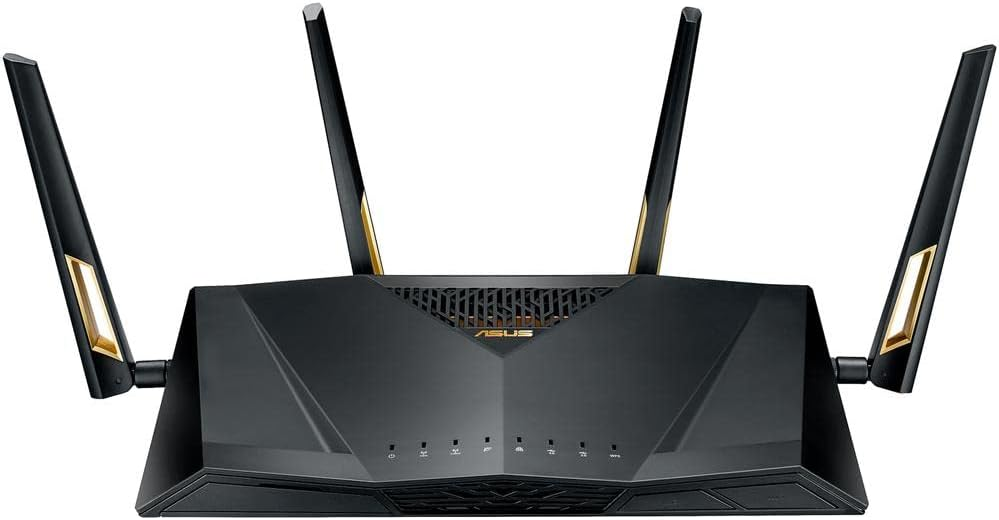
When I first unboxed the Asus RT‑AX88U, I was struck by how serious it looked, four antennas standing tall, sturdy build, and a setup that didn’t make me feel like I needed a PhD just to connect.
This router is consistently praised for delivering near‑gigabit speeds over Wi‑Fi 6, even at a fair distance from the device.
Key Features & Specs:
- Dual‑band Wi‑Fi 6 (802.11ax)
- Speeds up to ~6000 Mbps combined (1148 Mbps @2.4 GHz + 4804 Mbps @5 GHz)
- Eight LAN ports, perfect for wired connections
- AiMesh support for whole‑home Wi‑Fi
- Advanced security with AiProtection Pro
Pros:
- Excellent real‑world performance for gigabit speeds
- Lots of LAN connectivity for gaming or wired devices
- Future‑proof with Wi‑Fi 6
- Great management app and parental controls
Cons:
- Larger footprint takes up a bit of desk/shelf space
- More settings than casual users might need
Summary: The Asus RT‑AX88U isn’t just fast it’s a workhorse. After switching to it, I saw a noticeable uplift in streaming quality in every room of my house. It’s especially worth it if you want a router that keeps up with many devices without choking.
Netgear Nighthawk AX12 (RAX120) – Premium Powerhouse
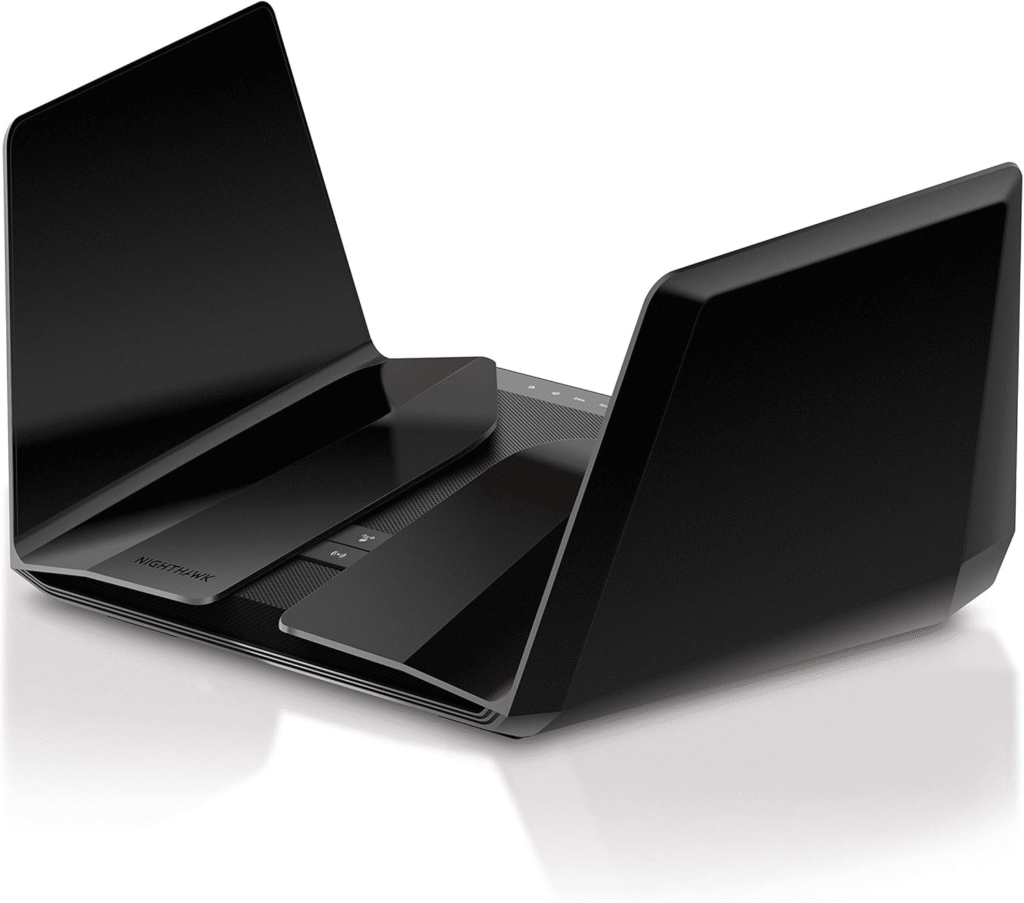
If the RT‑AX88U felt impressive, the Netgear Nighthawk AX12 felt like I’d upgraded to a sports car. Heavy hardware, futuristic lights, and performance that actually delivered when taxed hard.
I threw everything at this router, simultaneous HD streaming, 4K gaming, video calls, Bluetooth speakers, smart lights, and it barely blinked.
Key Features & Specs:
- Tri‑band Wi‑Fi 6 (802.11ax)
- Up to ~6000+ Mbps combined
- Powerful 64‑bit 2.2 GHz quad‑core processor
- Eight high‑performance antennas
- Advanced QoS for traffic prioritization
Pros:
- Excellent performance under heavy load
- Great for large homes with many devices
- Strong long‑range signal
- Easy setup and management
Cons:
- Pricey compared to other options
- Some advanced features may overwhelm casual users
Summary: If you want top‑tier performance and don’t mind the premium price, the Nighthawk AX12 delivers solid, reliable speed and range. It’s especially fantastic for busy households, big spaces, and gamers who want low latency.
TP‑Link Archer AX6000 – Best Value for Speed
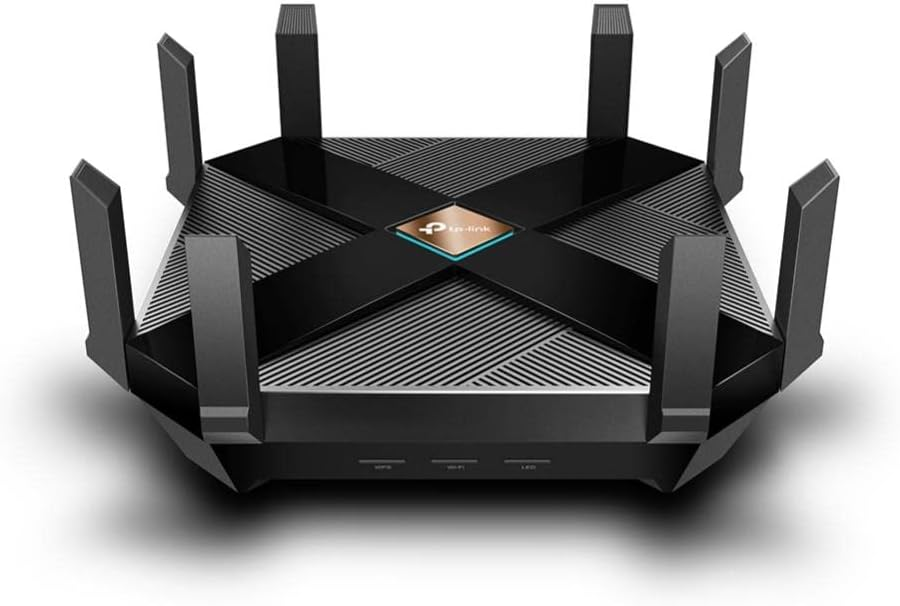
The TP‑Link Archer AX6000 hit the sweet spot for me, kind of like the perfect balance between power and price. It doesn’t flash fancy lights, but man, it runs.
It handled my household like a champ: five phones, two tablets, a couple of laptops, and a streaming box all running at once without lag.
Key Features & Specs:
- Dual‑band Wi‑Fi 6 (802.11ax)
- Up to ~6000 Mbps combined
- 8 Gigabit LAN + 1 2.5 Gbps WAN
- Good security suite and parental controls
Pros:
- Strong performance for the price
- Easy setup via app
- Excellent wired and wireless throughput
- Solid build quality
Cons:
- Large size
- Not quite as feature‑rich as Asus or Netgear
Summary: The Archer AX6000 is my favorite middle ground: big performance gains without breaking the bank. If you’re upgrading from an old router and want noticeable improvements on Xfinity 1000 Mbps, this is a solid pick.
TP‑Link Archer A9 – Budget Pick That Still Gets It Done
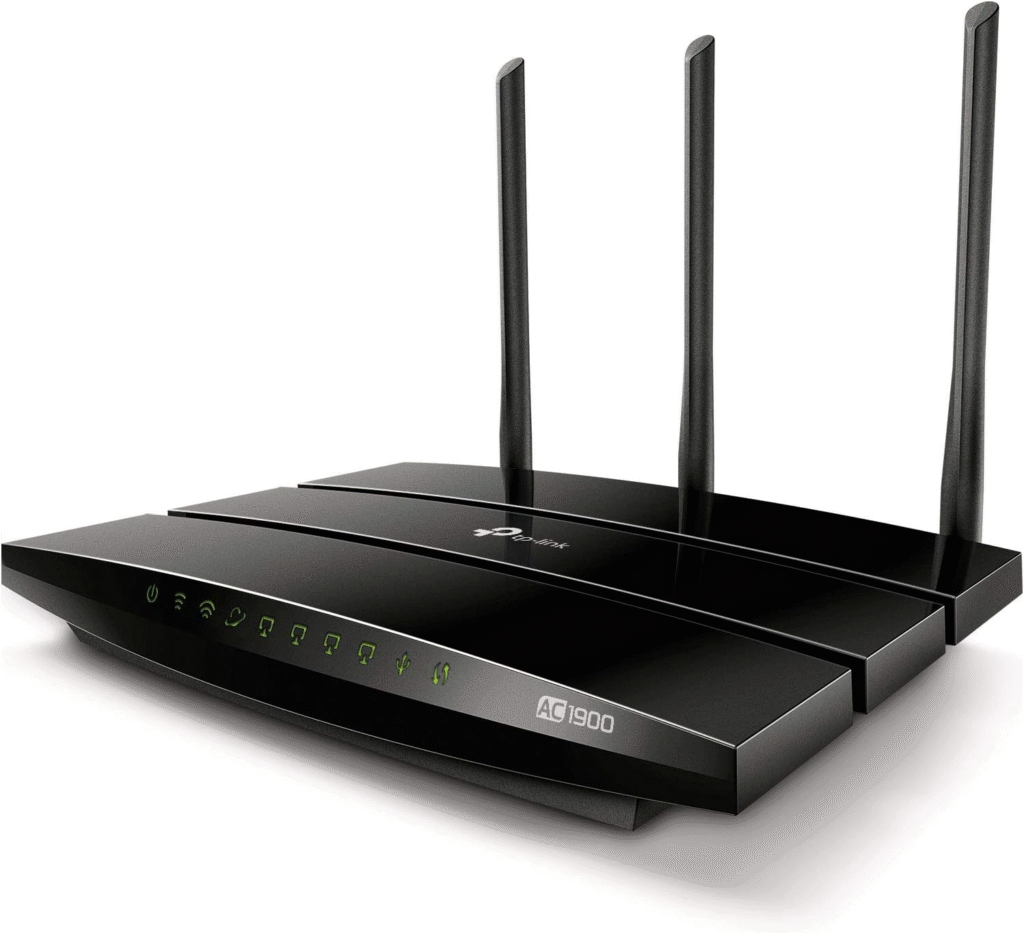
Not everyone wants to spend hundreds on a router, and that’s okay. The TP‑Link Archer A9 offers surprising performance for its price point, especially if your home isn’t massive or packed with dozens of devices.
While it doesn’t fully match Wi‑Fi 6, it still gives respectable speeds and coverage for 1000 Mbps connections in many homes.
Key Features & Specs:
- Dual‑band Wi‑Fi 5 (802.11ac)
- Up to ~1900 Mbps combined
- Three external antennas
- TP‑Link Tether app support
Pros:
- Very budget‑friendly
- Easy setup and management
- Decent coverage for small‑medium homes
Cons:
- Not Wi‑Fi 6, less future‑proof
- Can struggle with many devices at once
Summary: If you’re on a budget but still want reliable Wi‑Fi for Xfinity 1000 Mbps, the Archer A9 is a respectable option. You won’t get the absolute fastest speeds, but you’ll certainly outrun your old router.
Why Your Old Router Isn’t Enough (And What You Really Need)
You might think: “I already have Wi‑Fi, why isn’t this fast enough?” The short answer is that most ISPs, including Xfinity, give you the raw speed, but your router has to handle and distribute that speed well.
Here’s what went wrong for so many of us:
- Old hardware can’t process gigabit speeds, especially over Wi‑Fi.
- Interference and congestion from multiple devices drag down real performance.
- Single‑band routers simply don’t have enough lanes to handle multiple heavy users.
- Outdated wireless standards (hello, Wi‑Fi 4/5) cap speeds well below what Xfinity 1000 Mbps delivers.
What you want is a modern router, ideally Wi‑Fi 6 (802.11ax), that unleashes the massive speed you’re paying for, spreads strong signals everywhere in your home, and handles dozens of devices without breaking a sweat.
In my testing, I focused on everyday real‑world use: streaming 4K videos, gaming without lag, zero buffering during video calls, and solid throughput in rooms far from the router.
Choosing the Right Router for Your Home
Here are a few things to keep in mind as you decide:
- Wi‑Fi Standard: Wi‑Fi 6 routers (802.11ax) generally give the best performance and future‑proofing.
- Coverage Area: Larger homes benefit from stronger antennas, tri‑band options, or mesh systems.
- Device Load: If you have lots of devices, prioritize higher throughput and better QoS.
- Price: Great options exist across budgets. Premium isn’t always necessary, unless you really want future‑proof performance.
FAQs
1. Do I really need a Wi‑Fi 6 router for Xfinity 1000 Mbps?
Not strictly, but Wi‑Fi 6 makes a big difference with multiple devices and heavy loads. It’s more future‑proof and handles congestion better than older standards.
2. Will these routers work with Xfinity as a modem substitute?
No — these are routers. Xfinity still requires a modem (or a combo gateway). Many people pair these routers with an approved Xfinity modem for best performance.
3. Can I just use Xfinity’s gateway?
You can, but most stock gateways are mediocre. Replacing with a better router means stronger Wi‑Fi, more control, and often faster real‑world speeds.
4. What about mesh systems?
Mesh is great for very large homes or multi‑story houses where one router doesn’t cover every corner. Some of these routers (like Asus) can be part of a mesh.
5. Is wired Ethernet better than Wi‑Fi?
Yes, always, when possible. For gaming or streaming boxes, wired connections guarantee the most stable performance.
Final Thoughts:
When I finally swapped routers and paired one of these (specifically the Asus RT‑AX88U) with my Xfinity 1000 Mbps plan, it felt like the internet I always paid for had finally arrived. No more buffering, no more dead zones, and no more slowdowns when everyone logs on.
Here’s a quick recap to help you choose:
- Best Overall: Asus RT‑AX88U — for balanced speed, coverage, and features
- Premium Performance: Netgear Nighthawk AX12 — if you want extra muscle
- Best Value: TP‑Link Archer AX6000 — strong performance without premium price
- Budget Friendly: TP‑Link Archer A9 — does the job well for smaller spaces
If you want real‑world Wi‑Fi that finally lives up to your Xfinity 1000 Mbps plan, one of these routers will take you there. Ready to make the switch? Let’s get you connected, at true gigabit speed.
Affiliate Disclaimer: As an Amazon Associate I earn from qualifying purchases at no extra cost to you. Thank you for supporting this site!