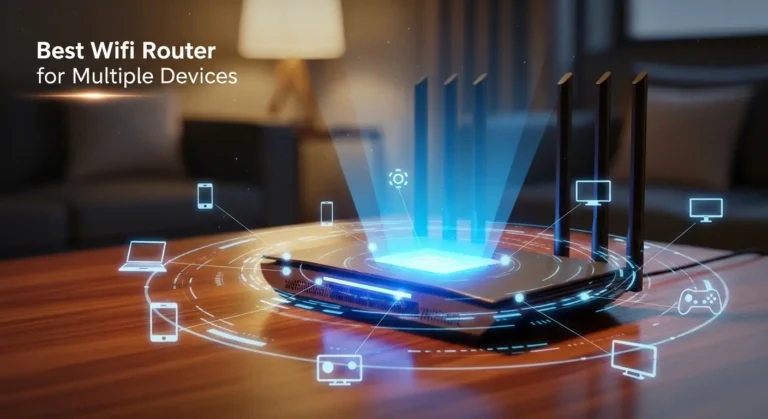
When someone asks me what a router actually does, I keep it simple: it’s the device that makes my internet usable. Without it, my connection would stop at a single device. With it, everything in my home or office can connect, communicate, and stay protected.
Overview (Reworded & Embedded)
A Wi-Fi router connects devices like phones, laptops, and smart TVs to the internet by receiving data from a modem and transmitting it wirelessly using radio signals. I think of it as a traffic controller for my network. It builds a local network, assigns unique IP addresses to each device, and directs data packets so the right information reaches the right screen.
Here’s how it works in practice:
- The router connects to a modem using an Ethernet cable. The modem links my network to my Internet Service Provider (ISP).
- It creates a Local Area Network (LAN) so my devices can communicate with each other.
- When I open a website, the router forwards the request to the internet and ensures the response returns to the correct device.
- It broadcasts wireless signals, usually on 2.4 GHz and 5 GHz bands, allowing devices to connect via Wi-Fi.
- It adds security through built-in firewalls, Network Address Translation (NAT), and automatic IP address assignment using DHCP.
Inside the router, antennas transmit data, Ethernet ports support wired connections, and a processor manages routing decisions. Performance depends on placement, interference from walls or electronics, and how many devices share the bandwidth.
Why Do You Need a Router?
If I want multiple devices online at once, I need a router. It allows me to:
- Connect several devices to the internet simultaneously
- Share files and printers across devices
- Run smart home systems
- Support remote work and video conferencing
Without a router, internet access would be limited to a single device directly connected to the modem. There would be no internal network, no centralized traffic management, and no built-in protection layer.
In business environments, routers are even more critical. They direct internal traffic, support collaboration tools, and keep sensitive data separated and secure.
How Does a Modem Differ From a Router?
A modem connects to my ISP and brings internet service into my home or office. It translates signals from the provider into data my network can use.
A router, on the other hand, distributes that connection to multiple devices and manages how data moves between them. While a modem links me to the outside world, the router organizes everything inside my network.
In short:
- Modem = Internet access
- Router = Traffic management and device connectivity
Many modern devices combine both functions into a single unit, but the roles remain distinct.
What Are the Different Types of Routers?
Wired Routers
Wired routers connect devices using Ethernet cables. They typically link directly to a modem or wide-area network (WAN) port. I recommend wired connections when stability and speed are priorities, such as for servers or desktop workstations.
Wireless Routers
Wireless routers transmit data via Wi-Fi signals, allowing laptops, smartphones, and other devices to connect without cables. Most modern routers support dual-band or even tri-band frequencies to improve performance and reduce congestion.
How Routers Direct Data
Routing Explained
Routing is the process of forwarding IP packets from one network to another. Each packet contains a destination IP address. The router examines this address and determines where the data should go.
Routers connect multiple networks and regulate traffic between them. To do this, they use network interface cards (NICs) that allow communication across different network segments.
Choosing the Fastest Path
When multiple routes exist, the router selects the most efficient path based on a metric value. This value represents preference or cost. The lower the metric, the more favorable the route.
These decisions are stored in a routing table.
Understanding the Routing Table
The routing table is essentially a directory of available network paths. When a packet arrives, the router checks the destination IP address against this table and forwards the data accordingly.
If I manage a network, understanding routing tables helps me diagnose issues. If traffic is slow or misdirected, reviewing the routing entries can reveal whether packets are being forwarded correctly or dropped.
Managing Routers
To configure a router, I log into its administrative interface. From there, I can:
- Change login credentials
- Update firmware
- Enable encryption
- Set up port forwarding rules
- Configure firewall settings
Keeping firmware updated improves both security and performance. Strong passwords and encryption protocols protect against unauthorized access.
How Routers Support Business Operations
Sharing Applications
Routers enable access to shared applications and cloud services. This is especially important for remote teams who need consistent access to internal systems.
Improving Access to Information
A well-configured router helps maintain reliable connectivity, allowing employees to respond quickly to customers and access databases without delay.
Reducing Operating Costs
By sharing printers, servers, and internet connections across devices, businesses avoid redundant hardware expenses. A scalable network design also reduces the need for constant infrastructure upgrades.
Strengthening Security
Many routers include built-in firewalls and web filtering capabilities. These features help block malicious traffic and protect sensitive data from cyber threats.
Supporting Secure Remote Access
Virtual private network (VPN) functionality enables secure remote connections. This is essential for employees working outside the main office.
Building a Scalable Small Business Network
Invest in Business-Grade Equipment
Consumer routers may struggle under heavy workloads. Business-grade routers and switches are built for higher traffic volumes and improved reliability.
Plan for Growth
A scalable network allows new features, such as VoIP, wireless expansion, or surveillance systems, to be added without replacing the entire infrastructure.
Prioritize Reliability and Redundancy
Features like failover connections and backup configurations support business continuity during outages or disruptions.
Factors That Affect Router Performance
- Placement: Central and elevated locations improve coverage.
- Interference: Walls, metal surfaces, and electronic devices can weaken signals.
- Bandwidth Demand: More connected devices mean shared speeds.
- Hardware Capacity: Processor speed and memory affect routing efficiency.
Optimizing these elements improves network stability and performance.
Frequently Asked Questions
Does a router increase internet speed?
A router does not increase the speed provided by your ISP, but a high-quality router can improve efficiency, reduce bottlenecks, and enhance wireless performance.
Can I use the internet without a router?
Yes, but only on one device directly connected to the modem. A router is required for multiple devices and wireless access.
Is Wi-Fi the same as a router?
No. Wi-Fi is a wireless technology. A router enables Wi-Fi by broadcasting wireless signals and directing network traffic.
How often should I replace my router?
Most routers last around 3–5 years. If you experience slow speeds, dropped connections, or compatibility issues with newer devices, upgrading may improve performance and security.
Final Thought
If there’s one thing I’ve learned from setting up networks at home and in business environments, it’s this: a router isn’t just a box with blinking lights, it’s the control center of your entire digital world. It manages traffic, protects your data, connects your devices, and keeps everything running smoothly behind the scenes.
Whether you’re streaming, working remotely, running a small business, or simply browsing the web, your router plays a critical role in performance, security, and reliability. Choosing the right one, and configuring it properly, can make a noticeable difference in speed, stability, and peace of mind.
Once you understand what a router actually does, you’re no longer just plugging in cables, you’re building a smarter, more secure network.