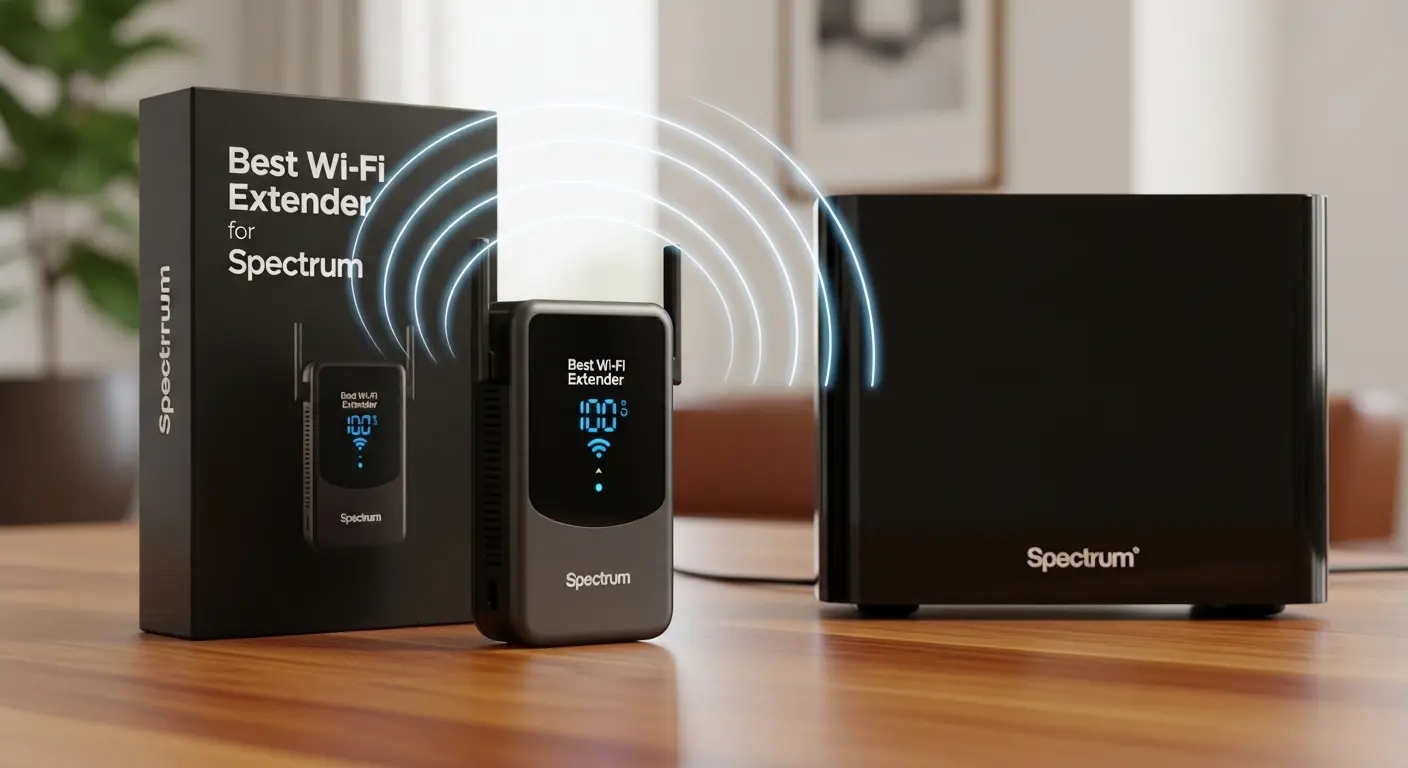
I’ll never forget the first time I realized just how frustrating weak Wi‑Fi can be. I was on a video call in my home office, and just as I was about to present an important slide, my connection dropped abruptly. Later, when I moved to the basement to stream a movie, buffering became the new normal. Our home’s Wi‑Fi just didn’t reach every room with the same strength, even though we were paying for a strong Spectrum plan.
That’s when I started digging into Wi‑Fi extenders. I knew I didn’t want a new mesh system or to run cables through walls, I just needed a simple device that could boost the Wi‑Fi signal from my Spectrum router into weak areas without breaking the bank. After trying a few options, I finally found some reliable extenders that consistently improved coverage throughout my home without dropping speeds or complicating setup.
In this guide, I’ll walk you through why choosing the right extender matters, give you my honest take on the best Wi‑Fi extenders for Spectrum internet, and help you figure out which one fits your home and devices best.
Quick Overview of the Top 3 Wi‑Fi Extenders for Spectrum
Here’s a snapshot of the top extenders I’ll cover in depth:
- ASUS RP‑AX58 – Best overall balance of price, range, and Wi‑Fi 6 performance
- TP‑Link AX3000 (RE715X) – Best performance & coverage with Wi‑Fi 6 speeds
- TP‑Link RE605X (AX1800) – Great value pick with smooth performance
Each of these does a solid job of extending your Spectrum Wi‑Fi into weak spots, from guest rooms and basements to outdoor patios.
Detailed Reviews
ASUS RP‑AX58 – Best Overall Wi‑Fi Extender for Spectrum

My Experience Using It
I was surprised by how much difference this little guy made. Plug it into a power outlet near a weak signal area, follow the quick setup instructions, and the Wi‑Fi coverage jumps noticeably. I used it with my Spectrum Wi‑Fi 6 router, and performance was much steadier compared to several older extenders I had tried.
Who It’s Best For
- Homes with multiple floors or thick walls
- Users who want strong coverage without a complex setup
- Families streaming 4K content or big downloads
Key Features and Benefits
- Dual‑band Wi‑Fi 6 support for speeds up to around 3.0 Gbps in ideal conditions
- Plugs directly into the wall, keeps things tidy
- Internal antennas and modern features like MU‑MIMO and beamforming
- Compatible with most routers, not just ASUS models
Real‑World Use Cases
- Streaming Netflix or YouTube on devices that previously kept buffering
- Keeping several smartphones, tablets, and smart home devices connected
- Boosting signal in distant rooms or garages
Pros
- Excellent performance for most homes
- Easy setup with WPS or app
- Strong signal boost even through walls and floors
Cons
- Doesn’t support Wi‑Fi 7, but Wi‑Fi 6 is still very capable
- Limited advanced controls compared to some larger mesh systems
Why I Recommend It
For most Spectrum users, this hits the sweet spot: significant coverage improvement, modern speeds, and simple setup. It’s especially great if you want one extender without fuss.
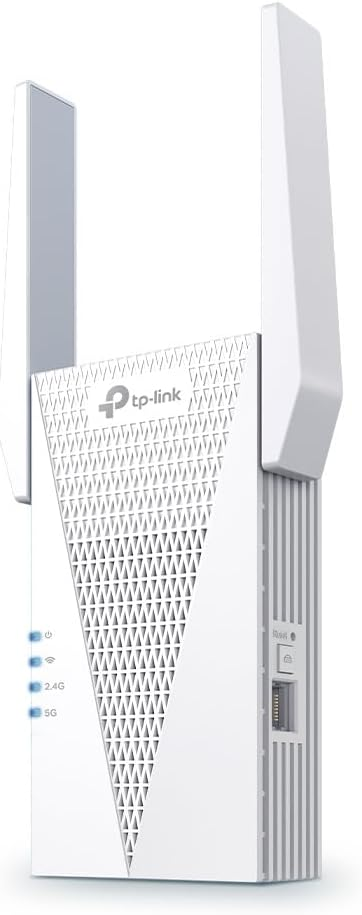
TP‑Link AX3000 (RE715X) – Best for High Performance and Coverage
My Experience Using It
This unit quickly became my favorite for larger coverage areas. After plugging it in halfway between my router and dead zones, I immediately noticed stronger signal strength and fewer dropouts. Streaming and online gaming both felt smoother.
Who It’s Best For
- Larger homes or areas with thick walls
- Households with many devices and streaming needs
- Gamers and power users
Key Features and Benefits
- Wi‑Fi 6 with up to ~3 Gbps throughput, excellent for high bandwidth tasks
- Intelligent signal indicators help you find the best location
- Gigabit Ethernet port for wired connections if needed
- OneMesh support for seamless integration with some TP‑Link routers
Real‑World Use Cases
- 4K streaming in rooms far from the router
- Smooth multiplayer gaming without lag spikes
- Connecting wired devices like gaming consoles or smart TVs
Pros
- Strong speeds and excellent coverage
- Works with most routers
- Great value considering performance
Cons
- Larger than some plug‑in extenders
- Full OneMesh features require a TP‑Link main router
Why I Recommend It
When your Wi‑Fi needs to reach every corner of a busy household, this extender delivers excellent performance and ensures plenty of bandwidth even with lots of devices.
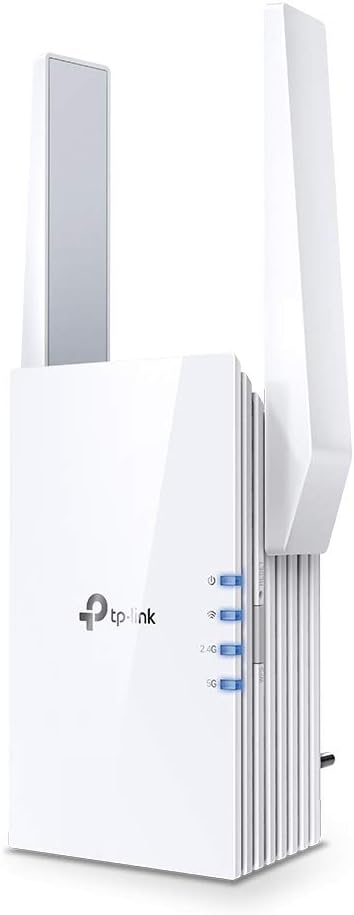
TP‑Link RE605X – Best Value Wi‑Fi Extender for Spectrum
My Experience Using It
I picked this model when I needed an affordable yet capable extender for my home office and basement. Setup was quick using the mobile app, and coverage noticeably improved without dropping my regular internet speeds.
Who It’s Best For
- Budget‑Minded users who still want modern tech
- Medium homes with moderate internet needs
- Users who want easy app‑based control
Key Features and Benefits
- Wi‑Fi 6 support with speeds around AX1800
- Coverage of up to around 1,500 sq ft in ideal settings
- Works with most Spectrum routers and setups
- Simple app setup and monitoring
Real‑World Use Cases
- Extending Wi‑Fi to bedrooms or smaller outdoor spots
- Improving signal for streaming on tablets and phones
- Boosting coverage without buying expensive hardware
Pros
- Great all‑around performance
- Easy to manage through app
- Good price‑to‑coverage ratio
Cons
- Not as powerful as some “top tier” options
- Might need additional units for very large spaces
Why I Recommend It
If you want a balanced extender that’s affordable but still effective, this is one of the easiest decisions you can make.
Why Choosing the Right Wi‑Fi Extender Matters
Not all Wi‑Fi extenders are created equal, especially when paired with an ISP‑provided router like the ones Spectrum typically supplies. Some models simply rebroadcast the router’s signal poorly, leading to slow speeds or unstable connections, while others struggle with compatibility and setup. A good extender should:
- Work smoothly with your existing Spectrum router
- Improve signal strength without huge speed loss
- Cover the areas where your Wi‑Fi usually drops
- Be simple to install and manage
A strong extender can make browsing, streaming, gaming, and video calls work reliably anywhere in your house, even in rooms or outdoor spaces that used to feel like Wi‑Fi dead zones.
What to Look for When Buying a Wi‑Fi Extender
Before you make a purchase, spend a moment considering these factors:
- Wi‑Fi Standard: Wi‑Fi 6 extenders are a sweet spot today, faster speeds and better handling of multiple devices.
- Coverage Area: Make sure the extender’s claimed range matches the area you’re trying to boost.
- Compatibility: Most extenders will work with Spectrum routers, but some require manual setup without WPS.
- Speed Ratings: The number (e.g., AX3000) gives you an idea of overall performance potential.
- Ease of Setup: App‑based setup can save time and frustration for first‑time buyers.
Comparison Discussion Between Products
Each of these extenders brings something a little different to the table:
- Best Overall Performance: The ASUS RP‑AX58 offers a balanced blend of speed, coverage, and simplicity, ideal for most homes.
- Best for Large Spaces & Heavy Use: The TP‑Link AX3000 stands out if you have many devices or heavy streaming/gaming needs.
- Best Budget Option: The TP‑Link RE605X delivers reliable performance without tipping your budget, great for moderate coverage boosts.
All three support modern Wi‑Fi standards and pair easily with Spectrum routers, helping cut down on those frustrating dead spots and slow conn
Helpful FAQs
Q1: Do Wi‑Fi extenders work with Spectrum routers?
Yes, most Wi‑Fi extenders from brands like ASUS or TP‑Link are compatible and can improve your router’s coverage, just set them up either via WPS or manual app/web setup.
Q2: Will a Wi‑Fi extender increase my internet speed?
No, extenders don’t increase your plan’s speed. They extend where the signal reaches, so speeds may still drop the farther you get from the main router. But the connection becomes usable in weak areas.
Q3: Should I place the extender near the router or further away?
Plug it in about halfway between your router and the dead zone, where the router’s signal is still strong but starts to weaken. That gives the extender enough signal to rebroadcast effectively.
Q4: Are mesh systems better than extenders?
Mesh systems often provide more seamless coverage and performance, but if you want a simple, budget‑friendly solution, a good Wi‑Fi extender can be effective for specific weak spots without replacing your router.
Amazon Affiliate Disclosure: As an Amazon Associate I earn from qualifying purchases. This doesn’t affect the price you pay, but it helps support this site at no extra cost to you.
Final Verdict
- For Most Users: Go with the ASUS RP‑AX58, it’s reliable, easy to use, and great at improving overall coverage without fuss.
- For Power Users & Larger Homes: The TP‑Link AX3000 is worth the premium for stronger speeds and wider range.
- On a Budget: The TP‑Link RE605X gets the job done without costing too much.
All of these are solid picks that will help your Spectrum Wi‑Fi reach places it previously couldn’t ,without messing with your setup or paying for expensive mesh systems.