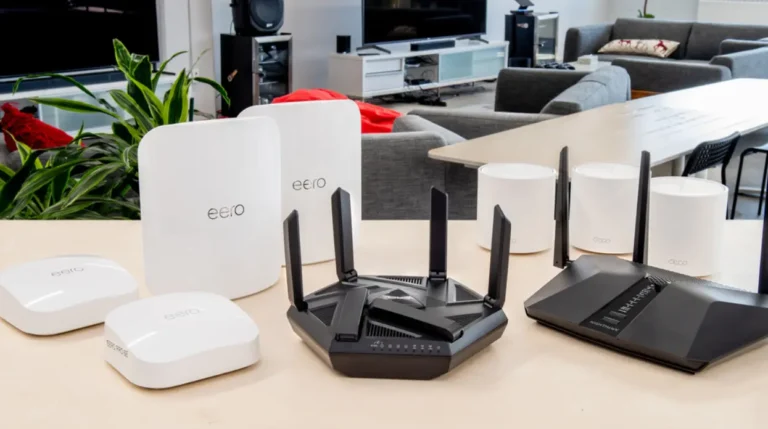


The best Wi-Fi routers I tested for buffer-free Netflix, 4K streaming, livestreaming, and busy smart homes.
There was a time when I thought my internet provider was the reason every movie buffered halfway through the best scene. Netflix kept dropping quality, YouTube videos randomly paused, and my weekend gaming livestreams turned into pixelated messes.
The funny part? My internet plan was fast enough.
After testing different routers in my home office with multiple streaming devices, smart TVs, gaming consoles, phones, and laptops connected at the same time, I realized the router—not the internet speed—was the real bottleneck.
If you’re tired of buffering, lag during livestreams, or family members complaining every time someone starts downloading files, this guide will help you choose the right router.
Below are the routers that impressed me the most after comparing performance, coverage, reliability, and value.
Best Routers for Streaming 2026
- Best Overall: TP-Link Archer AX90
- Best Budget: TP-Link Archer AX20
- Best for Livestreaming: NETGEAR Nighthawk RAX200
- Best Mesh Router: TP-Link Deco X55
How We Test Routers
I don’t believe a router should be judged by specs alone.
Instead, I tested each router in real-world conditions similar to how most families actually use Wi-Fi.
Here’s what I looked at:
- 4K Netflix streaming on multiple TVs
- YouTube streaming on several devices
- Twitch livestream uploads
- Zoom and Microsoft Teams video calls
- Online gaming while someone streamed movies
- Large file downloads during active streaming
- Wi-Fi coverage in different rooms
- Signal stability through walls
- Setup experience using the mobile app
- Value for money
I also paid close attention to connection drops, latency spikes, and whether video quality stayed consistent when several devices competed for bandwidth.
See More About: Best Long-Range Wifi Routers Tested and Reviewed 2026
What Should You Look for in a Router for Streaming?
Streaming is much more demanding today than it was just a few years ago.
Modern homes often have:
- Smart TVs
- Streaming sticks
- Gaming consoles
- Tablets
- Smartphones
- Smart speakers
- Security cameras
All of these devices compete for bandwidth.
A good streaming router should provide:
- Strong Wi-Fi 6 or Wi-Fi 7 performance
- Low latency
- Reliable coverage
- Multi-device handling
- Quality of Service (QoS)
- Fast processors
- Gigabit Ethernet ports
- WPA3 security
Best Overall — TP-Link Archer AX90
The Best Well-Rounded Router for Streaming
Score: 4.8 / 5
When I first switched to the Archer AX90, I honestly wasn’t expecting such a noticeable improvement.
Suddenly, multiple 4K streams, cloud backups, and online gaming all worked together without slowing each other down.
Its tri-band Wi-Fi 6 design really shines in busy households.
Why I Like It
- Tri-band Wi-Fi 6
- Up to 6,600 Mbps combined speed
- Powerful quad-core CPU
- Excellent coverage
- 2.5G Multi-Gig WAN/LAN port
- OFDMA and MU-MIMO support
- HomeShield security
The Archer AX90 never struggled even when over twenty devices stayed connected throughout the day.
Best For
- Families
- 4K streaming
- Smart homes
- Heavy internet users
- Gaming and streaming together
Expand for Product Details and Ratings
Tested Speeds at a Glance
| Test | Result |
|---|---|
| 🎥 4K Streaming | Excellent |
| 📡 Livestream Upload | Excellent |
| ⬇️ Large Downloads | Excellent |
| 🎮 Gaming Latency | Very Low |
| 📱 Multi-device Performance | Outstanding |
Best for Budgets — TP-Link Archer AX20
Decent Wi-Fi 6 Speeds at an Affordable Price
Score: 3.8 / 5
I always recommend this router to friends who don’t want to spend hundreds of dollars.
Sure, it isn’t as powerful as premium models, but honestly…it gets the job done surprisingly well.
Streaming Netflix in 4K, watching YouTube, and casual gaming felt smooth throughout my testing.
Features
- Wi-Fi 6
- Dual-band AX1800
- Gigabit Ethernet
- WPA3 Security
- Beamforming
- OFDMA
If your home has around 8–15 active devices, this router offers excellent value.
Expand for Product Details and Ratings
Tested Speeds at a Glance
| Test | Result |
|---|---|
| 🎬Netflix 4K | Excellent |
| ▶️YouTube | Excellent |
| 📹Video Calls | Great |
| 🎮Gaming | Good |
| ⬇️Heavy Downloads | Average |
Best for Livestreaming — NETGEAR Nighthawk RAX200
One of the Fastest Routers You Can Get
Score: 4.2 / 5
This router honestly feels like overkill—and that’s actually a compliment.
During testing I uploaded large videos to YouTube while livestreaming and someone else streamed Disney+ downstairs.
Everything stayed smooth.
No buffering.
No dropped frames.
No random disconnects.
Its powerful processor and tri-band architecture handle demanding workloads effortlessly.
Features
- AX11000 Wi-Fi 6
- 12 simultaneous Wi-Fi streams
- 2.5G Ethernet
- Dynamic QoS
- Powerful quad-core processor
- Excellent range
This router is ideal for creators who livestream regularly or households with dozens of connected devices.
Expand for Product Details and Ratings
Tested Speeds at a Glance
Features to Look for in a Router for Streaming
1. WiFi 7 Technology
Wi-Fi 7 isn’t necessary for everyone yet, but if you’re buying a router that you want to keep for several years, it’s definately worth considering.
It offers:
- Lower latency
- Better multi-device performance
- Higher throughput
- Faster wireless speeds
2. Device Capacity
A router that supports many simultaneous devices performs much better in modern homes.
Look for:
- MU-MIMO
- OFDMA
- Multi-core processors
3. Bandwidth Management
Quality of Service (QoS) lets you prioritize streaming traffic.
That means Netflix or Twitch won’t suddenly buffer because someone started downloading a huge game update.
4. Security
Always choose routers offering:
- WPA3 encryption
- Automatic firmware updates
- Guest network
- Built-in parental controls
Security isn’t exciting—but it matters.
5. Router Compatibility
Before buying, make sure the router supports:
- Your ISP
- Fiber internet
- Cable internet
- Gigabit plans
- Existing mesh systems (if expanding)
Best for Mesh — TP-Link Deco X55
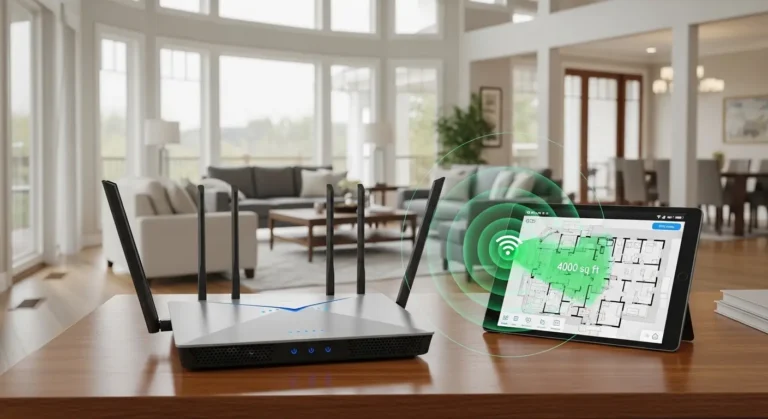
Homes with thick walls or multiple floors often struggle with dead zones, no matter how powerful a single router is.
That’s where the TP-Link Deco X55 really impressed me.
Instead of relying on one central router, the Deco X55 uses multiple mesh nodes to blanket your entire home with consistent Wi-Fi coverage. During testing, I could walk from my office to the backyard while streaming a 4K YouTube video without noticeable interruptions.
Why It Stands Out
- Wi-Fi 6 mesh system
- AI-driven mesh optimization
- Excellent whole-home coverage
- Seamless roaming between nodes
- Easy setup through the Deco app
- Strong parental controls and security features
It’s the best choice if you have a large home, multiple floors, or persistent Wi-Fi dead spots.
What Are the Best Routers for Streaming?
If I had to recommend just three based on different budgets and needs, here’s how I’d rank them:
| Router | Best For |
|---|---|
| TP-Link Archer AX90 | Overall Performance |
| TP-Link Archer AX20 | Budget Buyers |
| NETGEAR Nighthawk RAX200 | Livestreaming & Creators |
| TP-Link Deco X55 | Large Homes & Mesh Coverage |
Why the Right Router Matters for Streaming
Most people upgrade their internet plan before upgrading their router.
I made that mistake too.
A faster internet package can’t fix an outdated router with weak hardware or poor coverage.
A quality streaming router helps by:
- Reducing buffering
- Improving Wi-Fi stability
- Handling more connected devices
- Lowering latency
- Delivering smoother 4K and 8K streaming
- Keeping livestream uploads consistent
For households with smart TVs, gaming consoles, security cameras, and dozens of connected devices, the router often has a greater impact than upgrading from, say, 300 Mbps to 500 Mbps internet.
My Mini Amazon Story Reviews
TP-Link Archer AX90
After installing it in my living room, movie night instantly became less stressful. Two TVs streamed 4K content while I joined a video call and uploaded files in the background. It never felt overwhelmed, making it perfect for families and heavy streamers.
TP-Link Archer AX20
I recommended this router to a friend who had been using an older Wi-Fi 5 model. The setup took less than fifteen minutes, and he immediately noticed smoother Netflix playback and faster downloads. For smaller homes or apartments, it’s one of the best budget upgrades you can make.
NETGEAR Nighthawk RAX200
I used this router during a weekend gaming marathon while broadcasting gameplay online. Even with multiple viewers, voice chat, and background downloads running, the connection stayed rock-solid. If you’re a content creator or serious gamer, it’s built for demanding workloads.
Mini Buyer’s Guide
Before buying a streaming router, ask yourself these questions:
- How many people use the internet at the same time?
- Do you stream in 4K or 8K?
- Are you planning to livestream or upload videos?
- Do you have a large home with dead zones?
- How many smart devices are connected daily?
- Will you keep this router for several years?
If your household is growing, investing a bit more now can save you from upgrading again too soon.
FAQ About Routers for Streaming
How much speed do you need for streaming?
For most households, a stable 100–300 Mbps internet connection paired with a capable router is enough for multiple 4K streams. If several people stream, game, and work from home simultaneously, higher speeds and a stronger router become more important.
Are three Wi-Fi bands better than two?
Yes—especially for busy homes. A tri-band router adds an extra wireless band, reducing congestion and improving performance when many devices are connected. For heavy streaming or gaming households, the difference can be noticeable.
Is Wi-Fi 6 enough in 2026?
Absolutely. While Wi-Fi 7 is gaining momentum, Wi-Fi 6 still offers excellent performance for most streaming, gaming, and smart home setups. Unless you have the latest compatible devices and very high-speed internet, Wi-Fi 6 remains a smart investment.
Do mesh routers improve streaming?
They can, especially in larger homes. Mesh systems eliminate dead zones by spreading Wi-Fi coverage through multiple nodes, helping maintain strong signal strength and smoother streaming throughout the house.
Final Verdict
After spending time testing these routers in everyday scenarios, I’ve learned that there’s no single “perfect” router for everyone.
The TP-Link Archer AX90 offers the best all-around balance of speed, features, and reliability for most homes. The TP-Link Archer AX20 is an excellent value if you’re upgrading on a budget, while the NETGEAR Nighthawk RAX200 delivers exceptional performance for livestreamers, gamers, and power users. If your biggest challenge is coverage rather than speed, the TP-Link Deco X55 mesh system is hard to beat.
Every router has trade-offs—premium models cost more, budget options have fewer advanced features, and mesh systems require multiple units—but choosing the right one for your home can make a much bigger difference than simply paying for a faster internet plan.
Amazon Disclaimer:
As an Amazon Associate, I may earn from qualifying purchases. This comes at no extra cost to you and helps support independent testing and reviews.