
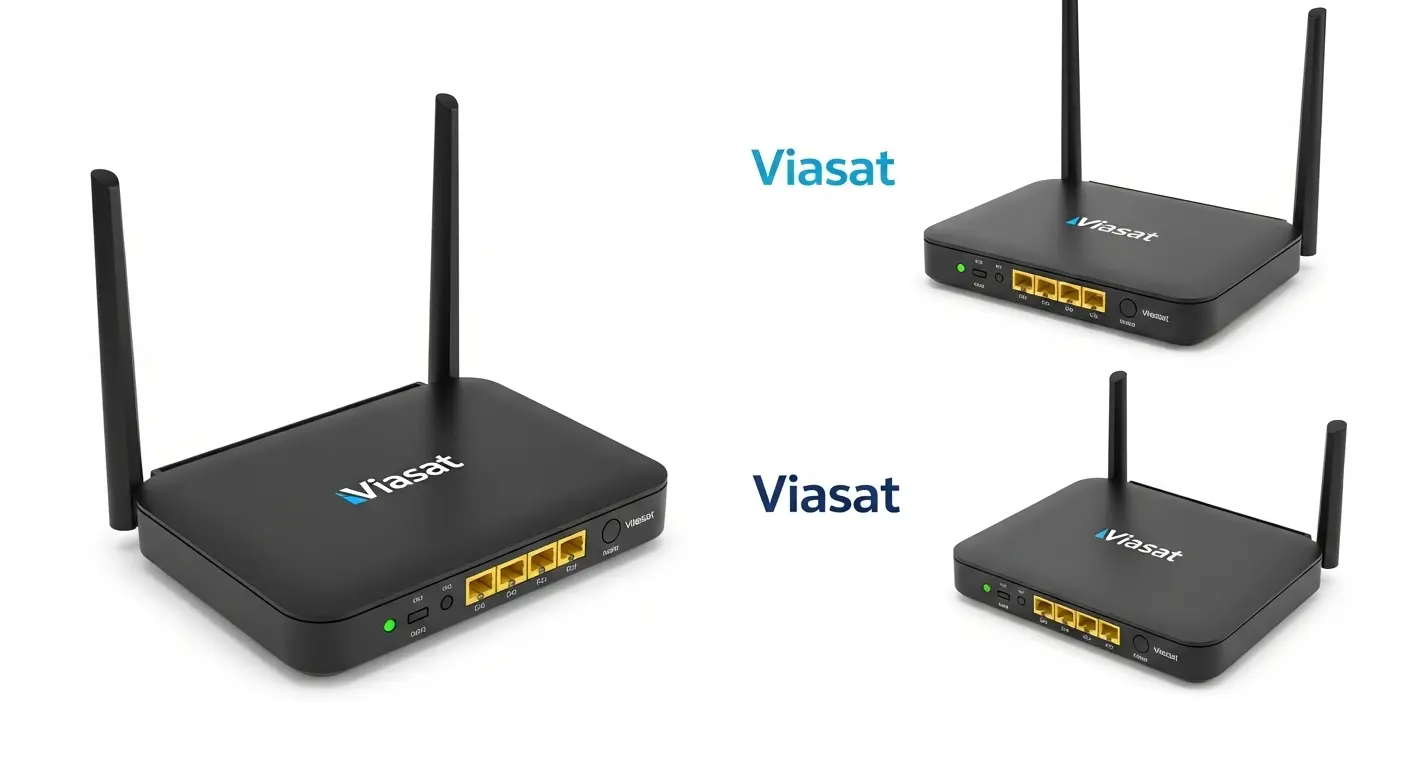
Stop Blaming Your Viasat Internet—Your Router Might Be the Real Problem
I’ll be honest—I used to think my internet provider was always the reason my WiFi felt slow.
Every evening, the same thing happened. Someone started streaming Netflix in the living room, another person joined a Zoom meeting, and suddenly, my laptop struggled to load even a simple webpage. Sound familiar?
If you’re using Viasat satellite internet, you’ve probably experienced something similar. It’s easy to assume your internet plan is the problem, but after testing different networking setups and researching dozens of routers, I discovered something surprising.
Your WiFi router has a much bigger impact on your daily experience than most people realize.
While no router can magically eliminate the higher latency that comes with satellite internet, upgrading to a modern router with technologies like Wi-Fi 6, MU-MIMO, beamforming, OFDMA, and Quality of Service (QoS) can dramatically improve wireless coverage, reduce dead zones, and keep multiple devices connected without constantly fighting for bandwidth.
Whether you work from home, stream 4K movies, play online games occasionally, or simply want reliable internet throughout your house, choosing the right router can make your Viasat connection feel much smoother.
In this guide, I’ll walk you through the best WiFi routers for Viasat, explain why each one stands out, and help you choose the right option based on your budget, home size, and internet needs.
Amazon Affiliate Disclaimer
As an Amazon Associate, I earn from qualifying purchases. This m eans I may earn a small commission if you buy through links on this page, at no extra cost to you. This helps support the research and content I create.
My Top Picks at a Glance
If you’re short on time, here’s a quick overview of the routers I’d recommend for different situations.
| Router | Best For |
|---|---|
| TP-Link Archer AX21 | Best Overall Value |
| TP-Link Archer AX55 | Best Budget Wi-Fi 6 Router |
| TP-Link Archer AXE75 | Best Wi-Fi 6E Upgrade |
| eero 6+ | Best Mesh WiFi System |
| TP-Link Roam 7 BE3600 | Best Travel Router |
| NETGEAR Nighthawk | Best for Large Families |
| ARRIS Surfboard SBG7600AC2 | Best Router-Modem Combo Alternative |
Why Your Router Matters More Than You Think
Many people believe upgrading to a faster internet package automatically fixes slow WiFi.
Unfortunately, that’s rarely true.
Your Viasat modem receives the internet signal from the satellite, but your wireless router is responsible for distributing that connection throughout your home. If your router is outdated, lacks modern security, or struggles with multiple connected devices, you’ll notice buffering, weak signals, and inconsistent speeds—even if your Viasat service is working exactly as it should.
This becomes even more noticeable in households where several devices are online simultaneously.
For example:
- Someone is watching YouTube.
- Kids are playing games on Xbox or PlayStation.
- A laptop is downloading Windows updates.
- Smart security cameras are recording.
- Alexa and other smart home devices remain connected all day.
Without technologies like MU-MIMO and OFDMA, your router has to communicate with devices one at a time, creating network congestion.
A newer Wi-Fi 6 router solves this problem by serving multiple devices more efficiently, resulting in a faster and more responsive home network.
See More About: Best Budget Gaming Wi-Fi Routers for 2026
How I Selected the Best Routers for Viasat
Instead of looking only at advertised speeds, I focused on features that actually improve everyday performance with satellite internet.
Every router on this list was evaluated based on:
- Compatibility with Viasat and other major ISPs
- Wi-Fi standard (Wi-Fi 6, Wi-Fi 6E, or Wi-Fi 7)
- Dual-band or tri-band wireless performance
- Coverage for small and large homes
- Beamforming technology for a stronger signal strength
- MU-MIMO and OFDMA support
- WPA3 security
- VPN compatibility, including OpenVPN and WireGuard
- Mesh networking support
- Gigabit Ethernet ports
- Ease of setup and firmware updates
- Long-term value
Rather than chasing the highest theoretical speeds, I prioritized routers that deliver consistent real-world performance for families, remote workers, and smart homes.
Best Overall: TP-Link Archer AX21
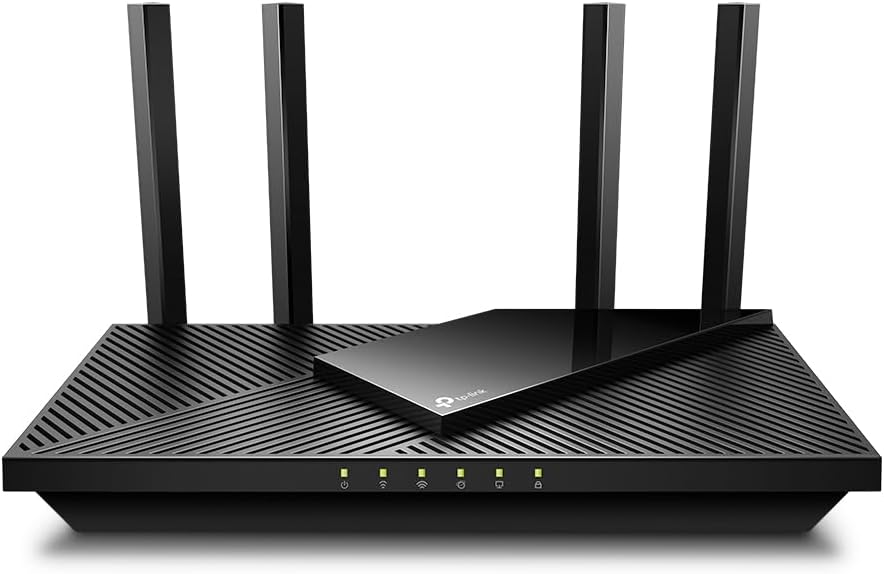
If someone asked me to recommend just one router for most Viasat users, I’d confidently choose the
TP-Link Archer AX21.
It strikes an excellent balance between price, performance, security, and ease of use.
Powered by Wi-Fi 6 (802.11ax), the Archer AX21 supports dual-band connectivity, allowing older devices to stay connected on the 2.4 GHz band while newer laptops, smartphones, and gaming consoles enjoy faster speeds on the 5 GHz network.
One feature I particularly like is beamforming.
Instead of broadcasting WiFi equally in every direction, beamforming intelligently directs the wireless signal toward connected devices. In everyday use, this translates into fewer dead zones and more stable connections throughout your home.
Another reason this router performs well is its support for MU-MIMO and OFDMA.
These technologies allow multiple devices to communicate with the router simultaneously instead of waiting in line. If your household includes smart TVs, tablets, phones, laptops, smart speakers, and IoT devices, you’ll notice much smoother performance.
Security is another strong point.
The Archer AX21 supports WPA3 encryption, protecting your home network against modern security threats. Through the TP-Link Tether app, you can easily manage parental controls, create a guest network, monitor connected devices, and install firmware updates without complicated configuration.
Why I Recommend It
- Excellent value for money
- Reliable Wi-Fi 6 performance
- Strong beamforming coverage
- MU-MIMO and OFDMA support
- WPA3 security
- EasyMesh compatibility for future expansion
- User-friendly mobile app
Things to Keep in Mind
- Doesn’t include the newer 6 GHz band found in Wi-Fi 6E routers
- Advanced users may want more customization options
Best Budget Choice: TP-Link Archer AX55
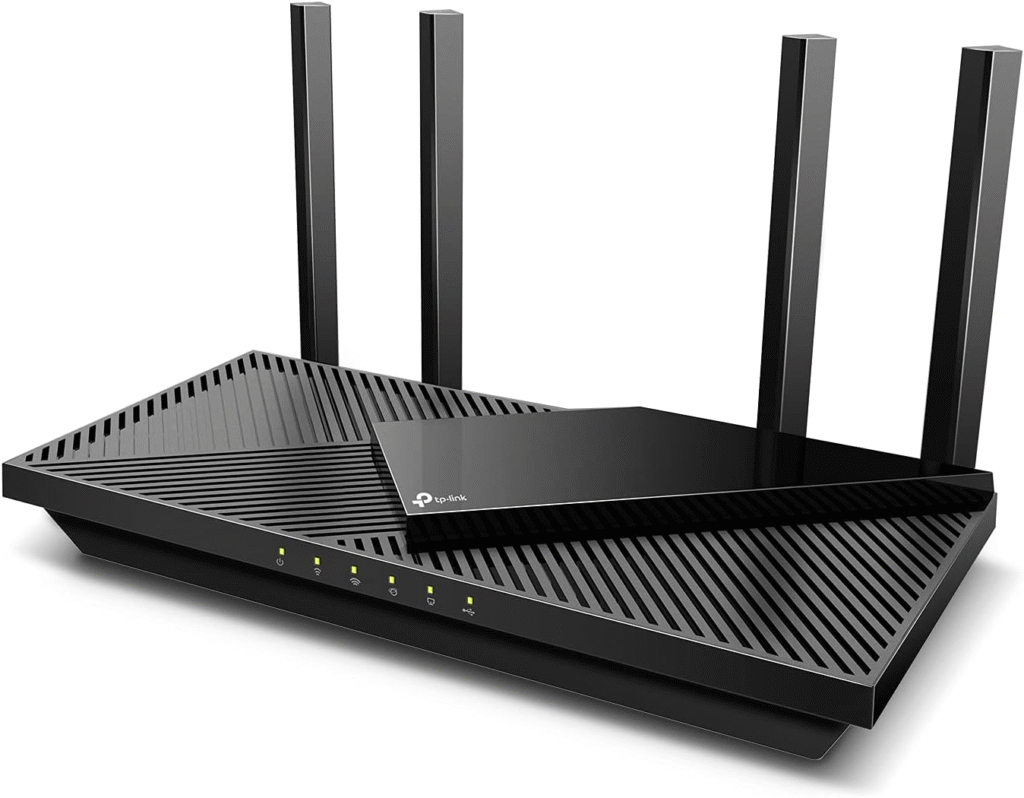
If you’re upgrading from an older Wi-Fi 5 router but don’t want to spend a fortune, the TP-Link Archer AX55 deserves serious consideration.
It delivers many premium networking features at a surprisingly affordable price.
Compared to older AC routers, the Archer AX55 offers noticeably better device handling thanks to its Wi-Fi 6 architecture. Whether you’re streaming Netflix in 4K, attending Microsoft Teams meetings, or downloading large files, the router maintains stable performance across multiple connected devices.
Another highlight is Quality of Service (QoS).
QoS lets you prioritize important traffic, such as Zoom meetings or online gaming, so background downloads don’t consume all available bandwidth. This feature becomes particularly valuable for Viasat users because satellite internet plans often have limited bandwidth compared to fiber connections.
The router also supports Gigabit Ethernet ports, making it easy to connect gaming PCs, desktop computers, or smart TVs for maximum stability.
If your home grows over time, EasyMesh support allows you to expand wireless coverage by adding compatible mesh devices without replacing your entire network.
What I Like
- Affordable Wi-Fi 6 upgrade
- Excellent QoS implementation
- Gigabit LAN ports
- Strong WPA3 protection
- EasyMesh ready
- Great balance of price and performance
Potential Downsides
- Not designed for very large multi-story homes without additional mesh nodes
- No dedicated 6 GHz band
Best Premium Upgrade: TP-Link Archer AXE75
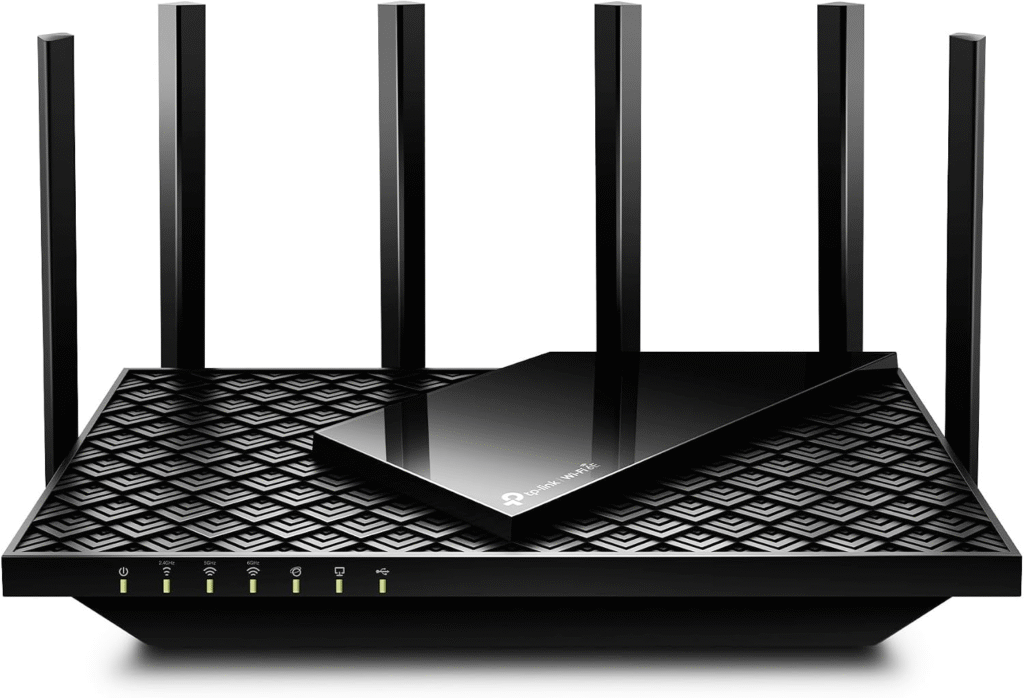
If you’re planning for the future and want cutting-edge wireless technology, the TP-Link Archer AXE75 is one of the smartest long-term investments.
Unlike standard Wi-Fi 6 routers, the AXE75 supports Wi-Fi 6E, adding access to the less congested 6 GHz band. This extra spectrum helps reduce interference in busy neighborhoods where dozens of nearby WiFi networks compete for the same channels.
The router combines tri-band networking, beamforming, OFDMA, MU-MIMO, and advanced WPA3 security, making it an excellent choice for power users with demanding home networks.
If your household includes 4K streaming devices, cloud backups, security cameras, gaming consoles, and smart home automation, the Archer AXE75 has more than enough capacity to keep everything running smoothly.
One thing I particularly appreciate is that even though Viasat’s satellite connection won’t fully utilize the AXE75’s maximum wireless speeds, the router still improves internal network efficiency and prepares your home for future internet upgrades.
Best Mesh WiFi System for Large Homes: eero 6+

If your biggest complaint isn’t speed but weak WiFi coverage, upgrading to a mesh WiFi system is one of the smartest decisions you can make.
I often tell people that dead zones are rarely caused by their ISP. More often, the router simply can’t deliver a strong signal through thick walls, multiple floors, or long hallways.
That’s where the eero 6+ shines.
Unlike a traditional router that broadcasts from a single location, a mesh network uses multiple nodes to blanket your entire home with a consistent wireless signal. As you move from room to room, your phone, laptop, or tablet automatically connects to the strongest node without disconnecting.
This makes the eero 6+ an excellent choice for:
- Large homes
- Multi-story houses
- Homes with concrete walls
- Smart home enthusiasts
- Families with dozens of connected devices
Built around Wi-Fi 6 technology, the eero 6+ supports MU-MIMO, beamforming, and intelligent traffic management to keep your network responsive even when multiple users are streaming, gaming, or attending video meetings.
Another feature I appreciate is its automatic firmware updates, which help keep the network secure without requiring manual maintenance.
Why You’ll Love It
- Whole-home mesh coverage
- Simple mobile app setup
- Excellent roaming between rooms
- Automatic security updates
- Supports dozens of connected devices
- Great for Alexa-enabled smart homes
Keep in Mind
- Higher initial cost than a single router
- Best performance requires additional mesh nodes in larger homes
Best Portable Router for Travelers: TP-Link Roam 7 BE3600
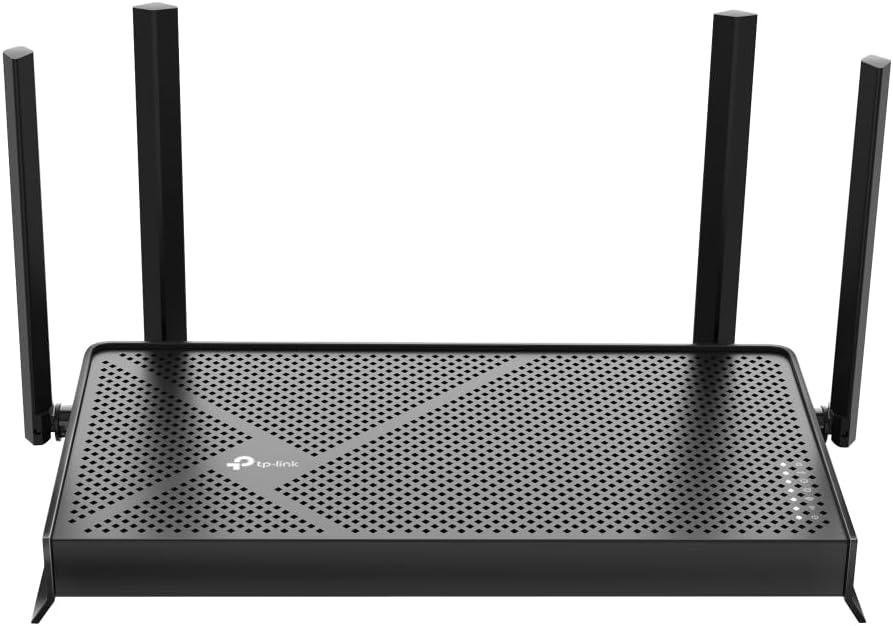
If you travel frequently in an RV, work remotely, or spend time in hotels and vacation homes, carrying your own secure WiFi router can make a surprising difference.
The TP-Link Roam 7 BE3600 is one of the newest portable routers featuring Wi-Fi 7 (802.11be) technology.
While Viasat itself won’t fully utilize Wi-Fi 7 speeds today, investing in newer technology means your router will remain relevant for years to come.
One feature I really like is its flexibility.
The router supports:
- Router Mode
- Hotspot Mode
- Access Point Mode
- USB Tethering
- Ethernet WAN
- Public WiFi login (Captive Portal)
Security is another major advantage.
Support for OpenVPN, WireGuard, PPTP, and L2TP allows you to create encrypted connections while using public WiFi networks at airports, hotels, or coffee shops.
Its compact USB-C powered design also makes it incredibly easy to carry in a backpack.
Best For
- Digital nomads
- RV travelers
- Business professionals
- Vacation homes
- Portable home offices
Best Router for Busy Families: NETGEAR Nighthawk
If your household constantly has someone streaming Netflix, another person gaming on PlayStation, while security cameras, smart speakers, tablets, and laptops remain connected all day, you’ll benefit from a router built for heavy workloads.
The NETGEAR Nighthawk series continues to be one of my favorite recommendations for busy households.
The reason is simple.
Instead of focusing only on raw speed numbers, NETGEAR combines powerful hardware with intelligent traffic optimization.
Features like:
- Dynamic QoS
- Smart Connect
- Beamforming+
- MU-MIMO
- OFDMA
- Gigabit Ethernet
- Advanced firewall protection
help ensure every connected device receives stable bandwidth.
Many Nighthawk models also include NETGEAR Armor, adding another layer of cybersecurity for your home network.
If you regularly connect 30 or more devices—including smart TVs, gaming consoles, security cameras, IoT devices, smartphones, and desktop PCs—the Nighthawk can easily keep everything running smoothly.
Router vs. Modem: What’s the Difference?
One question I hear all the time is:
“Can I replace my Viasat modem with my own router?”
The short answer is no.
Your Viasat modem communicates directly with the satellite network.
Your WiFi router distributes that internet connection throughout your home.
Think of it this way:
Modem = Internet Entrance
Router = Internet Distribution System
Your router connects to the modem through an Ethernet cable, creating your wireless network.
Many people confuse these two devices because some ISPs provide modem-router combo units.
However, if you’re looking for stronger wireless coverage, better security, and faster local networking, upgrading your router is usually the best investment.
How to Choose the Right Router for Viasat
Not every router is the right fit for every household.
Here’s what I recommend paying attention to before buying.
1. WiFi Standard
Choose at least Wi-Fi 6 (802.11ax).
If your budget allows, consider Wi-Fi 6E or Wi-Fi 7 for better long-term value.
These newer standards offer:
- Better device handling
- Improved efficiency
- Lower congestion
- Faster local network speeds
2. Dual-Band or Tri-Band
A dual-band router works perfectly for most homes.
If your household has dozens of connected devices or you frequently transfer large files between computers, a tri-band router provides additional wireless capacity.
3. Mesh Compatibility
If your home exceeds 2,000 square feet or has multiple floors, don’t rely solely on a powerful router.
Instead, look for support for:
- EasyMesh
- OneMesh
- AI Mesh (brand-specific)
- Ethernet Backhaul
A mesh system provides much more consistent coverage than a single router.
4. Security Features
Network security is just as important as speed.
I always recommend routers that support:
- WPA3 encryption
- Guest Network
- Firewall
- Automatic firmware updates
- VPN support
- OpenVPN
- WireGuard
- VPN Passthrough
These features help protect your personal information and connected devices from cyber threats.
5. Device Capacity
Count every internet-connected device in your home.
This includes:
- Smartphones
- Tablets
- Smart TVs
- Laptops
- Desktop PCs
- Xbox
- PlayStation
- Smart speakers
- Security cameras
- Thermostats
- Smart lights
- Doorbells
- IoT devices
Choose a router with enough processing power to support both your current setup and future expansion.
Should You Rent or Buy Your Router?
Many Viasat customers rent networking equipment from their ISP because it’s convenient.
However, buying your own router offers several long-term benefits.
Renting
Pros
- Easy replacement
- Technical support included
- No upfront hardware cost
Cons
- Monthly rental fees
- Limited hardware choices
- Fewer advanced features
Buying
Pros
- Better WiFi performance
- Stronger security
- More customization
- Mesh compatibility
- No ongoing rental fees
- Better long-term value
If you plan to use Viasat for several years, purchasing your own router is often the more cost-effective option.
Frequently Asked Questions
Does a new router make Viasat faster?
Not directly.
A new router cannot increase the speed provided by your internet plan, but it can improve wireless efficiency, reduce congestion, eliminate dead zones, and deliver more consistent performance across your home.
Is Wi-Fi 6 worth it for satellite internet?
Absolutely.
Wi-Fi 6 improves network efficiency through technologies like MU-MIMO, OFDMA, and beamforming, making it ideal for homes with multiple connected devices.
Can I use any router with Viasat?
Most modern routers are compatible with Viasat as long as they connect through the Viasat modem using Ethernet.
Do I need a mesh system?
If you regularly experience weak signals in bedrooms, upstairs offices, or garages, a mesh WiFi system is one of the best upgrades you can make.
Final Verdict
After comparing today’s leading options, I believe the TP-Link Archer AX21 remains the best overall router for most Viasat users because it balances performance, affordability, security, and ease of use.
If you have a larger home, the eero 6+ is an outstanding mesh solution that eliminates frustrating dead zones. Travelers and RV owners will appreciate the flexibility of the TP-Link Roam 7 BE3600, while power users with dozens of connected devices can confidently choose a NETGEAR Nighthawk model for its advanced networking capabilities.
No router can remove the inherent latency of satellite internet, but the right one can dramatically improve your home WiFi experience. Features such as Wi-Fi 6, dual-band or tri-band connectivity, beamforming, MU-MIMO, OFDMA, Quality of Service (QoS), WPA3 security, and mesh networking work together to deliver stronger coverage, smoother streaming, more reliable video calls, and better overall performance.