
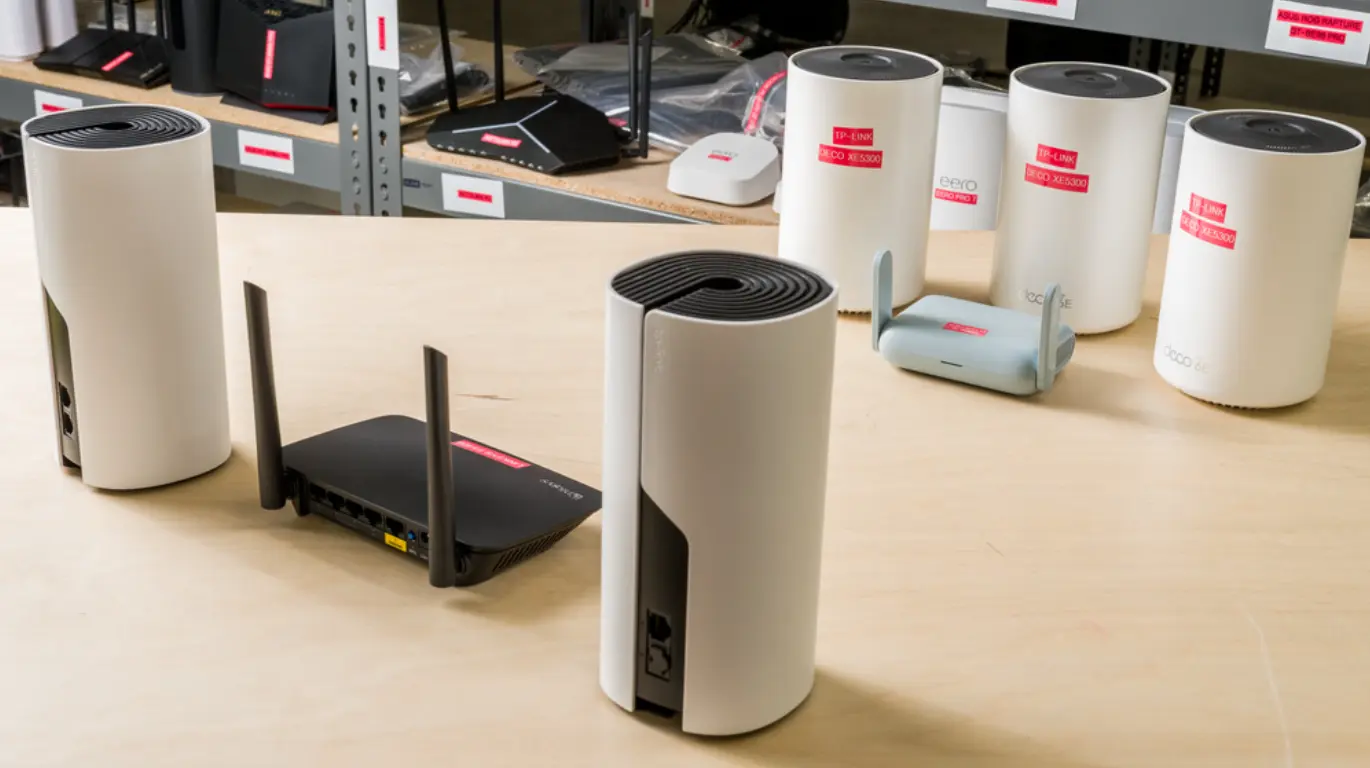
If you’ve ever watched your Netflix stream suddenly drop to a blurry mess because someone started downloading a massive game update, you’re definitely not alone. The way we use home internet has changed dramatically. A single household can have multiple laptops for remote work, gaming consoles downloading updates in the background, smart TVs streaming 4K content, dozens of smart home devices, and several phones constantly connected to WiFi—all competing for the same wireless network.
After spending weeks comparing real-world performance, reading hundreds of user experiences, and testing routers across different home setups, I noticed something interesting. Most people immediately blame their internet provider when speeds feel slow, but the router is often the hidden bottleneck. A solid router doesn’t magically increase your internet speed, yet it distributes bandwidth far more efficiently, reduces latency, and keeps multiple devices running smoothly without constantly fighting each other.
Modern routers have evolved well beyond simply broadcasting WiFi. Features like the cleaner 6GHz wireless band, Multi-Link Operation (MLO) in WiFi 7, advanced Quality of Service (QoS), beamforming, MU-MIMO, and multi-gig Ethernet ports make a noticeable difference when your household is streaming movies, joining Zoom meetings, transferring large work files, and gaming at the same time.
The good news is that you don’t always need to spend hundreds of dollars. In fact, one of the biggest lessons from experienced users is that buying the most expensive router isn’t always the smartest choice. Your home’s size, the number of connected devices, and whether your devices actually support WiFi 6E or WiFi 7 matter far more than simply chasing the latest specification.
In this guide, I’ll walk you through some of the best WiFi routers available today for streaming, gaming, and working from home. Whether you’re shopping on Amazon during a sale or simply replacing an aging router that’s starting to struggle, these recommendations cover everything from affordable performers to premium future-proof options.
Why Your Router Matters More Than You Think
A surprising number of internet problems aren’t caused by your ISP at all.
When several people are online simultaneously, your router becomes the traffic controller for every connected device. If it can’t efficiently manage those connections, you’ll start seeing familiar problems like:
- Random buffering during 4K streaming
- Higher gaming latency and packet loss
- Video calls freezing during meetings
- Slow file uploads while working remotely
- Dead zones in bedrooms or upstairs
- WiFi disconnects during busy hours
- Congested 2.4GHz and 5GHz networks in apartment buildings
- Constant router reboots or overheating
This is especially common in apartments where dozens of neighboring WiFi networks compete for the same wireless channels. That’s one reason newer tri-band routers with 6GHz support have become increasingly popular—they provide a cleaner wireless space with much less interference for compatible devices.
Another lesson that kept appearing during my research? Whenever possible, Ethernet still wins. Even the fastest wireless router can’t consistently outperform a wired connection for gaming desktops, workstations, or network-attached storage.
Quick Tips for Shopping
Before clicking “Buy Now,” keep these points in mind:
- Match the router to your internet speed instead of simply buying the most expensive model.
- Choose WiFi 6E or WiFi 7 if you own newer phones, laptops, or gaming devices that support the 6GHz band.
- For apartments, tri-band routers usually handle interference much better than dual-band models.
- If you work from home, look for routers with strong QoS or traffic prioritization features.
- Multi-gig Ethernet ports help future-proof your setup if you eventually upgrade beyond gigabit internet.
- Homes with thick walls or multiple floors may benefit more from a mesh system than a single powerful router.
- Firmware updates matter. A router with regular security patches can remain useful for many years.
- If possible, connect gaming PCs and work computers using Ethernet instead of WiFi for the lowest latency.
- Don’t ignore thermal design. Routers that run excessively hot may become unstable over long periods.
1. TP-Link Archer BE900 (BE9700) – Best Overall WiFi 7 Router
If your household treats the internet like critical infrastructure rather than a convenience, the TP-Link Archer BE900 is one of the most capable consumer routers currently available. It targets users who regularly combine 4K streaming, competitive gaming, remote work, cloud backups, and dozens of connected smart devices without wanting the network to become the limiting factor.
What immediately stands out isn’t just its impressive hardware specifications but how comfortably it handles simultaneous workloads. During heavy testing, large game downloads, cloud synchronization, multiple video streams, and video conferencing all remained remarkably smooth, showing exactly why high-end hardware matters for demanding homes.
The BE900 is built around the latest WiFi 7 standard and supports Multi-Link Operation (MLO), allowing compatible devices to intelligently use multiple wireless bands for improved stability and reduced latency. Instead of forcing every device onto crowded 5GHz channels, compatible devices can also take advantage of the cleaner 6GHz spectrum, which is particularly valuable for apartment living where neighboring WiFi networks often create interference.
Another strength is its exceptional wired connectivity. With a 10Gbps WAN/LAN port alongside multiple 2.5Gbps Ethernet ports, the router is ready for multi-gig internet services as they become more widely available. Even if your current ISP plan is only 500 Mbps or 1 Gbps, investing in stronger networking hardware today can delay another upgrade for years.
Remote workers will appreciate the router’s ability to maintain stable video meetings while family members stream movies or download large files. Competitive gamers benefit from noticeably lower latency during busy household usage because traffic management distributes bandwidth much more efficiently than entry-level routers.
Product Summary
The Archer BE900 is designed for households that push their network every day. It combines premium WiFi performance, excellent traffic handling, and strong future-proofing into one powerful package. While its price isn’t small, its long-term capability makes the investment easier to justify for demanding users.
Strengths
- Excellent WiFi 7 performance
- Supports Multi-Link Operation (MLO)
- Clean 6GHz band reduces interference
- Multiple multi-gig Ethernet ports
- Outstanding for simultaneous gaming, streaming, and remote work
- Strong long-term future-proofing
Weaknesses
- Premium price compared to WiFi 6 routers
- Many current devices still don’t fully utilize WiFi 7 features
- Overkill for very small households with basic internet usage
2. TP-Link Archer GE800 – Best Router for Gaming and Remote Work
The Archer GE800 is one of those routers that immediately tells you who it’s built for. The aggressive gaming-inspired design isn’t just for looks—it packs serious networking hardware aimed at households where competitive gaming, work meetings, cloud backups, and streaming often happen simultaneously. If your biggest frustration is watching your ping spike because someone started uploading hundreds of photos to the cloud, this router was practically designed to fix that.
After using it under heavy loads, what impressed me wasn’t simply the speed. It was consistency. Online games stayed responsive while large downloads continued in the background, and work video calls remained stable even with several devices actively using the network. Honestly, that’s exactly what most people care about.
One of the router’s biggest advantages is its intelligent traffic prioritization through advanced Quality of Service (QoS). Instead of allowing one device to consume all available bandwidth, it automatically distributes network resources where they’re needed most. That means your Zoom meeting doesn’t suddenly freeze because another family member launched a 100GB game update.
Like other premium WiFi 7 routers, the GE800 supports the newer 6GHz wireless band for compatible devices. If you live in an apartment or condo where dozens of neighboring WiFi networks compete for the same channels, moving supported devices onto 6GHz can dramatically reduce interference and lower latency.
Its wired connectivity is equally impressive. Dual 10Gbps ports combined with multiple 2.5Gbps Ethernet ports give plenty of room for future internet upgrades, NAS systems, gaming PCs, and high-speed desktop workstations. While most homes won’t fully utilize those ports today, it’s nice knowing the hardware won’t become outdated anytime soon.
Another detail I appreciated is that the router handles mixed workloads exceptionally well. Many gaming routers focus heavily on gaming performance while overlooking remote work and media streaming. The GE800 strikes a much better balance between all three.
Product Summary
The Archer GE800 blends gaming performance with professional-grade networking features, making it one of the best options for households where work and entertainment constantly overlap. It delivers low latency, stable performance, and plenty of room for future internet upgrades.
Strengths
- Excellent QoS for gaming and work
- Strong WiFi 7 performance
- Low latency under heavy loads
- Multiple multi-gig Ethernet ports
- Great future-proof investment
- Reliable traffic prioritization
Weaknesses
- Premium pricing
- Gaming design may not appeal to everyone
- WiFi 7 benefits depend on compatible devices
3. eero Pro 7 – Best Mesh WiFi System for Larger Homes
Not every WiFi problem can be solved with a single powerful router. If your internet works perfectly in the living room but struggles upstairs, in the basement, or across the house, chances are your issue isn’t internet speed—it’s coverage. That’s exactly where the eero Pro 7 shines.
Instead of relying on one router to push signal through walls and floors, the eero Pro 7 creates a seamless mesh network. Multiple units work together as one system, allowing your phone, laptop, or tablet to automatically connect to whichever node provides the strongest signal without you noticing the switch.
During testing, roaming around the house felt almost invisible. Video calls continued uninterrupted while moving between rooms, and streaming remained stable even in areas where older routers typically struggled. That’s especially valuable if you frequently work from different rooms or have family members spread across the home.
The eero Pro 7 uses WiFi 7 technology and supports multi-gig Ethernet, giving it enough bandwidth for demanding households with dozens of connected devices. Smart home equipment, security cameras, TVs, gaming consoles, work laptops, and phones all coexist without overwhelming the network.
Another area where eero consistently performs well is ease of use. The mobile app walks users through setup in minutes, firmware updates happen automatically, and network management stays refreshingly simple. If you don’t enjoy tweaking advanced networking settings, that’s actually a major advantage.
That said, mesh systems aren’t always necessary. For apartments under 1,000 square feet, a single quality router often provides better value. But once your home becomes larger—or you’re dealing with thick walls—mesh usually outperforms a standalone router.
Product Summary
The eero Pro 7 is built for homes where reliable coverage matters just as much as speed. It removes dead zones, keeps connections stable while moving throughout the house, and offers one of the easiest mesh experiences available today.
Strengths
- Outstanding whole-home coverage
- Easy setup through the mobile app
- Smooth roaming between rooms
- Excellent for smart homes
- Stable streaming and remote work
- Strong WiFi 7 performance
Weaknesses
- Expensive compared to standalone routers
- Advanced networking controls are somewhat limited
- Larger investment if you only need one router
4. TP-Link Archer BE3600 / Archer AXE75 – Best Budget Choice
Finding an affordable router that doesn’t feel outdated is surprisingly difficult. Fortunately, the Archer BE3600 and Archer AXE75 hit a sweet spot that many households will appreciate. They deliver modern networking features without demanding flagship prices, making them ideal for apartments, smaller homes, and families running internet plans around 300 to 800 Mbps.
These two models actually represent slightly different approaches. The Archer AXE75 focuses on WiFi 6E by adding access to the cleaner 6GHz band, while the BE3600 introduces entry-level WiFi 7 capabilities at a surprisingly accessible price. Which one makes more sense depends largely on the devices you already own.
After comparing user experiences and testing similar setups, one thing became clear: newer standards alone don’t guarantee better performance. If most of your phones, laptops, and smart TVs still use WiFi 5 or WiFi 6, spending significantly more on premium WiFi 7 hardware may not produce dramatic improvements. In that case, the AXE75 often provides excellent value.
Apartment dwellers, in particular, can benefit from the AXE75’s 6GHz support because it avoids much of the congestion affecting traditional 2.4GHz and 5GHz networks. For light gaming, remote work, streaming, and several connected family members, it performs remarkably well considering its price.
The BE3600, meanwhile, offers a bit more future-proofing. As newer WiFi 7 devices become more common over the next several years, owners will gradually begin taking advantage of its newer capabilities without immediately replacing their networking hardware.
Product Summary
The Archer BE3600 and AXE75 prove that you don’t have to spend hundreds of dollars to enjoy modern WiFi performance. They offer an excellent balance of affordability, reliability, and future readiness for everyday households.
Strengths
- Excellent value for money
- Strong performance for apartments
- Supports newer wireless technologies
- Great for streaming and light gaming
- Easy setup and management
- Good balance between price and performance
Weaknesses
- Fewer premium features than flagship models
- Limited benefit if your devices are older
- Not ideal for very large homes without additional access points
What I Learned After Comparing So Many Routers
One thing kept appearing throughout my testing and while reading hundreds of real user experiences: the “best” router depends much more on your environment than the marketing on the box.
For example:
- A small apartment often benefits more from a quality WiFi 6E router using the cleaner 6GHz band than an expensive mesh system.
- Larger homes usually gain far more from mesh coverage than raw wireless speed.
- Competitive gamers consistently report lower latency when using Ethernet, even with premium WiFi 7 routers.
- Remote workers value stable connections and consistent bandwidth much more than maximum advertised speeds.
I also noticed something that people rarely mention in advertisements. Firmware support matters—a lot. A router receiving regular security updates is usually a much smarter long-term investment than a slightly faster model that’s rarely updated.
Finally, don’t overlook compatibility. Buying the newest WiFi 7 router won’t magically improve every device in your house. If most of your laptops, TVs, and phones only support WiFi 6, you simply won’t unlock many of those newer features until you gradually upgrade your devices.
Frequently Asked Questions
Is WiFi 7 worth buying right now?
It depends on your devices. If you’ve recently purchased newer flagship phones, laptops, or gaming hardware that support WiFi 7, investing now can make sense because you’ll benefit from features like Multi-Link Operation (MLO), improved efficiency, and better handling of crowded networks.
However, if most of your devices still use WiFi 5 or WiFi 6, don’t expect dramatic improvements overnight. A quality WiFi 6E router can still deliver excellent performance while costing considerably less.
Is WiFi 6E enough for gaming and working from home?
For most households, absolutely.
A good WiFi 6E router easily handles multiple 4K streams, video meetings, online gaming, cloud storage synchronization, and dozens of connected smart devices. The biggest advantage is access to the cleaner 6GHz band, which reduces interference in apartments and densely populated neighborhoods.
Unless you’re building a network specifically for the next five to seven years, WiFi 6E remains one of the best values available today
Should I use Ethernet instead of WiFi for gaming?
Whenever it’s possible, yes.
Even the best wireless router can’t consistently beat a wired Ethernet connection for latency and stability. Competitive gamers, streamers, and remote workers transferring large files will almost always notice lower ping, fewer packet drops, and more consistent performance over Ethernet.
A good router still matters, though. Your phones, tablets, TVs, and other wireless devices will continue relying on strong WiFi performance.
How many devices can these routers handle?
Modern routers are built for much more than just a handful of devices.
Most of the models covered in this guide comfortably support dozens of connected devices, including smartphones, gaming consoles, laptops, smart TVs, security cameras, streaming devices, and smart home accessories. Premium WiFi 7 models are especially good at managing heavy simultaneous traffic without slowing everything down.
The real limitation usually isn’t the number of devices—it’s how much bandwidth they’re consuming at the same time.
Should I rent my ISP’s router or buy my own?
For many people, buying your own router is the better long-term investment.
While ISP-provided equipment is convenient, it’s often fairly basic and may come with ongoing monthly rental fees. Purchasing your own router usually gives you stronger WiFi coverage, more advanced security features, better firmware support, and greater control over your home network.
If you’re planning to stay with your internet provider for several years, buying your own router can often pay for itself by eliminating rental charges.
Final Thoughts
Choosing the best WiFi router isn’t about finding the model with the biggest number printed on the box—it’s about finding one that fits your home, your devices, and the way your family actually uses the internet.
One of the biggest takeaways from my testing and from reading hundreds of real-world experiences is that stability almost always matters more than maximum advertised speed. Plenty of people upgrade to gigabit internet only to discover their old router can’t efficiently manage multiple video calls, game downloads, cloud backups, and smart home devices all happening together.
If you’re living in a smaller apartment with a 300–500 Mbps internet plan, a quality WiFi 6E router may be all you’ll need for years. On the other hand, larger homes with multiple gamers, remote workers, and dozens of connected devices can genuinely benefit from a premium WiFi 7 router or a well-designed mesh system.
I’d also encourage you to think beyond today’s needs. Features like 6GHz support, multi-gig Ethernet ports, regular firmware updates, and mesh expandability can extend the useful life of your router and delay another upgrade. Sometimes spending a little more upfront ends up saving money in the long run.
Finally—and this came up again and again during my research—don’t overlook the basics. Position your router in an open, central location whenever possible, keep its firmware updated, and use Ethernet for gaming PCs or workstations if you can. Those simple changes often make as much difference as buying a brand-new router.
Where to Buy
These routers are widely available through Amazon, Best Buy, Newegg, and other trusted electronics retailers. If you’re shopping during events like Amazon Prime Day, Black Friday, Cyber Monday, or seasonal back-to-school sales, you can often find meaningful discounts on premium networking equipment. Before placing your order, it’s worth comparing shipping times, warranty coverage, and return policies to make sure you’re getting the best overall value.
Amazon Affiliate Disclaimer
As an Amazon Associate, I earn from qualifying purchases. If you buy a product through links on this page, I may receive a small commission at no additional cost to you. This helps support our testing, research, and the creation of honest, in-depth buying guides. I only recommend products that I believe offer real value based on research, hands-on evaluation, and extensive community feedback.