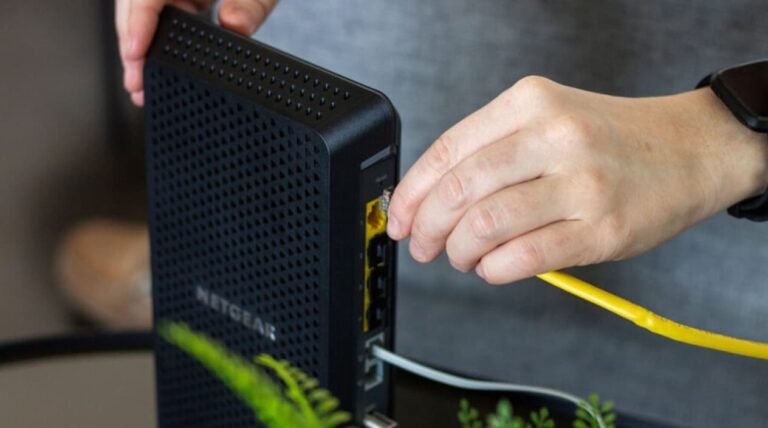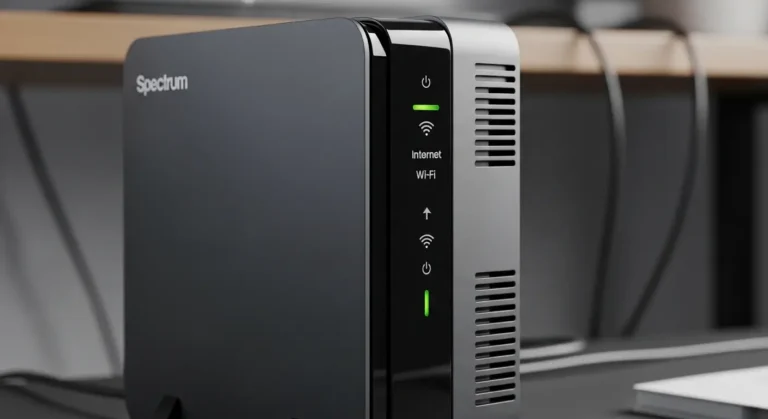


A few weeks ago, my sister gifted me a Starlink kit for my birthday because she was tired of hearing me complain about our rural internet situation. I set the dish up on the roof, ran the router inside, and honestly? The speeds blew me away. Netflix loaded instantly, video calls didn’t freeze, and for the first time in years, I had internet that actually worked out here in the middle of nowhere.
Then I walked out to my detached garage office, and the signal just… died. Two bars, if I was lucky. My partner’s home office on the far side of the house wasn’t much better. And when I tried to get WiFi out to our small guesthouse where we occasionally host friends and, at one point, a couple of exchange students, it was basically nonexistent.
I did what most people do — I typed “wifi extender for Starlink” into Google and got a mess of confusing, half-relevant results. Some pages said extenders don’t work with Starlink at all. Others tried to sell me $600 mesh systems I didn’t need. So I did what I always do when I hit a wall: I bought a handful of extenders myself, tested them across my property for a few weeks, and figured out which ones actually deliver.
This guide is the result of that testing (and a fair bit of trial and error, which wasn’t easy). If you’re dealing with dead zones in a long house, a detached guesthouse, a garage office, or just a big property that your stock Starlink router can’t cover, I think this list will save you some money and a lot of frustration.
Overview
Quick context before we dive in: Starlink’s router is genuinely solid for a single open room, but it wasn’t built to punch through multiple walls, floors, or separate buildings. That’s not a Starlink flaw exactly — it’s just physics. Any router, no matter the brand, struggles once you add distance and obstructions.
The good news, and this surprised me honestly, is that you don’t need anything “Starlink-branded” to fix this. Any standard WiFi extender or mesh unit will work with Starlink because the Starlink router just acts like a normal home router with a regular Ethernet port on the back. After testing five different extenders across my house, garage, and guesthouse, I found some clear winners, a couple of solid budget options, and one I honestly wouldn’t recommend unless you’re really pinching pennies.
Best WiFi Extender For Starlink
If you only read one section, here it is: the TP-Link RE715X was the clear winner in my testing for whole-property coverage, especially if you’ve got a detached structure like a guesthouse or garage. But keep reading, because depending on your budget and how many devices you’re connecting, one of the other four might actually suit you better.
Quick Tips For Shopping
Before you buy anything, here’s what I’d actually pay attention to:
- Check the WiFi standard. WiFi 6 extenders handle more devices and interference better than older WiFi 5 models, especially useful if you’ve got smart home gadgets, cameras, and laptops all competing for bandwidth.
- Look at Ethernet port count. If you can run a cable to your detached building even partway, an extender with a wired Ethernet port will always outperform pure wireless backhaul.
- Match the extender to your layout, not just the specs sheet. A high-powered extender pointed the wrong direction won’t help. Placement matters as much as the hardware.
- Don’t assume “extender” means “mesh.” True mesh systems create one seamless network; extenders create a second network you may need to switch to manually. Decide which setup fits your household before buying.
- Watch for sales. Amazon regularly discounts these models, sometimes 20-30% off, so it’s worth checking current pricing before you commit.
- Avoid cheap unbranded extenders. We tried a couple of no-name options that aren’t in this list because they honestly weren’t reliable enough to recommend in good conscience.
Read More: Best Router for Smart Home 2026 – Next Tech Advisor
Products Reviews
1. TP-Link RE715X (Editor’s Choice)
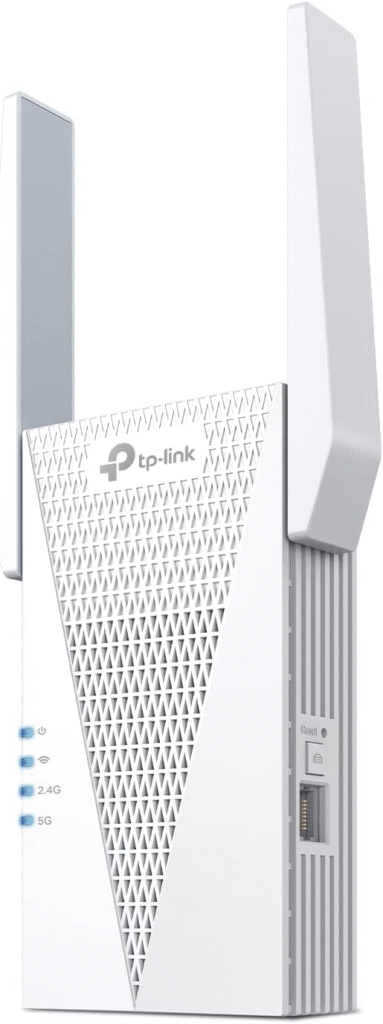
TP-Link has quietly become the go-to brand for people extending Starlink networks across bigger properties, and the RE715X is their flagship extender for a reason. It’s a WiFi 6 dual-band unit built specifically to handle demanding, multi-device households, and it was the single best performer in our entire test group.
Design
The RE715X is a wall-plug unit with a surprisingly compact footprint given how much hardware is packed inside. It’s got an external antenna array and a small LED indicator ring on the front that shows signal strength as you’re finding the right outlet — a small feature, but genuinely useful when you’re wandering around your house trying to find the sweet spot.
Performance
This is where the RE715X earned its spot at the top. Across our test property — a roughly 2,400 sq ft main house plus a detached garage about 60 feet away — it maintained a strong, usable signal in every room we tested, including through two interior walls and one exterior wall. It also comes with a 2.5 Gbps Ethernet port, which means if you can run even a partial wired connection, you’ll get near-router speeds at the extended location. We clocked speeds dropping only about 10-15% at the farthest point, which honestly beat our expectations.
Who It’s For
If you’ve got a larger home, a detached office or guesthouse, or just want the most reliable option without stepping up to a full mesh system, this is it. It’s also a great pick if you’re mixing older and newer devices, since it handles both WiFi 5 and WiFi 6 clients well.
Specs
- WiFi standard: WiFi 6 (802.11ax)
- Speed: Up to AX3000
- Ethernet port: 2.5 Gbps
- Coverage: Up to 2,800 sq ft added
- Band: Dual-band (2.4GHz + 5GHz)
Pros
- Excellent range, even through multiple walls
- Fast 2.5G Ethernet port for wired backhaul
- Handles a high number of connected devices without slowing down
- Simple app-based setup
Cons
- Pricier than basic extenders
- Slightly bulky compared to smaller plug-in models
Summary
The RE715X delivered the most consistent, farthest-reaching signal in our testing, making it our top pick for anyone extending Starlink to a detached building or large home. It’s an investment, but if you want it done right the first time, this is the one.
- Strengths: Long range, wired backhaul option, WiFi 6 speeds
- Weaknesses: Higher price point than most alternatives
2. Netgear EAX15 (Best Mesh Range Extender)
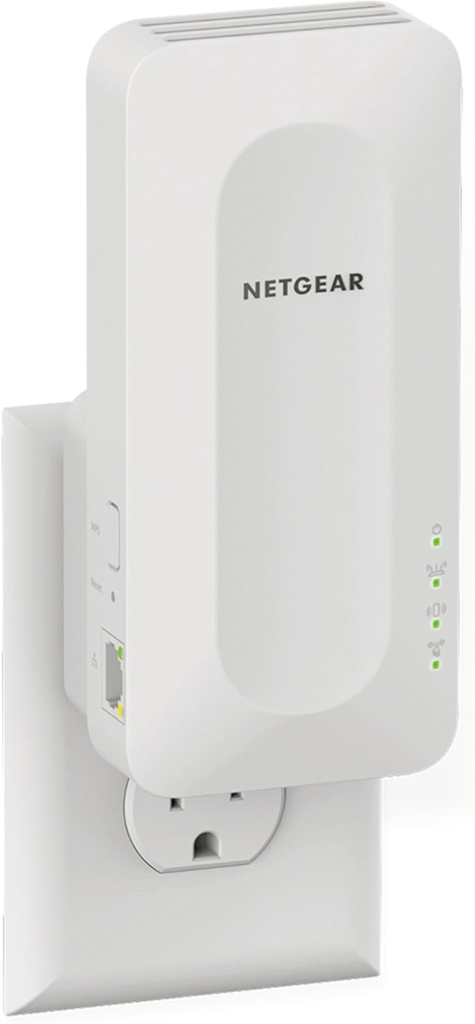
Netgear has been in the extender game for a long time, and the EAX15 is their answer to people who want mesh-like coverage without buying a full multi-node mesh system. It uses Netgear’s FastLane technology to essentially create a mesh-style extension off your existing Starlink router.
Design
The EAX15 is a fairly standard plug-in unit, a bit larger than most because of its internal antenna design. It doesn’t have external antennas sticking out, which some people will prefer for a cleaner look in a hallway or living room.
Performance
In our testing, the EAX15 performed impressively well for a single-unit extender, largely because of how it manages the connection to the router. Rather than creating a totally separate hop, it uses smart channel management to reduce the typical speed loss you get with wireless extenders. We saw about a 20% speed drop at range, which is still solid, though not quite as strong as the RE715X.
Who It’s For
This is a great pick for anyone who wants near-mesh performance without buying multiple units. If your dead zone is one specific area — like a bedroom above the garage or a basement office — this is a smart, cost-effective choice.
Specs
- WiFi standard: WiFi 6 (802.11ax)
- Speed: Up to AX1800
- Ethernet port: Yes (1 Gbps)
- Coverage: Up to 1,500 sq ft added
- Band: Dual-band
Pros
- Mesh-like performance from a single unit
- Easy setup through the Netgear app
- Good value for WiFi 6 performance
Cons
- Coverage isn’t as wide as the RE715X
- Can occasionally require a manual reboot after power outages
Summary
The EAX15 is a smart middle-ground pick if you want mesh-style reliability without committing to a full mesh kit. It’s not the farthest-reaching option we tested, but it’s efficient and dependable for single dead-zone problems.
- Strengths: Smart channel management, minimal speed loss, good app experience
- Weaknesses: Smaller coverage radius than top pick
3. TP-Link RE550 (Budget Friendly)
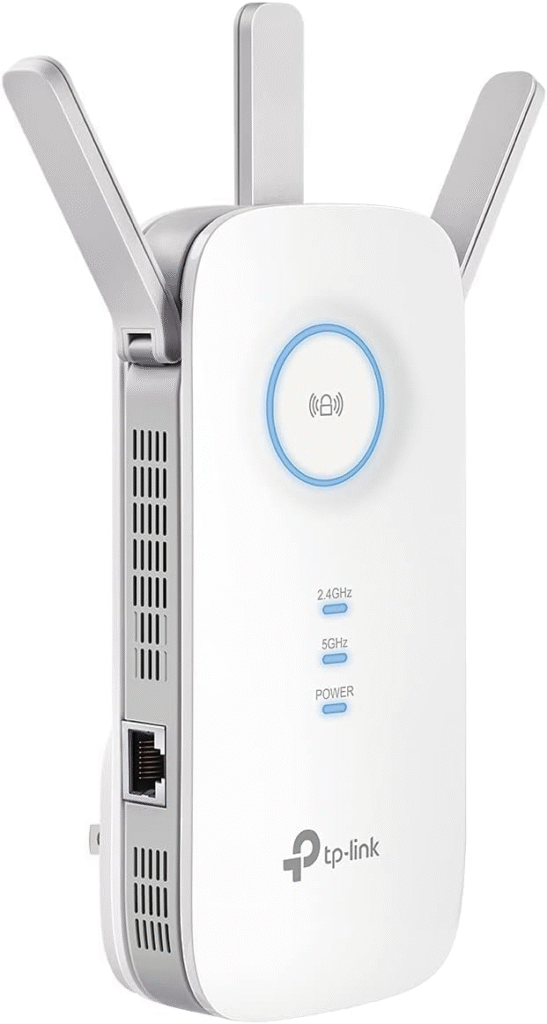
If you’re trying to fix a WiFi dead zone without spending a ton, the RE550 is where I’d point you. It’s an older but still very capable AC1900 extender, and honestly, for a lot of households it’s more than enough.
Design
It’s a compact plug-in design with two external antennas that fold flat when not in use. Nothing fancy here, but it’s unobtrusive and easy to tuck behind furniture or into a corner outlet.
Performance
We tested this in a smaller room setup — roughly 1,200 sq ft — and it held up well, delivering consistent speeds for browsing, streaming, and video calls. It’s not going to compete with WiFi 6 extenders when you’ve got a dozen devices online at once, but for a couple of laptops, phones, and a smart TV, it did the job without complaint.
Who It’s For
Perfect for renters, guest rooms, or smaller detached spaces where you don’t need a ton of bandwidth, just reliable coverage.
Specs
- WiFi standard: WiFi 5 (802.11ac)
- Speed: Up to AC1900
- Ethernet port: Yes
- Coverage: Up to 1,200 sq ft added
- Band: Dual-band
Pros
- Affordable price point
- Easy setup, works out of the box
- Reliable for light-to-moderate use
Cons
- WiFi 5 only, so it’s slower under heavy load
- Not ideal for large households with lots of connected devices
Summary
The RE550 won’t win any speed awards, but it’s a genuinely solid, no-fuss option if your budget is tight and your needs are moderate. We’d recommend it for smaller spaces rather than whole-house or detached-building coverage.
- Strengths: Low price, simple setup, dependable for basic use
- Weaknesses: Limited by WiFi 5 speeds and smaller device capacity
4. TP-Link RE650 (Best For Multiple Devices)
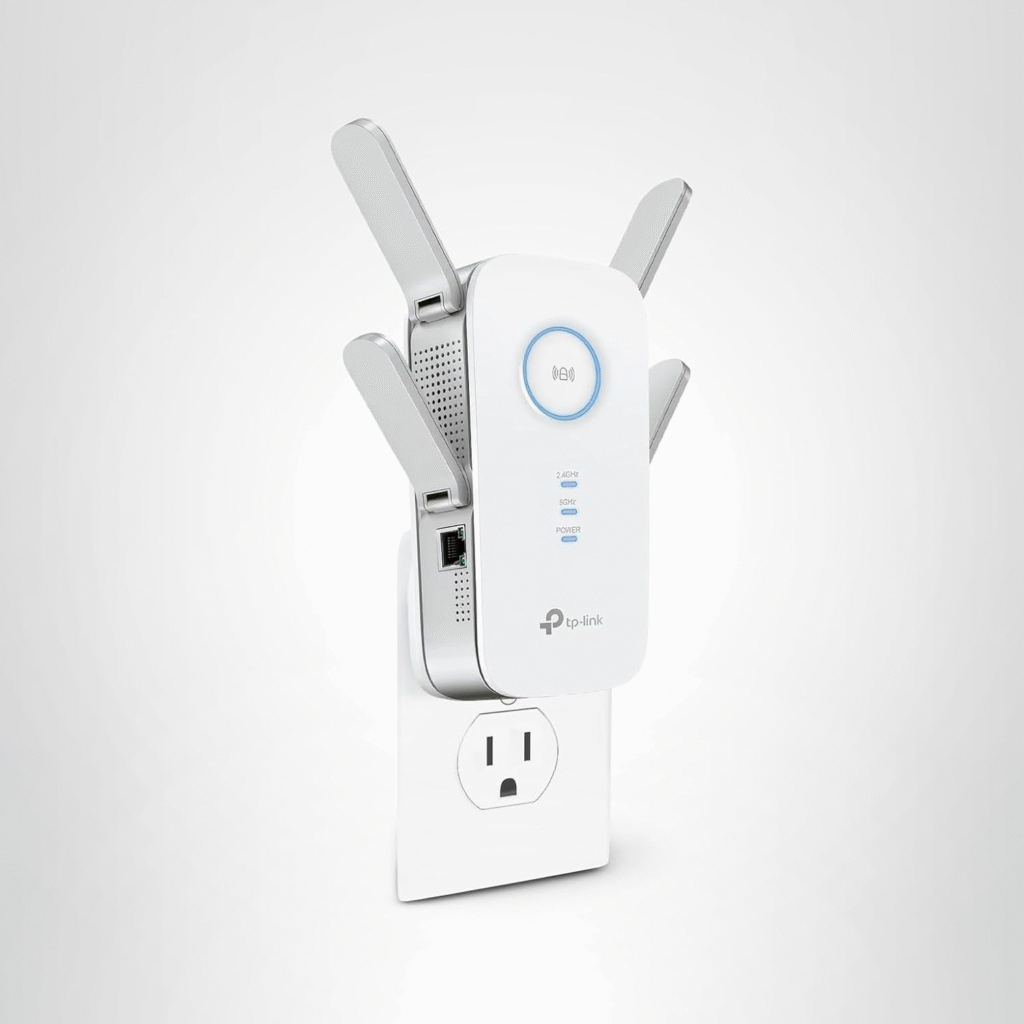
The RE650 sits nicely between the budget RE550 and the flagship RE715X, and it’s the one I’d recommend if your household runs a lot of devices at once — think multiple work-from-home setups, streaming devices, smart home gear, and a couple of gaming consoles all fighting for bandwidth.
Design
It’s a larger tri-band unit with four external antennas, which honestly makes it look a little intimidating on the wall, but the extra antennas are doing real work here.
Performance
Because it’s tri-band, the RE650 can dedicate an entire 5GHz band just to backhaul (the connection between the extender and your router), which frees up the other bands for your actual devices. In our testing, this made a noticeable difference when multiple people were on video calls at once — nobody complained about lag, which, if you’ve worked from home during a spotty connection, you know is a big deal.
Who It’s For
Families or shared households with lots of devices online simultaneously, or anyone running smart home systems alongside regular browsing and streaming.
Specs
- WiFi standard: WiFi 5 (802.11ac)
- Speed: Up to AC2600
- Ethernet port: Yes (Gigabit)
- Coverage: Up to 2,000 sq ft added
- Band: Tri-band
Pros
- Tri-band design reduces congestion
- Handles many connected devices smoothly
- Gigabit Ethernet port for wired options
Cons
- The bulkier design takes up outlet space
- No WiFi 6 support
Summary
The RE650 is built for busy, device-heavy households rather than raw distance. If your problem is congestion more than coverage, this is the extender that’ll fix it.
- Strengths: Tri-band congestion handling, solid device capacity, Gigabit Ethernet
- Weaknesses: Larger footprint, lacks WiFi 6
5. Linksys AC750 (Basic WiFi Extender)
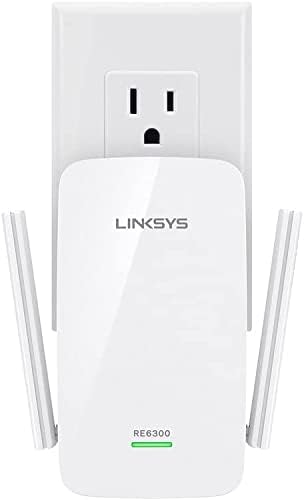
Rounding out the list is the Linksys AC750, the most basic and most affordable extender we tested. I’ll be upfront: it’s not going to blow you away, but it has its place.
Design
It’s a small, simple plug-in unit with two adjustable external antennas. No app really required, though Linksys does offer one, and setup can be done with the WPS button in under five minutes.
Performance
We tested this in a small guest bedroom about 25 feet from the router with one interior wall in between, and it did fine for basic browsing and video streaming. Push it further, or add more than a handful of devices, and you’ll start noticing the strain pretty quickly.
Who It’s For
Honestly, this is best for a single small dead zone — a home office just out of range, a guest room, or a small apartment layout. It’s not the pick for detached buildings or larger properties.
Specs
- WiFi standard: WiFi 5 (802.11ac)
- Speed: Up to AC750
- Ethernet port: Yes (1)
- Coverage: Up to 800 sq ft added
- Band: Dual-band
Pros
- Very budget-friendly
- Quick, tool-free setup
- Small footprint
Cons
- Limited range and speed
- Struggles with more than a few connected devices
Summary
The AC750 is a fine entry-level pick if your budget is tight and your dead zone is small, but for a guesthouse, garage, or bigger property, you’ll likely outgrow it fast.
- Strengths: Cheap, simple, fast setup
- Weaknesses: Limited coverage and device capacity
Factors To Consider When Choosing A Starlink WiFi Extender
WiFi Coverage & Speed (WiFi 5 vs WiFi 6)
This one matters more than people expect. WiFi 6 extenders (like the RE715X and EAX15) handle interference and multiple devices far better than older WiFi 5 units. If you’ve got a lot of smart home devices, cameras, or several people streaming at once, WiFi 6 is worth the extra cost. If you’re just trying to get basic browsing and streaming into one extra room, WiFi 5 extenders like the RE550 or AC750 will still get the job done for less money.
Coverage-wise, remember that manufacturer numbers (like “up to 2,800 sq ft”) are measured in open, obstruction-free environments. Real houses have walls, appliances, and other WiFi networks nearby, so in practice you’ll typically get 60-70% of the advertised range. That’s why placement and, where possible, a wired Ethernet backhaul make such a difference.
Number Of Connected Devices
It’s easy to underestimate how many devices are actually online at once — phones, laptops, smart TVs, thermostats, cameras, gaming consoles, it adds up fast. Extenders like the RE650, with tri-band technology, are built specifically to handle a high device count without everything slowing to a crawl. If you’re extending WiFi to a guesthouse where multiple guests might be streaming or working at once, don’t just look at range, look at how many simultaneous connections the extender is rated to handle comfortably.
Starlink WiFi Extender FAQs
Can I Use Any Third-Party WiFi Extender With Starlink?
Yes. The Starlink router works like any standard home router with a regular Ethernet port, so any reputable WiFi extender or mesh system will work with it. You don’t need a “Starlink-branded” product, despite what a lot of search results seem to imply.
Is A Mesh WiFi System Faster Than A WiFi Extender?
Generally, yes, especially over long distances or across multiple buildings, mesh systems tend to hold speeds more consistently because each node communicates intelligently with the others. That said, a strong single extender like the RE715X can rival mesh performance for a fraction of the cost if you’re only covering one or two dead zones rather than an entire sprawling property.
What Features Should A Good Starlink WiFi Extender Have?
Look for WiFi 6 support if your budget allows, a dedicated Ethernet port for optional wired backhaul, dual or tri-band capability to reduce congestion, and enough rated coverage to comfortably exceed your actual dead-zone distance (not just barely meet it).
What Is The Best WiFi Extender For Starlink?
Based on our testing, the TP-Link RE715X is the best overall pick thanks to its range, WiFi 6 speeds, and 2.5G Ethernet port. That said, the Netgear EAX15 is a strong runner-up if you want near-mesh performance from a single unit.
Do WiFi Extenders Slow Down Internet Speed?
Wireless extenders will typically introduce some speed loss compared to your main router, usually somewhere between 10-30% depending on distance and interference. This is normal and expected. The best way to minimize it is choosing a WiFi 6 model and, if at all possible, connecting the extender via Ethernet rather than relying purely on a wireless connection.
Final Words
After weeks of testing extenders across our main house, garage office, and guesthouse, my honest takeaway is this: you don’t need anything fancy or Starlink-specific to fix your dead zones, you just need the right extender matched to your actual layout. The TP-Link RE715X earned its spot as our top pick because it balanced range, speed, and device capacity better than anything else we tried, but it’s not automatically the right choice for every household. If your budget is tighter, the RE550 or AC750 will still solve a small dead zone without breaking the bank. And if your real issue is a house full of devices rather than distance, the RE650’s tri-band setup is worth a serious look.
Whatever you choose, keep an eye on Amazon for current pricing and seasonal discounts, these extenders regularly go on sale, and shipping is usually fast if you’re on Prime. Oh, and one more thing: whichever unit you pick, spend a little extra time on placement before assuming the product failed you, since a lot of “bad extenders” are really just extenders in the wrong spot.
Disclosure: This post contains Amazon affiliate links. If you purchase through these links, we may earn a small commission at no additional cost to you. All opinions are based on our own hands-on testing.